When organic traffic drops, the first instinct is to blame a Google update. Most of the time the cause is something more ordinary, and you can find it in Search Console in under an hour by asking seven questions in the right order.
The diagnosis in one picture
Each question below rules out a group of causes before you move on to the next. The order matters: the early checks are fast and catch the most common false alarms, so you don't spend a day rewriting content because of a broken analytics tag.
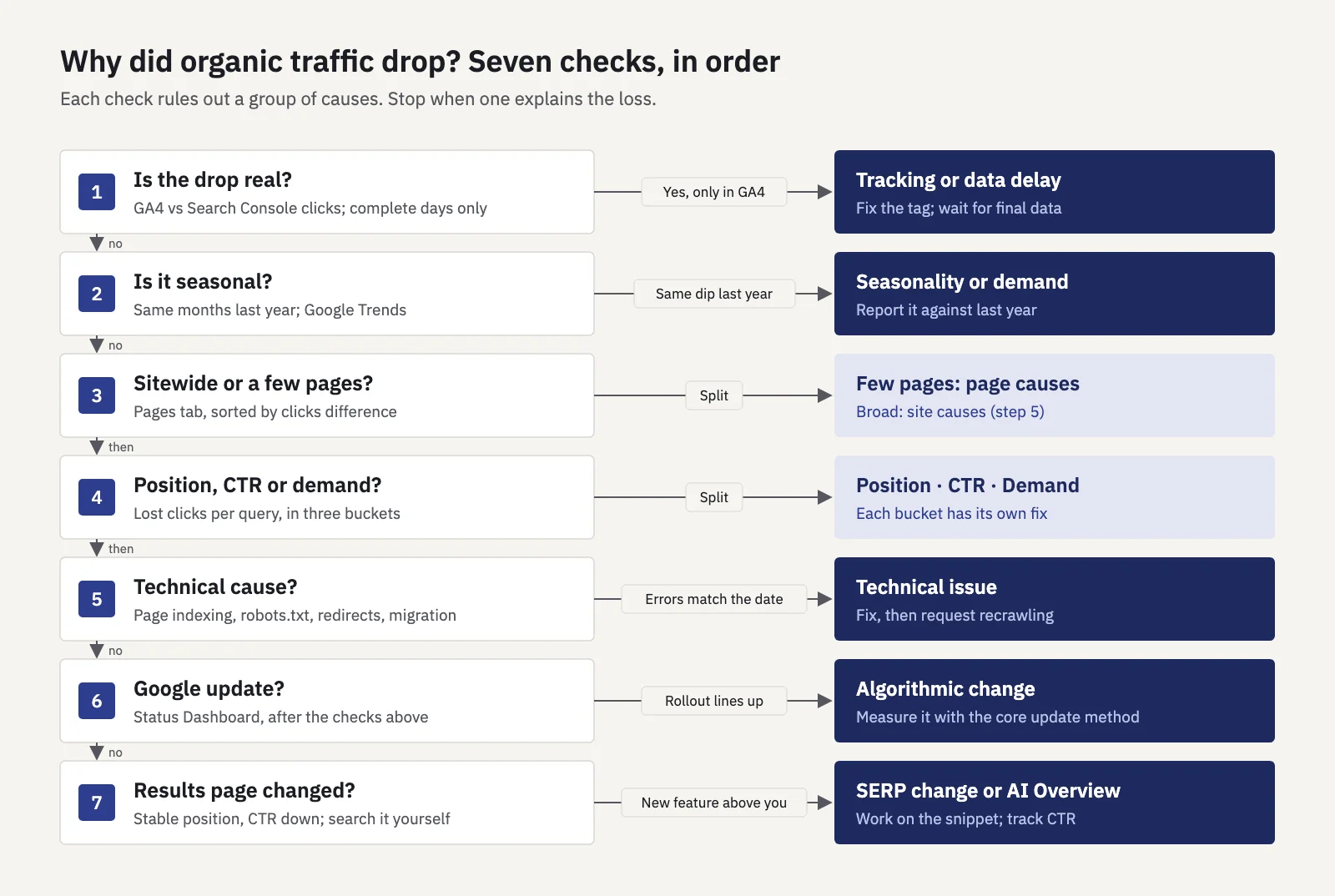
Google's own guide to debugging Search traffic drops names the same families of causes: technical issues, security and spam issues, algorithmic updates, seasonality and changing interest, and site moves. The tree just puts them in the order that wastes the least time.
1. Is the drop real?
Start by making sure you're looking at a real loss of Google traffic and not a measurement problem.
Compare analytics with Search Console. If GA4 shows organic sessions down but Search Console clicks held steady, the problem is tracking: a missing tag on a template, a new consent banner, a filter, a changed channel rule. Search Console counts clicks on Google's side, so it doesn't depend on your tracking code. The reverse case, clicks down in both, is the one worth diagnosing.
Check the data delay. Search Console's newest data is preliminary: it is "still being collected and might change", and the chart draws it with a dotted line (Google's help). Yesterday will almost always look like a drop. Compare complete days only, and end both windows on the same weekday.
Check you're looking at the right slice. Performance > Search results defaults to the Web search type. Images, Video and News are separate types, and Discover is a separate report. If the property changed (a new domain property, a switch from http to https, a new subdomain), make sure the old and new data are in the same view before you compare.
If clicks and impressions both drop to almost zero overnight, it's rarely an algorithm. Look straight at step 5: a noindex, a robots.txt block or a broken release.
2. Is it seasonal?
Plenty of "drops" are just the time of year. A tax site loses traffic in May, a ski shop in April, a B2B site every August and over the holidays.
In Search Console, set the Date filter to Last 16 months to see last year's shape, then use Compare to put the last 3 months against the same 3 months a year earlier. Google suggests both views in its debugging guide. If clicks fell 15% this month and 12% in the same month last year, you have a 3-point problem, not a 15-point one.
For the queries that lost the most, check Google Trends. If interest in the topic fell everywhere, your rankings may be fine and there may be nothing to fix.
3. Is it sitewide or concentrated in a few pages?
This is the most useful split, because it tells you where to look next.
- Open Performance > Search results, click the Date filter, choose Compare and set two equal periods of complete days (28 days against the 28 before is a good default).
- Open the Pages tab and sort by the Clicks difference column, biggest loss first.
- Add up how much of the total loss the top 10 pages account for.
- Repeat on the Queries, Countries and Devices tabs, and split brand from non-brand with a Query filter.
If a handful of pages carry most of the loss, the cause is usually specific to them: a competitor, a changed results page, a template or content change. If the loss is spread thinly across hundreds of pages, look at site-level causes: technical problems, a migration, or an algorithmic reassessment of the whole site.
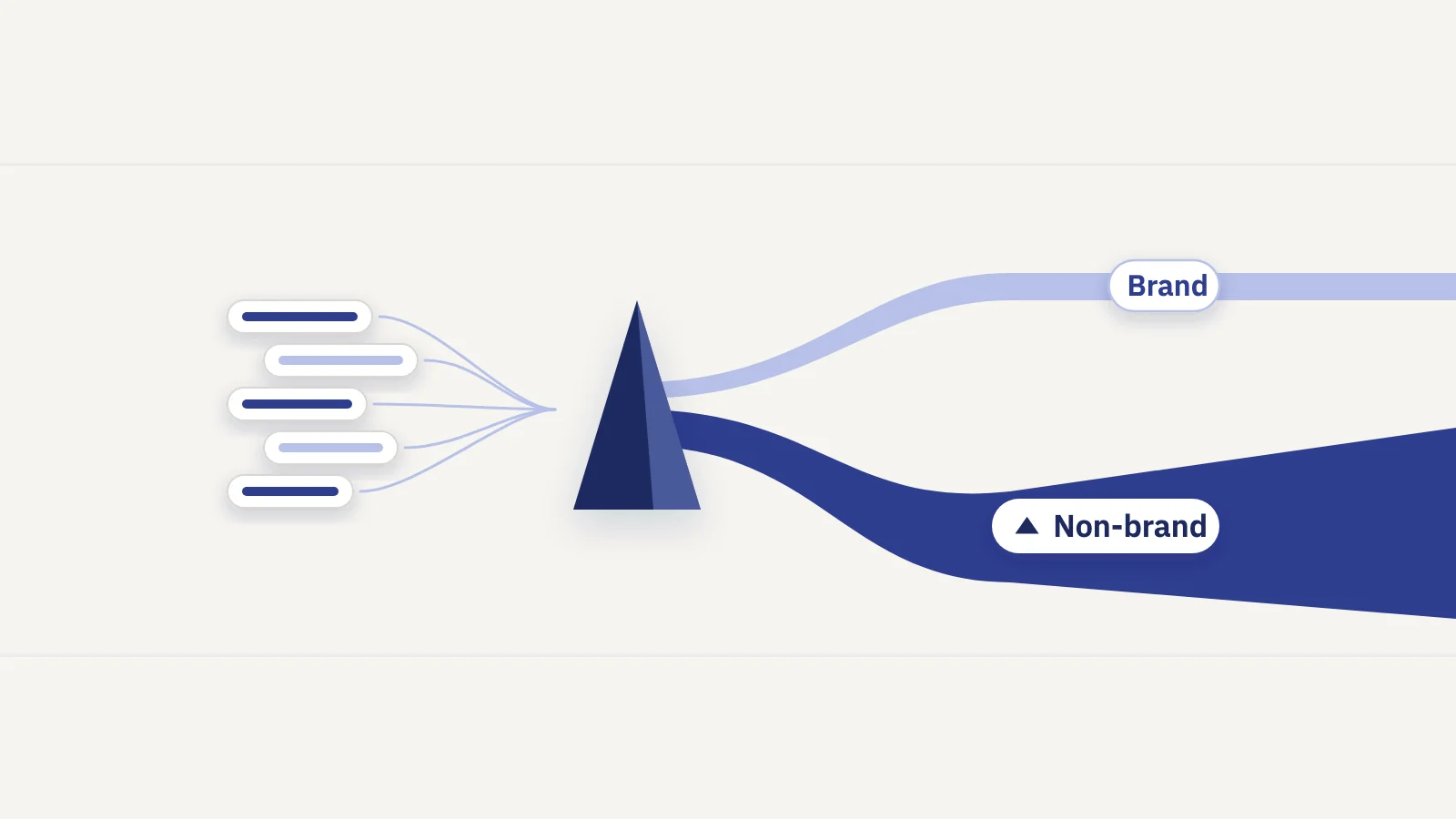
Brand clicks deserve their own look. Branded queries rarely fall because of rankings; if they drop, it's usually demand (fewer people searching for you) or measurement. Our guide to branded vs non-branded traffic shows how to set up the split.
4. Is it a position, CTR or demand change?
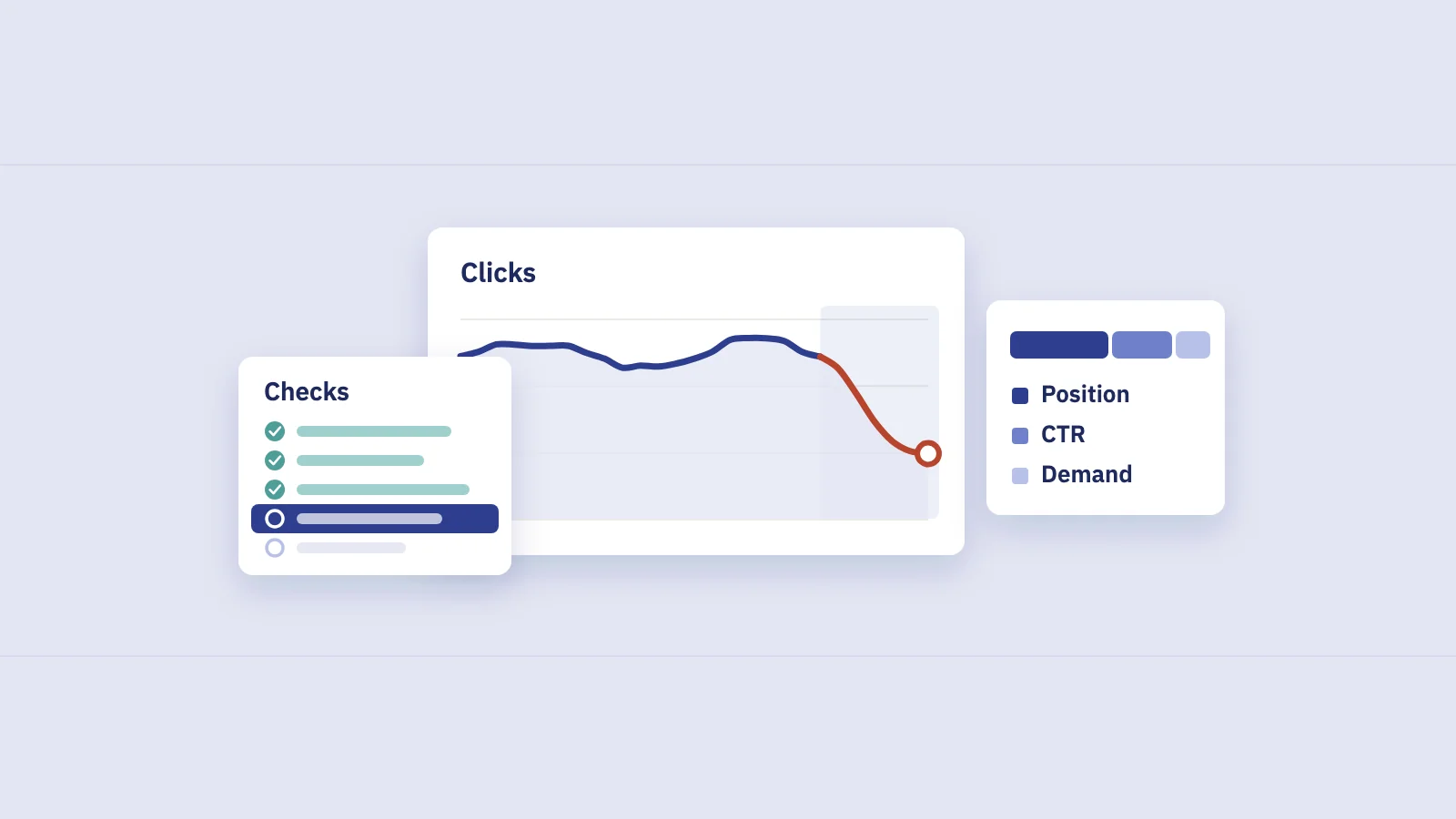
Clicks are impressions times CTR, and impressions depend on both how often people search and where you rank. So a click loss has three possible sources, and they need different fixes:
- Position. You rank lower, so you get fewer impressions and a lower CTR.
- CTR. You rank in the same place, people still search, but fewer of them click.
- Demand. You rank in the same place, but fewer people search for the query.
The trick is to do this per query, not on the site total, then add up the lost clicks in each bucket.
- Export the Queries table for both periods (or use the comparison view and export it).
- Keep queries that lost clicks and had a meaningful number of impressions before, say 100 or more.
- Put each query in one bucket: position if its average position got worse by one place or more; otherwise demand if impressions fell by 20% or more; otherwise CTR if its CTR fell.
- Sum the lost clicks per bucket. Queries that fit none of the rules go into a small "mixed" remainder.
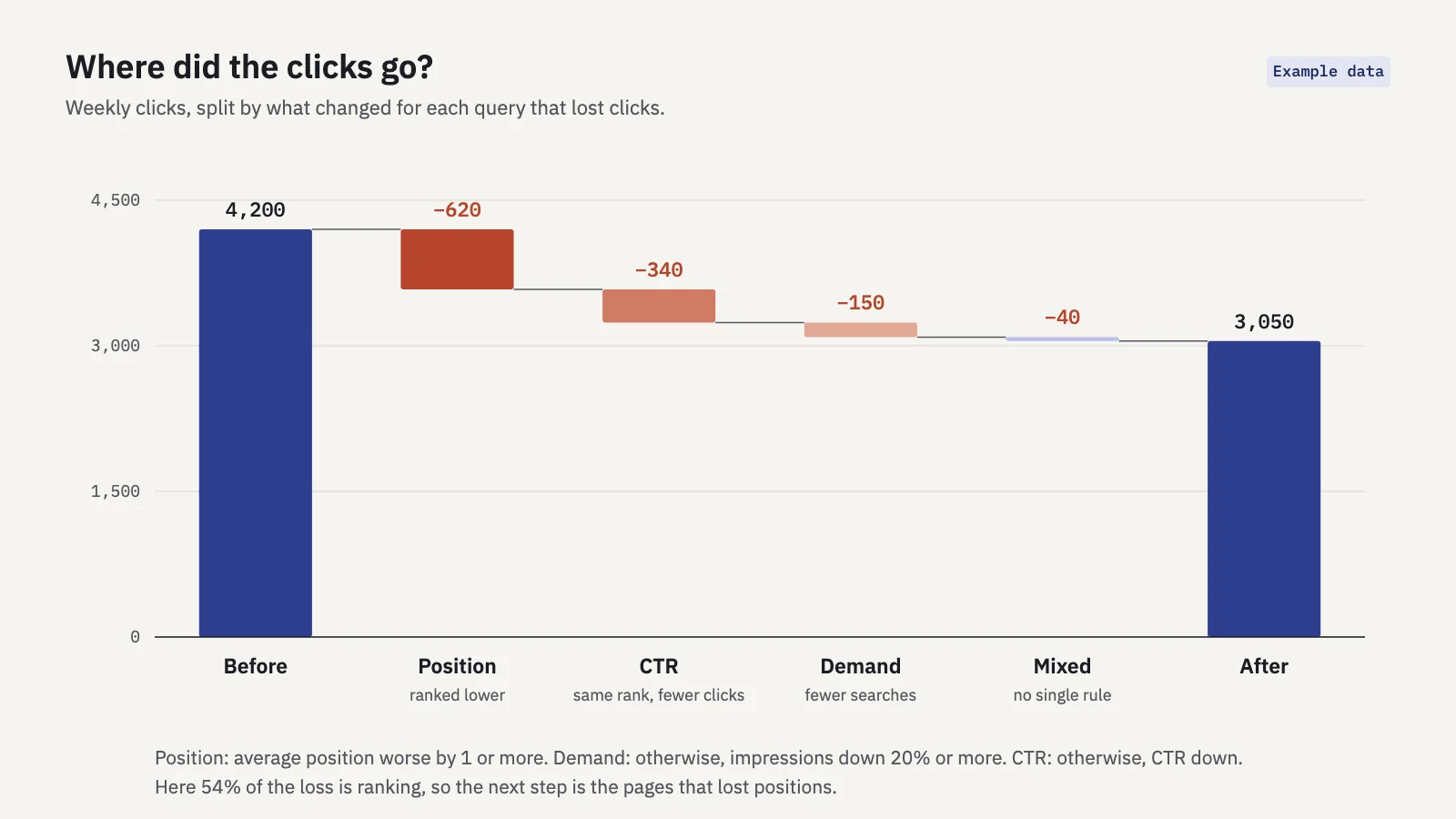
Example data. In this case most of the loss is ranking, so the next step is to look at which pages lost positions and who replaced them.
The rules are rough on purpose; a query can lose position and demand at the same time. But the split is usually lopsided enough to point you in one direction. Two cautions:
- Don't read the site's average position. It's weighted by impressions, so new impressions at low positions make it look worse even when no ranking dropped. Our guide to average position explains the mix effect.
- Watch for lost queries. A query that ranked before and has no impressions now won't show up in a table filtered to the current period. Look at the comparison table, which keeps it with zero.
5. Rule out technical causes
If the loss is broad, or concentrated on a template or section, check the technical side before anything else. These causes are fixable, often quickly, and they look exactly like an algorithmic drop on a traffic chart.
| Possible cause | Where to check | What you'd see |
|---|---|---|
| Pages dropped from the index | Indexing > Pages | A rise in "Excluded by 'noindex' tag", "Not found (404)" or "Server error (5xx)" around the drop date |
| robots.txt blocking crawling | Settings > robots.txt, URL Inspection | A new disallow rule; "Blocked by robots.txt" for important URLs |
| Broken or changed redirects | URL Inspection on old URLs | Old URLs returning 404 or redirecting to the home page instead of their new equivalent |
| Canonical changes | URL Inspection: user-declared vs Google-selected canonical | Google choosing a different URL than the one you expect to rank |
| Server problems | Settings > Crawl stats | Host status warnings, a jump in response time or failed requests |
| Manual action or security issue | Security & Manual Actions | Any open issue |
Then check your own changes. Release notes, redesigns, CMS updates, URL changes, internal linking changes and removed content in the weeks before the drop all count. A site migration is the biggest of these: Google says rankings can fluctuate while it recrawls and reindexes, and that a medium-sized site may take a few weeks before Google notices the change (debugging guide). For the specifics of a single page, our guide to indexing in SEO walks through the Page indexing report.
6. Is it a Google update?
Only now look at the Google Search Status Dashboard for a ranking update that started before your drop. A match in dates isn't proof, which is why this comes after the other checks.
If an update lines up, measure it properly: wait until the rollout ends, compare equal windows that leave the rollout days out, and split the change by segment. We cover that method in full in how to measure core update impact in Search Console, so we won't repeat it here.
7. Did the results page change?
The last common cause is the one you can't fix on your own site: the search results page itself changed. An AI Overview, a featured snippet, a video carousel, more ads or a "People also ask" block can push your result down the page without changing its position number.
The signature is in step 4: queries in the CTR bucket, where position and impressions held but clicks fell. Search them yourself, in a private window, and see what now sits above you. Our guide to zero-click searches covers how to measure what AI Overviews and other features cost you, and which queries are most exposed.
What to do for each cause
| Cause | What to do |
|---|---|
| Tracking or data delay | Fix the tag or consent setup; compare complete days only. No SEO work needed. |
| Seasonality or falling demand | Nothing to fix. Report the change against last year and adjust targets. |
| Position loss on a few pages | Look at who outranks you now and what they cover that you don't. Update the page for the query's intent, not for a word count. |
| Position loss across the site | Check technical causes first, then review content quality against Google's self-assessment questions. |
| Technical issue | Fix it, then use URL Inspection to request recrawling of key URLs. Recovery follows recrawling. |
| Migration | Map every old URL to its new equivalent with a 301; fix redirect chains and internal links that still point at old URLs. |
| Google update | Avoid quick fixes; follow the core update method. |
| SERP change | Improve the title and snippet for the query, aim to be the cited source, and track the query's CTR against its own past. |
| Slow, steady decline | Not a drop but content decay: refresh or consolidate the pages that peaked. |
Whatever the cause, write it down where people read the numbers. A Search Console chart annotation or a note in your report saves the next person from running the same diagnosis again.
Catching the next drop sooner
The diagnosis is faster when you notice the drop in the first week instead of at the end of the month. Serplyze, which works from your own Search Console data, does three parts of this for you:
- Traffic drop alert. After each daily sync, it compares the site's clicks over the last 7 final days with the 7 days before. A fall of 20% or more raises a warning and 40% or more a critical alert, as long as the earlier week had at least 100 clicks. Preliminary days are never used, so yesterday's incomplete data doesn't set it off.
- Period comparison on Traffic. The Traffic screen compares with the same period last year by default, when the data covers it, so seasonality is visible from the start. You can switch to the previous period or a custom one, and its Device, Country, Search appearance and Brand vs non-brand breakdowns cover step 3.
- Losing clicks. A quick view on the Pages, Queries and Query × page lists that shows rows with fewer clicks than in the comparison period, biggest loss first: the starting point for steps 3 and 4.
For which signals to watch daily and which weekly, see our guide to SEO monitoring.
Key takeaways
- Check the drop is real first: compare GA4 with Search Console clicks, and use complete days only.
- Compare year over year before you call anything a drop; check Google Trends for the biggest lost queries.
- Find out whether the loss is concentrated in a few pages or spread across the site; that decides where you look next.
- Split lost clicks per query into position, CTR and demand. Each points to a different fix.
- Rule out indexing, robots.txt, redirects and migrations before blaming a Google update.
- A CTR loss at a stable position usually means the results page changed, not your page.
Serplyze checks your Search Console data after every daily sync and emails you when clicks drop, with the comparison already set up. Start free and connect your site.