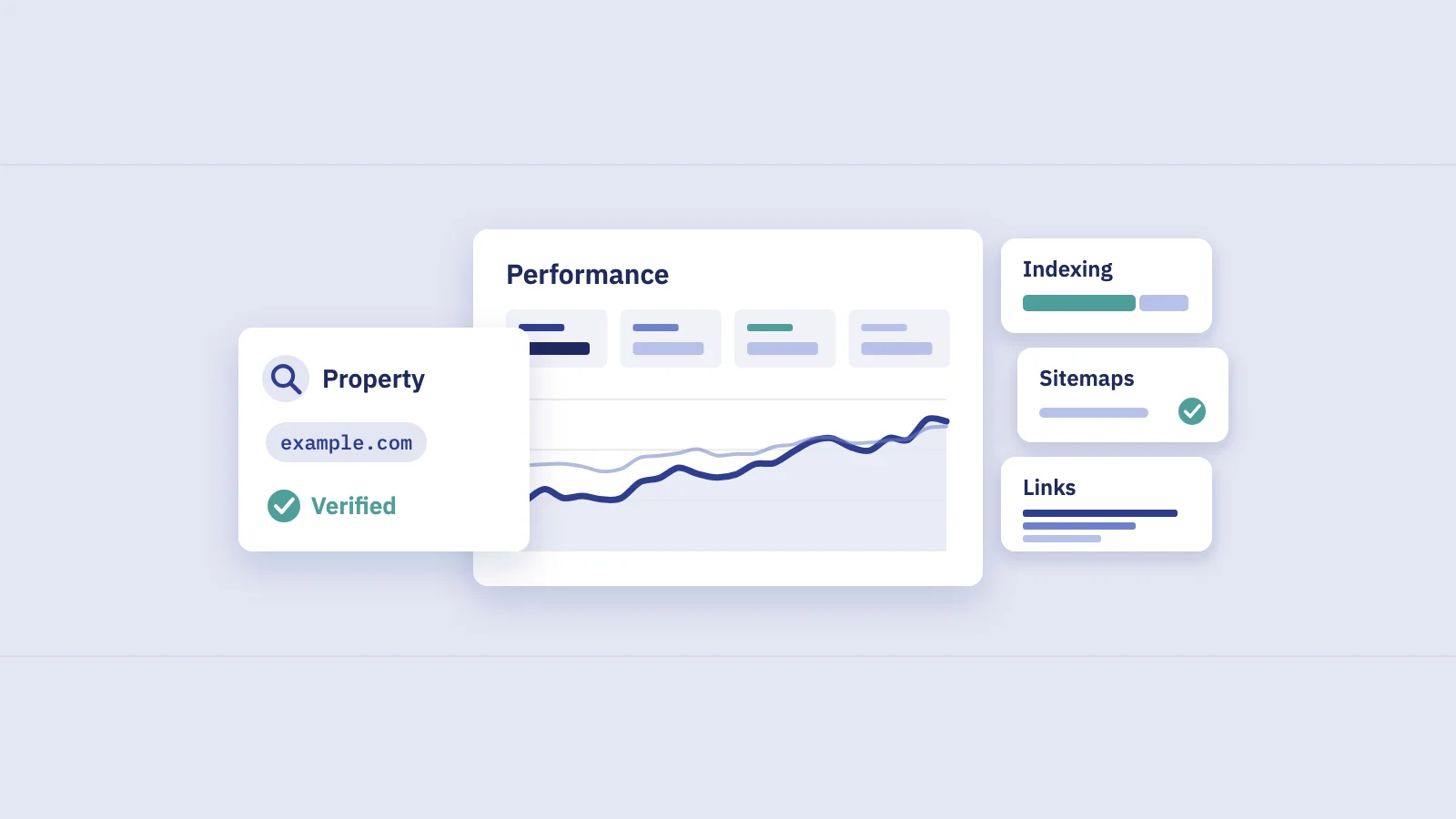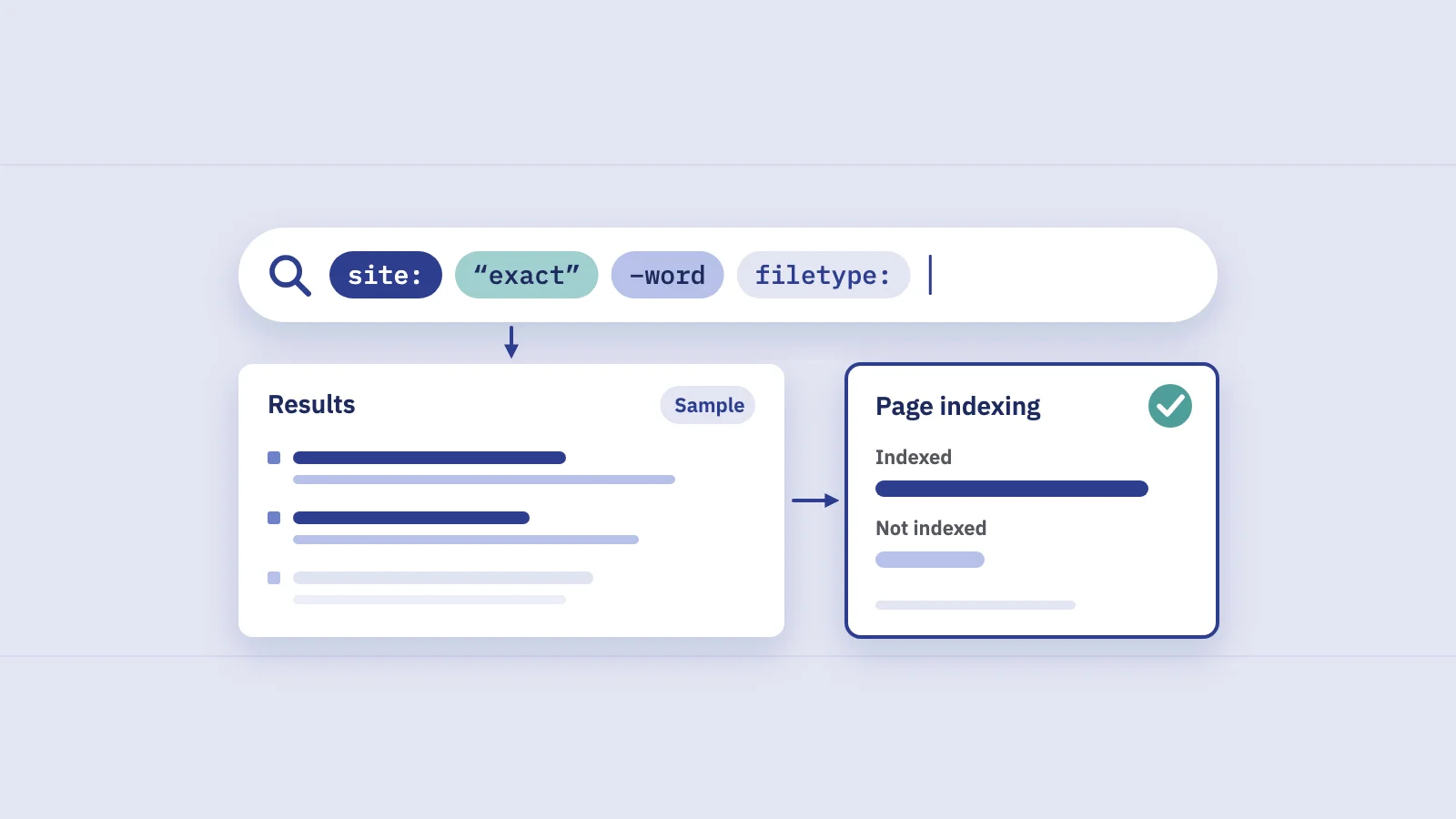
Google search operators are short commands, such as site: or a phrase in quotes, that narrow what Google Search returns. For SEO they're quick spot checks: is this section in Google, is this sentence copied somewhere, which of my pages already talk about this topic? This guide lists the operators Google documents, the ones it has retired, and the checks worth running, with Search Console for the answers operators can't give.
What search operators are, and what they're not
An operator is a word with a colon, or a symbol, that you type into the Google search box together with your query. Google's rule from its help page on refining web searches: don't put a space between the operator and the term. site:example.com works; site: example.com doesn't.
Two things to keep in mind before you use them for SEO work:
- Operators sample the index; they don't report on it. Google's search operators documentation says operators "are bound by indexing and retrieval limits" and that "the URL Inspection tool in Search Console is more reliable for debugging purposes." An operator result is a lead, not a measurement.
- Operators only work in Google Search. They don't work in Search Console's Performance filters. To filter queries or pages there, use the Query and Page filters, or regular expressions; our guide to Search Console regex covers the patterns worth saving.
The operators Google documents
Google documents operators in two places: the Search Help page for everyone, and the Search Central page for site owners. Together they cover these:
| Operator | What it does | Example |
|---|---|---|
"..." |
Only pages that contain the exact word or phrase | "trail running shoes" |
- |
Excludes pages that contain a word | jaguar speed -car |
site: |
Results from a domain, URL or URL prefix | site:example.com/blog/ |
filetype: |
Results in one file type | site:example.com filetype:pdf |
before: |
Pages updated before a date | site:example.com before:2025-01-01 |
after: |
Pages updated after a date | site:example.com after:2026-09-01 |
imagesize: |
Images of a given size (Google Images only) | site:example.com imagesize:1200x800 |
src: |
Pages that use an image URL in a src attribute (Google Images only) |
src:https://example.com/img/logo.png |
Sources: Google's Refine web searches help page for quotes, minus, site:, before:, after: and filetype:, and Search Central's search operators page for site:, filetype:, imagesize: and src:. You can combine before: and after: for a date range, and combine any of them with ordinary words.
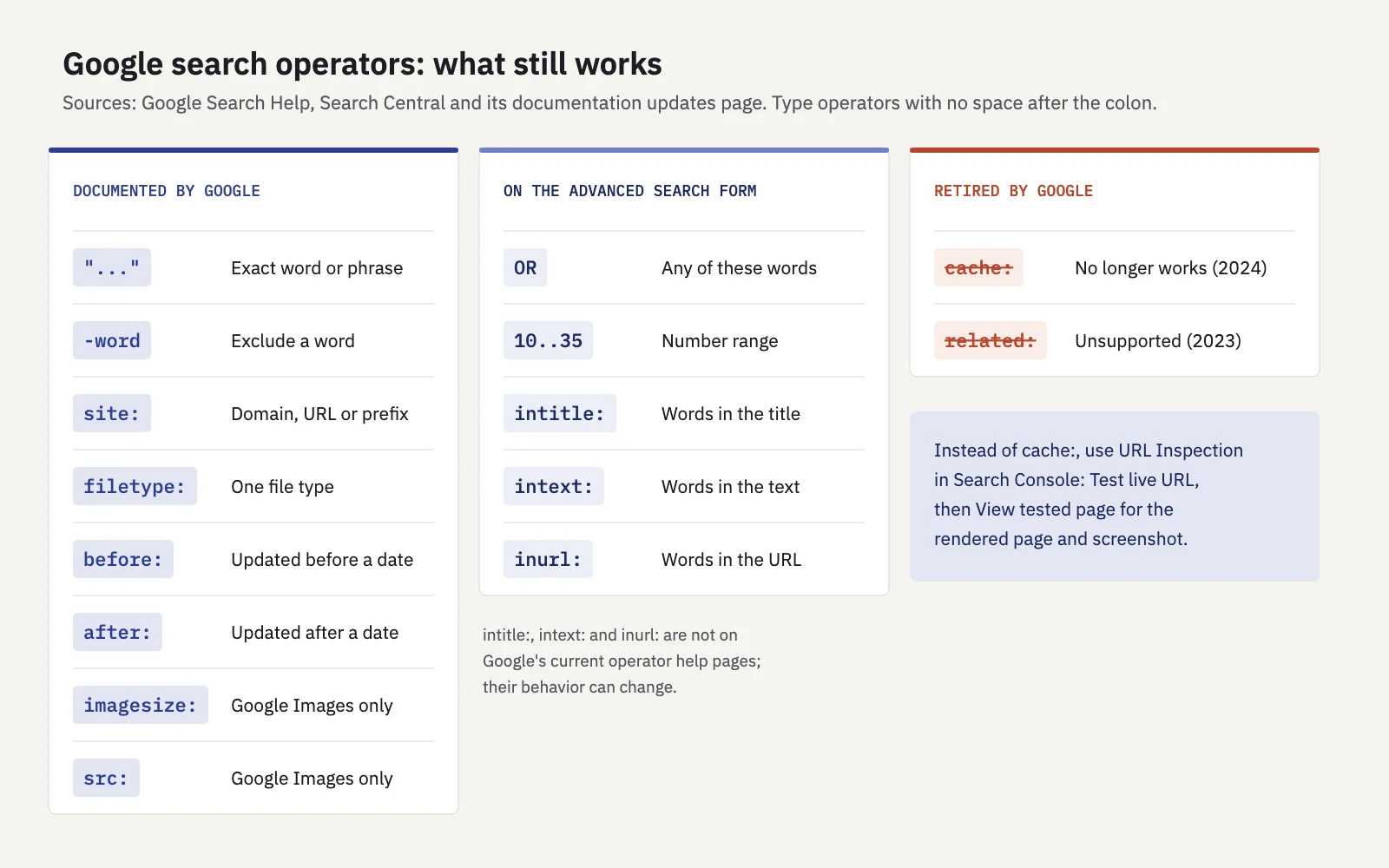
A few details from that documentation that change how you read the results:
site:includes subdomains. Per Google's site: operator page,site:example.comalso returnswww.example.comandrecipes.example.com. Protocol and host matter once you add them:site:https://www.example.comandsite:https://example.com/return different results.site:without a query term isn't ranked. Google says it generally shows the shortest URL first and the rest in a "relatively random" order. Don't read the order as importance.filetype:uses the file'sContent-Typeheader or its extension, and only finds file types Google can index.- Quotes match more than the visible text. Google's post on how quoted searches work says a quoted phrase can match a meta description, image alt text, text in the URL, iframe content or content that appears only after a click, and that the page may have changed since Google last crawled it. Quotes also don't restrict local results with map listings.
Operators on Google's Advanced Search form
Google's Advanced Search form adds a few options that work as typed syntax too:
ORbetween words returns pages with any of them:"meta description" OR "title tag". The form's hint spells it in capitals.- Number ranges use two dots:
2024..2026, or$300..$500. - Terms appearing in the page title, the text, the URL or links to the page. In the search box these correspond to the familiar
intitle:,intext:andinurl:operators (and theirallintitle:,allintext:andallinurl:forms for several words).
intitle:, intext: and inurl: are widely used, but Google doesn't describe them on its current operator help pages. Treat them as convenient filters whose behavior can change without notice, and use the Advanced Search form when you need the option Google stands behind.
Many operator lists also include AROUND(n), info:, link: and the + sign. None of them is in Google's current documentation, so we've left them out. If a result surprises you, check whether you're relying on an operator Google never promised.
Operators Google has retired
Two operators that still appear in older SEO guides are gone. Both removals are recorded in Google's Search Central documentation updates:
related:was removed from the operator documentation on July 18, 2023, "as it's no longer supported."cache:documentation was removed on September 24, 2024, because "the cache: search operator no longer works in Google Search."
If you used cache: to see what Googlebot saw, the replacement is URL Inspection in Search Console. Test live URL fetches the page now, and View tested page shows a screenshot of the rendered page, the HTML, the HTTP headers and the resources Google loaded. For the version Google last indexed, open View crawled page in the indexed result; Google says a screenshot is available only in a live test.
Seven SEO checks you can run with operators
These are the checks where operators are genuinely faster than anything else. Each one ends with where to confirm the answer, because operators can miss pages.
1. Is a section in Google at all? site:example.com/blog/ shows whether Google returns anything under that prefix. Google notes that a more specific prefix can return more results than a broader one, so check the folder directly instead of scrolling through the whole domain.
2. Are subdomains you didn't expect indexed? Because site:example.com includes subdomains, it's a quick way to spot a staging site, an old help center or a test environment in results. Confirm in Search Console with a Domain property, which covers all subdomains, and fix with authentication or noindex. Our guide to robots.txt vs noindex explains which one removes a page from the index.
3. Has someone copied a page? Take a distinctive sentence from your page and search it in quotes: "a sentence only your page should contain". Add -site:example.com to hide your own copy. Google doesn't document negating site:, so if that returns odd results, drop it and skip past your own URL.
4. Do two of your pages say the same thing? The same quoted sentence with site:example.com shows every page on your site that contains it: template text, a product description reused across variants, a paragraph pasted into several posts. Whether Google treats them as duplicates is a question for the Page indexing report and URL Inspection; the canonical tags guide covers how to read the duplicate statuses.
5. Which of your pages should link to a page? site:example.com "trail running" lists pages on your site that mention the topic. Those are candidates for an internal link to the page you want to rank. Choosing anchors and measuring the effect is in internal linking with Search Console data.
6. Which PDFs and documents are indexed? site:example.com filetype:pdf finds indexed PDFs: old price lists, brochures or manuals that may rank in place of the HTML page. The same works for other indexable types such as docx or xlsx.
7. Is anyone injecting spam into your site? Google's own example use for site: is monitoring comment spam. site:example.com plus a spam term (pharma, casino, loan, the language of the spam you've seen) can surface hacked or spammed pages quickly. If anything shows up, check Security & Manual Actions in Search Console.
To find the pages worth an internal link, start from data instead of guesses. Serplyze's Content screen lists tracked keywords on page two (average position above 10 and up to 20) from your own Search Console data. Those pages are the link targets; then use site:example.com "topic" to find the source pages. See Content findings.
Why site: is not an index count
The most common misuse of operators is reading a site: search as "how many pages Google has indexed." Google's site: documentation is direct about it: indexed URLs can appear, but it's "not guaranteed," the list of URLs returned "is not always exhaustive," and the operator doesn't necessarily return all indexed URLs under a prefix. So don't read the number of results as your indexed page count.
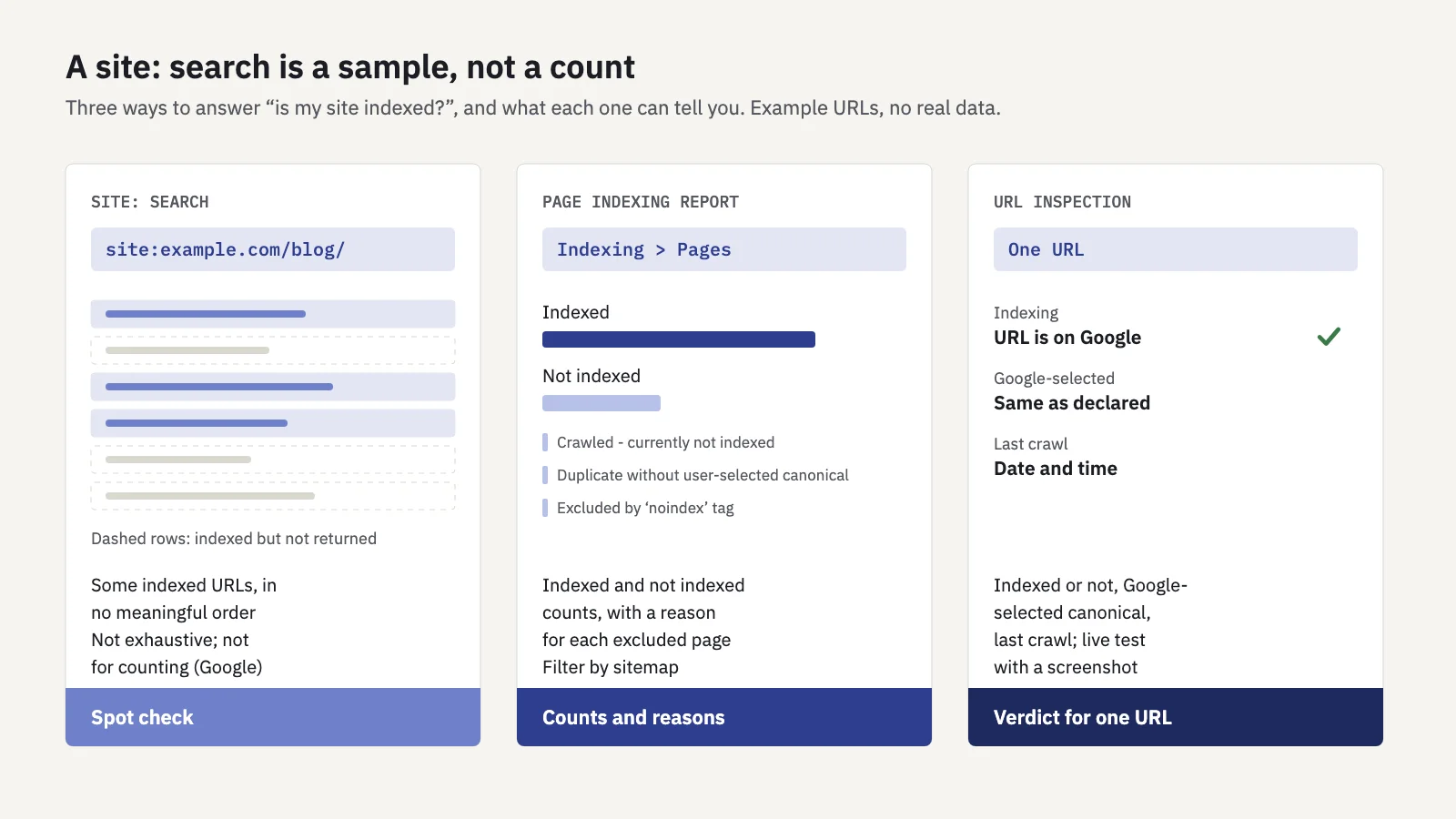
Use each source for the question it can answer:
| Question | Use | Why |
|---|---|---|
| Is anything from this site or folder in Google? | site: search |
Instant, no access needed |
| How many pages are indexed, and why aren't the others? | Page indexing report | Counts and reasons from Google's index |
| Is this one URL indexed, and which canonical did Google pick? | URL Inspection | The verdict for one URL |
| Which pages actually appear in search, and for what? | Performance report, Pages tab | Pages with impressions, with clicks and queries |
| Does a competitor's page appear for this phrase? | Quotes and site: |
Search Console only covers sites you own |
For the full workflow, the guide to indexing in SEO walks through the Page indexing statuses and what to do about each.
A 10-minute indexing spot check
When a page or section "isn't showing up," this sequence uses operators for speed and Search Console for the answer:
- Search the exact URL prefix, for example
site:example.com/guides/new-page. If it appears, Google has it. If not, that proves nothing yet. - Search a distinctive phrase from the page in quotes, with
site:example.com. If another URL of yours shows up instead, look for a duplicate or a canonical pointing elsewhere. - Inspect the URL in Search Console. Read the indexing verdict, the user-declared and Google-selected canonical, and the last crawl date.
- Run Test live URL if the page changed recently, to see whether Google can fetch and render it now.
- Check the section in Page indexing. Filter by sitemap if you submit one per section, and read the reasons for pages that aren't indexed.
- Look at the Pages tab in Performance for the folder. Indexed but with no impressions in months is a content question, not an indexing one.
To know how many URLs you're asking Google to index in the first place, our free website page counter reads your XML sitemaps and counts the URLs per sitemap and per folder. Compare that with the indexed count in Page indexing, not with a site: number.
Habits that keep operator results honest
- Search signed out or in a private window, so your history doesn't shape the results.
- Check the country and language. Results differ by location, so a page missing from your local results may appear elsewhere.
- Record the query, not the count. Save the exact operator string you ran, so you can repeat the check later. The result count isn't stable enough to trend.
- Don't automate scraping of results. For numbers you'll report or monitor, use Search Console or its API, which give you data about your own site directly.
If a page disappears from Search Console's Pages tab from one period to the next, that's a stronger signal than any operator. In Serplyze, the Traffic screen's Pages tab has New and Lost quick views for pages that started or stopped getting impressions, read from your own Search Console data. See Traffic.
Key takeaways
- Google documents quotes, minus,
site:,filetype:,before:,after:, andimagesize:andsrc:for Google Images;OR, number ranges and title, text and URL matching are on its Advanced Search form. cache:stopped working in 2024 andrelated:is no longer supported; use URL Inspection to see what Google fetched and rendered.site:includes subdomains, isn't ranked without a query term and isn't exhaustive, so it's a spot check, not an index count.- Operators are best for quick leads: indexed sections, unexpected subdomains, copied text, internal link sources, indexed PDFs and spam.
- Confirm every lead in Search Console: Page indexing for counts and reasons, URL Inspection for one URL, Performance for what actually gets impressions.
Serplyze tracks your rankings, pages and clicks from your own Search Console data, so you can see which pages appear in search and which stopped. Start free and check your own site.