A canonical tag tells Google which of several near-identical URLs you want shown in search. Google treats it as a hint, and "Duplicate, Google chose different canonical than user" in Search Console means it overruled you. Here's how Google picks, how to read what it picked, and how to get the two to agree.
What a canonical tag is
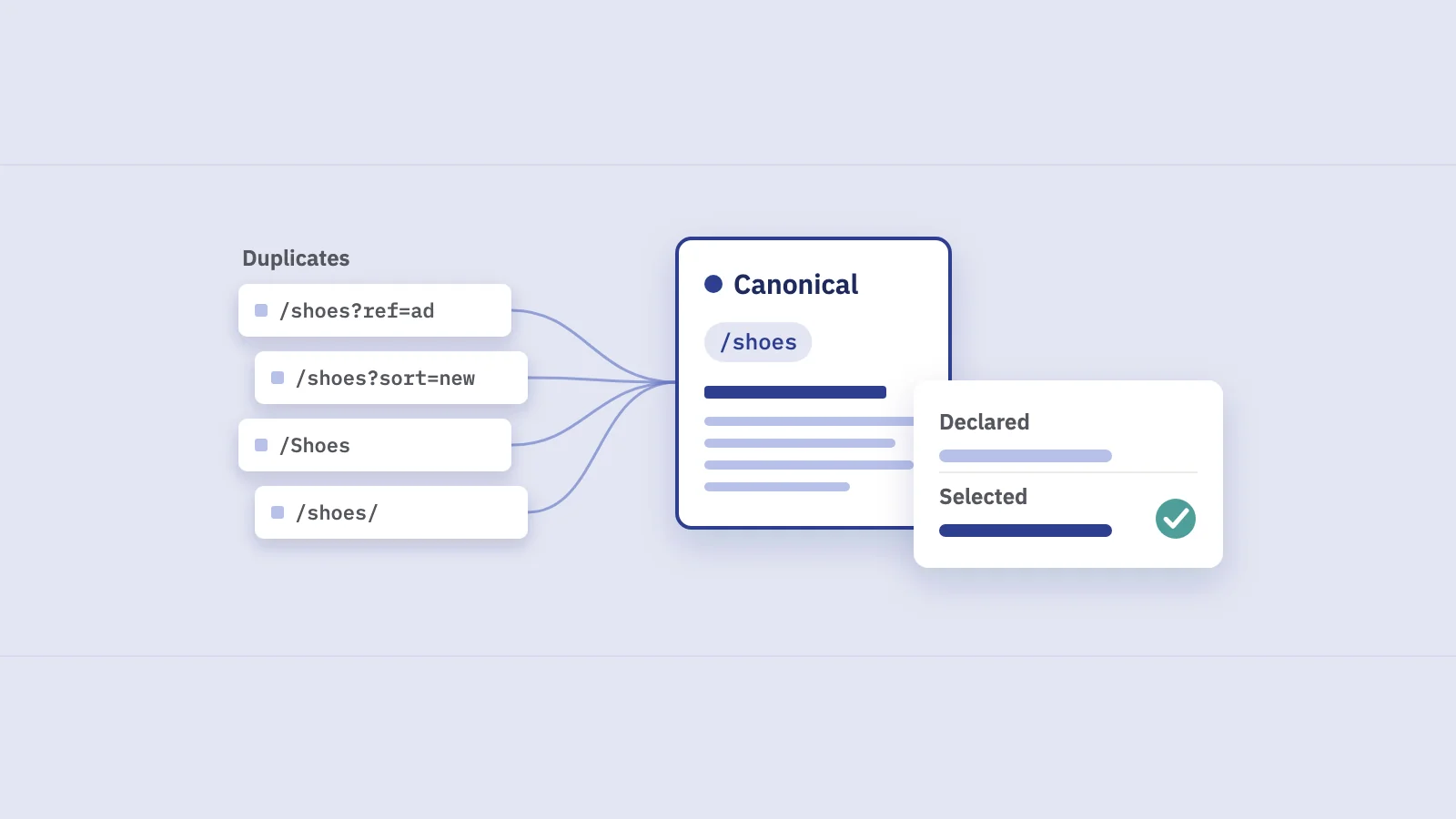
When the same content is reachable at more than one URL, Google groups those URLs into a duplicate cluster and indexes one of them: the canonical. Google's canonicalization overview calls this selecting "the representative URL" of a piece of content. The other URLs in the cluster are duplicates. They're usually crawled less often and usually not shown in results.
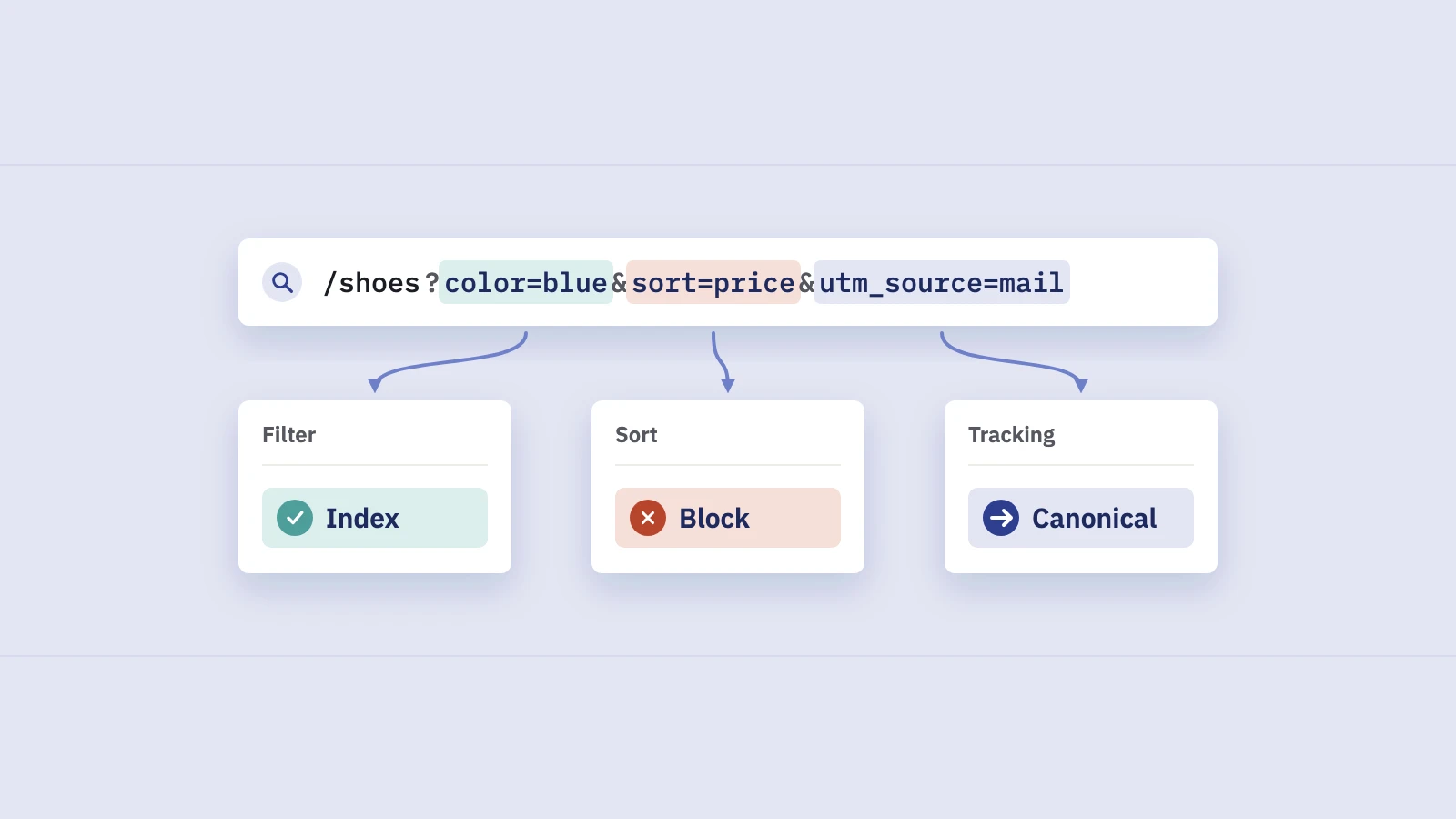
Duplicates are more common than most site owners think. The same product page with and without a tracking parameter, sorted and filtered listings, http:// and https://, www and bare domain, a printer-friendly version, a staging copy left open to crawlers: each is a separate URL to Google. Google says some duplicate content is normal and not a spam problem. The issue is only which URL ends up representing the cluster.
The canonical tag is your vote. It's a link element in the page's <head>:
<link rel="canonical" href="https://www.example.com/shoes/trail-runner/">
For non-HTML files such as PDFs you can send the same thing as an HTTP Link header. Google's rules for the tag, from its guide to specifying a canonical URL:
- Put it in the
<head>. Arel="canonical"element is only accepted there. - Use absolute URLs, not relative paths.
- Give every indexable page a self-referencing canonical, including the canonical page itself.
- Don't use URL fragments (
#section) as the canonical. - Don't let JavaScript change it. If possible, put it in the HTML source the server sends.
How Google chooses the canonical
Your tag is one input. Google's documentation is direct about it: indicating a canonical preference is "a hint, not a rule." Google weighs several signals and picks the URL it considers "objectively the most complete and useful for search users".
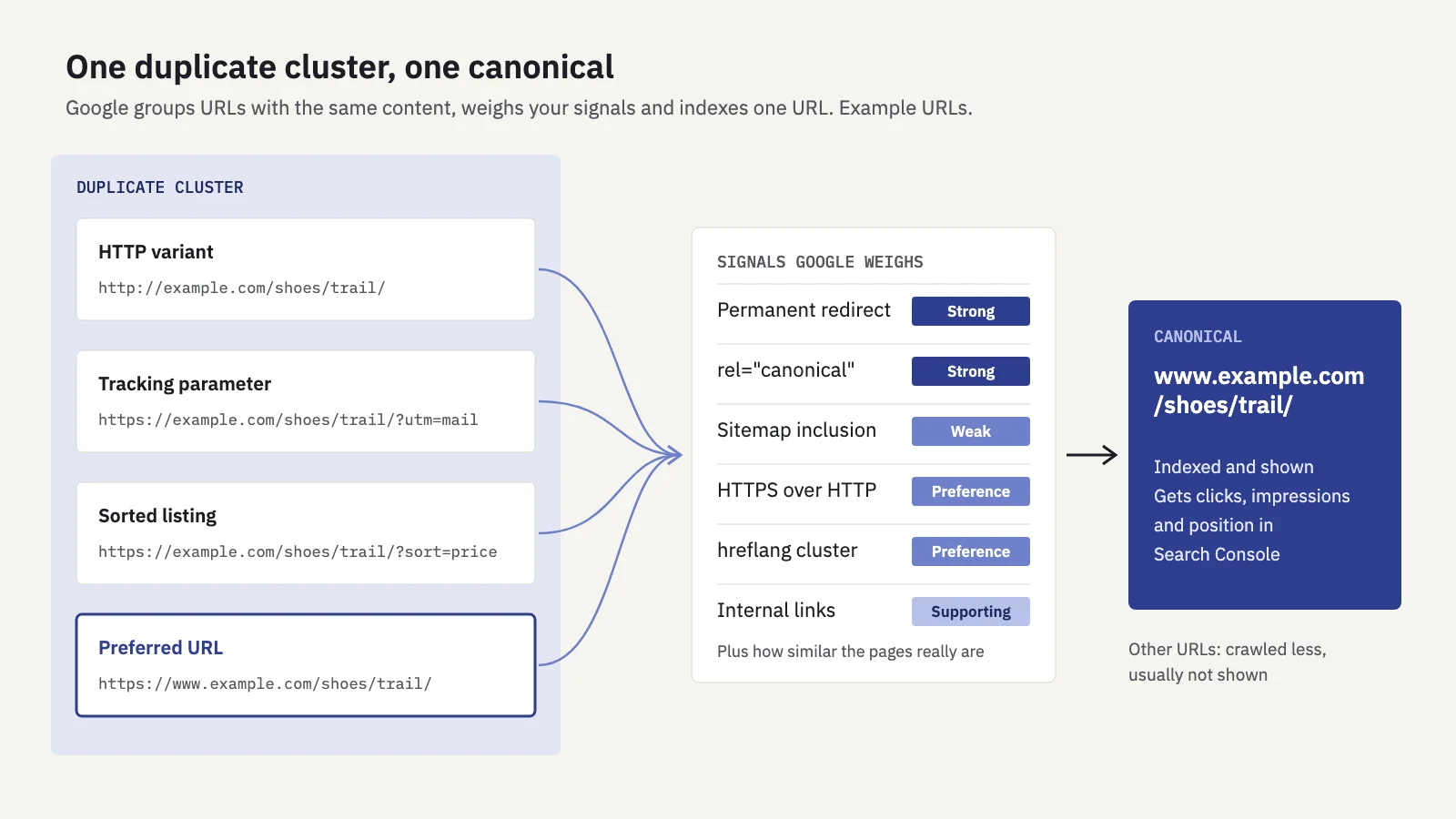
The signals Google lists in consolidate duplicate URLs, from strongest to weakest:
| Signal | Strength | Notes |
|---|---|---|
| Permanent redirect | Strong | Tells Google the target should become canonical |
rel="canonical" (HTML or HTTP header) |
Strong | Use one method per page, not both |
| Sitemap inclusion | Weak | Every URL in a sitemap is suggested as a canonical |
Two more preferences apply even without markup. Google prefers HTTPS over HTTP unless the HTTPS version has problems such as an invalid certificate. It also prefers pages that are part of a reciprocal hreflang cluster. And Google asks you to link internally to the canonical URL, because internal links pointing at a duplicate argue for the duplicate.
The point to take away: signals add up. A canonical tag pointing at URL A, while your sitemap lists URL B and your navigation links to URL C, is three different votes. Google's guidance is to not specify different canonicals for the same page across methods. When the signals agree, Google usually follows them.
Two shortcuts Google tells you not to use: robots.txt (a blocked URL can still be indexed, without its content) and noindex as a way to choose the canonical within a site.
The canonical statuses in Page indexing
In Search Console, Indexing > Pages groups URLs that aren't indexed by reason. Four reasons are about duplicates and canonicals. The names below are exactly as they appear in Google's Page indexing report documentation:
- Duplicate without user-selected canonical. The page is a duplicate of another, it declares no canonical, and Google chose another URL as the canonical. Usually fine. If Google picked the wrong URL, declare one explicitly.
- Duplicate, Google chose different canonical than user. You declared a canonical, but Google indexed a different URL. This is the status to investigate.
- Alternate page with proper canonical tag. The page points to a canonical that is indexed, for example a separate mobile or AMP version. Nothing to do.
- Page with redirect. A non-canonical URL that redirects elsewhere. Nothing to do, unless it's still in your sitemap or internal links.
The first, third and fourth are the system working as designed. Most sites have plenty of them, and the counts can be large on shops with filters and parameters. Only the second means your vote lost. If you've seen "Duplicate, submitted URL not selected as canonical" in older guides, it's not in Google's current list of reasons.
Our post on indexing in SEO covers the rest of the report. This post stays with the canonical cases.
User-declared vs Google-selected canonical
The Page indexing report shows the pattern. URL Inspection shows the verdict for one URL. Two fields matter:
- User-declared canonical: the canonical you declared, through the tag, the HTTP header or a sitemap. "None" means you didn't declare one.
- Google-selected canonical: the URL Google chose for the cluster. If the page has no duplicates, it's the inspected URL itself.
To check a URL:
- Paste the duplicate URL into the inspection bar at the top of Search Console. It has to be in a property you own.
- Open Page indexing in the result and find the two canonical fields.
- Compare them. If they match, Google agreed. If the Google-selected canonical is another URL, that URL is the one indexed and credited.
- Inspect the Google-selected URL too. Check that it's indexed, returns 200 and is the page you'd want people to land on.
- Look at the live page in your browser's developer tools. The rendered
<head>sometimes holds a second canonical tag, or one changed by a script.
Two limits. The Google-selected canonical comes from the index and can be a few hours behind. And Test live URL doesn't show a Google-selected canonical at all: Google picks the canonical at indexing time, so a live test can't predict it.
Why Google chose a different canonical, and how to fix it
Google's Page indexing documentation gives the core reason: if the canonical you declared isn't similar enough to the page, Google won't choose it. Its canonicalization troubleshooting guide adds the technical causes. In practice it's one of the cases below; the fixes are our recommendations, based on Google's guidance.
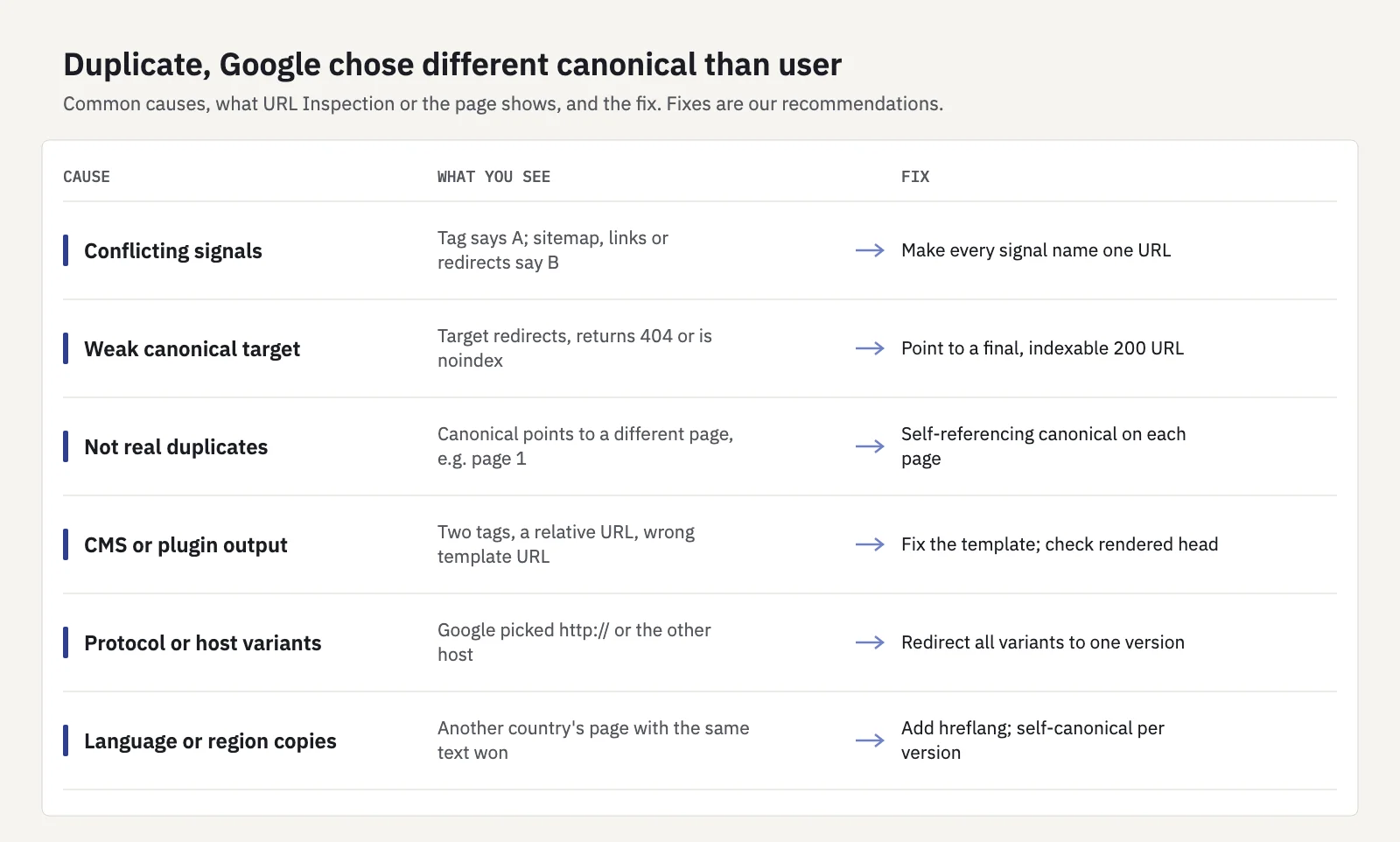
| Cause | What you see | Fix |
|---|---|---|
| Conflicting signals | Tag says A; sitemap, internal links or redirects favor B | Make the tag, redirects, sitemap and internal links all name the same URL |
| Canonical target isn't a good page | It redirects, returns 404 or is noindex | Point the canonical at a final, indexable URL that returns 200 |
| Pages aren't really duplicates | Canonical points to a different page (a category, page 1 of a series) | Remove the canonical or use a self-referencing one; give each paginated page its own |
| CMS or plugin output | Two canonical tags, a relative URL, or the wrong template URL | Check the rendered <head>; fix the template or plugin |
| HTTP or host variants | Google picked http:// or the other host |
Redirect all variants to one protocol and host; fix mixed links |
| Language and region variants | Google picked another country's page with the same text | Add hreflang annotations; point each version's canonical at itself |
A few of these need more context.
Near-duplicates you want indexed separately. Two product variants with identical descriptions, or city pages that differ only in the city name, can end up in one cluster no matter what your tags say. Google's fix is to make the pages meaningfully different. It also notes that Google may keep pages in a duplicate cluster for up to two weeks after a content change.
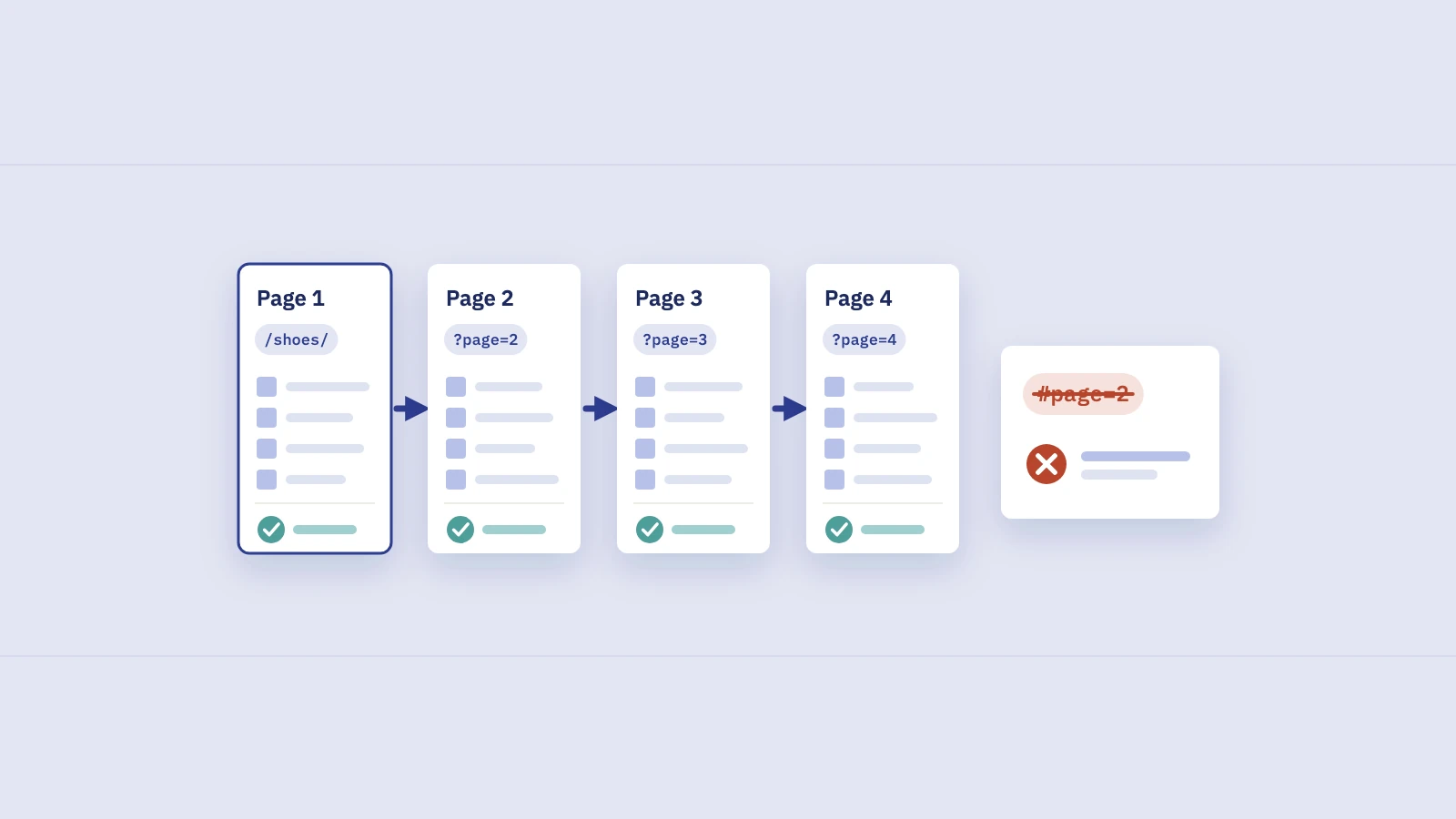
Pagination. Pointing pages 2, 3 and 4 of a category at page 1 is a common mistake. Google's pagination guidance says not to use the first page as the canonical and to give each page its own canonical URL.
Things outside your control. The troubleshooting guide also lists syndicated copies, copycat sites and hacked pages that add a cross-domain canonical or redirect. If the Google-selected canonical is on a domain you don't own, start there.
After a fix, request indexing for the most important URLs (quotas apply) and click Validate fix on the reason in the Page indexing report. Then give it time.
Don't aim for zero duplicates in the report. Parameter URLs, sorted listings and tracking variants should be duplicates. Fix the cases where Google's choice is a page you wouldn't want people to land on.
How Performance data follows the canonical
This is the part that confuses reports. Google's Performance report dimensions documentation says most performance data "is assigned to the page's canonical URL, not to a duplicate URL". When someone clicks a duplicate in search results, the click counts toward the canonical. Google made this change in 2019, when Search Console moved to canonical-based reporting.
What that means day to day:
- A Page filter on a duplicate URL shows little or nothing, even if people see that URL in results. Its clicks and impressions sit under the canonical.
- A canonical change looks like a traffic swap. Say Google switches the canonical from
/shoes/trail-runner/to/shoes/trail-runner/?color=blue. In the Pages tab, the first URL's clicks fall to near zero and the parameter URL appears with roughly the same numbers. No traffic was lost. Only the credit moved. - The canonical can be in another property. If Google picks a URL on another host or domain you don't have verified, Google's troubleshooting guide notes you can't see traffic for it.
- Page-level numbers depend on the cluster. All variants report as one page, so clicks for a sorted listing and its unsorted original add up under one URL.
So before you treat a sudden drop on one URL as a ranking problem, inspect it. If the Google-selected canonical has changed, look for the matching gain on another URL.
In Serplyze, the Traffic screen's Pages tab has New and Lost quick views: pages with impressions in only one of the two periods. A URL in Lost and a near-identical URL in New with similar numbers usually means a canonical switch, not a ranking loss. Serplyze reads Search Console performance data, not index status, so confirm with URL Inspection. See Traffic.
If two different pages trade places for the same query and both stay indexed, that's not canonicalization. It's keyword cannibalization, and the fix is different. And if you're tracking rankings by URL, remember that average position is credited to the canonical as well.
Key takeaways
- A canonical tag is a strong hint, not a command: Google weighs it with redirects, sitemaps, internal links, HTTPS and hreflang.
- Make every signal name the same URL, and give each indexable page a self-referencing canonical with an absolute URL in the head.
- Of the canonical statuses in Page indexing, only "Duplicate, Google chose different canonical than user" needs action; the others are usually by design.
- In URL Inspection, compare User-declared canonical with Google-selected canonical, then inspect the selected URL.
- Search Console credits clicks, impressions and position to the canonical, so a canonical switch looks like one URL losing traffic and another gaining it.
Serplyze tracks rankings, pages and clicks from your own Search Console data, so you can spot when traffic moves from one URL to another. Start free and see it on your own site.