Indexing is the step where Google stores a page so it can show it in results. A page that isn't indexed can't rank for anything, so knowing which of your pages Google has indexed, and why the rest aren't, is the first check when a page gets no search traffic.
What indexing means in SEO
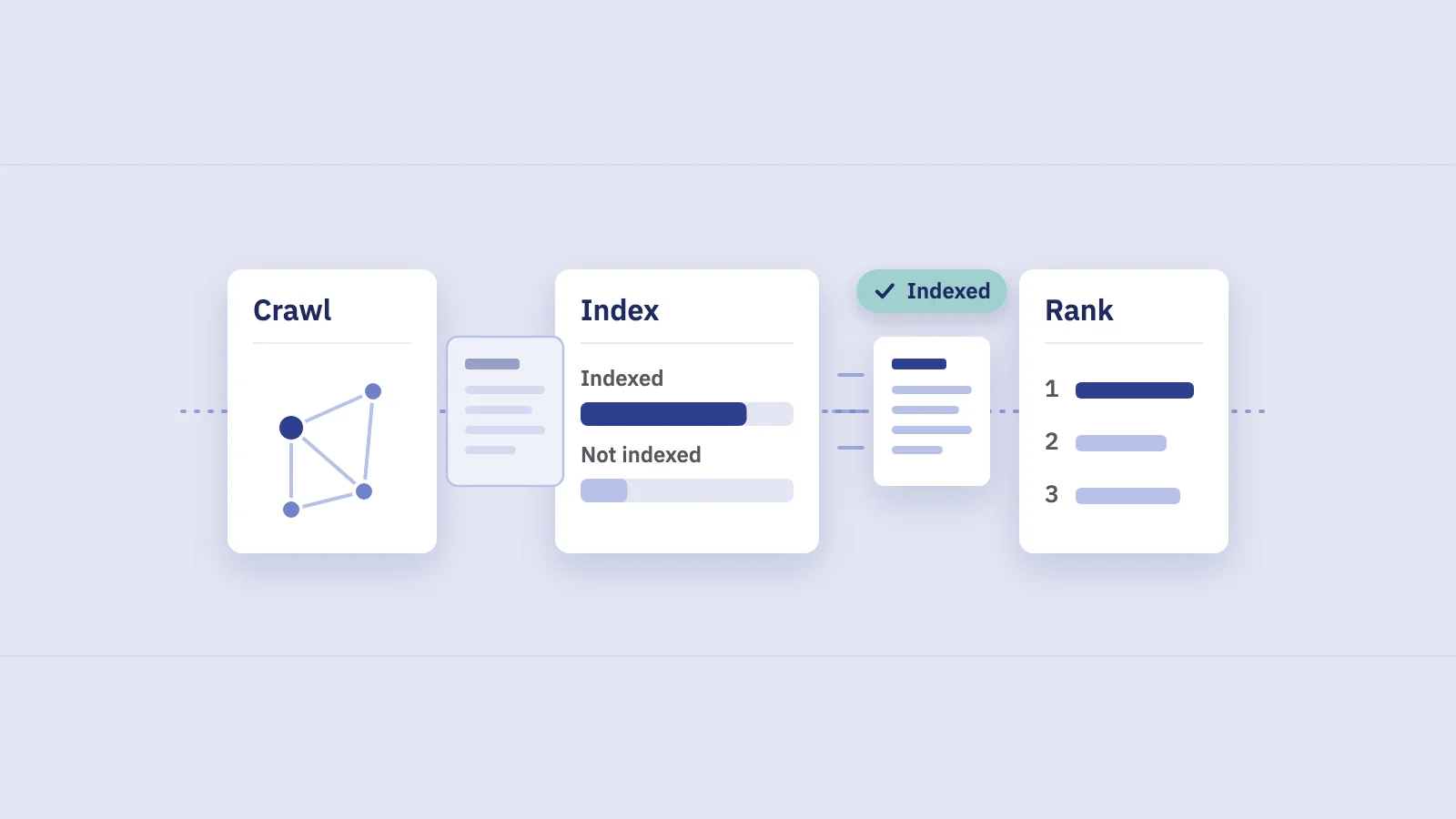
Google Search works in three stages, as Google's How Search works guide describes them:
- Crawling. Googlebot finds URLs (through links, sitemaps and URLs it already knows) and downloads the pages.
- Indexing. Google analyzes the page's text, images, structured data and tags, works out whether it duplicates another page, picks a canonical URL and stores what it learned in the Google index.
- Serving and ranking. When someone searches, Google picks matching pages from the index and orders them by relevance and quality.
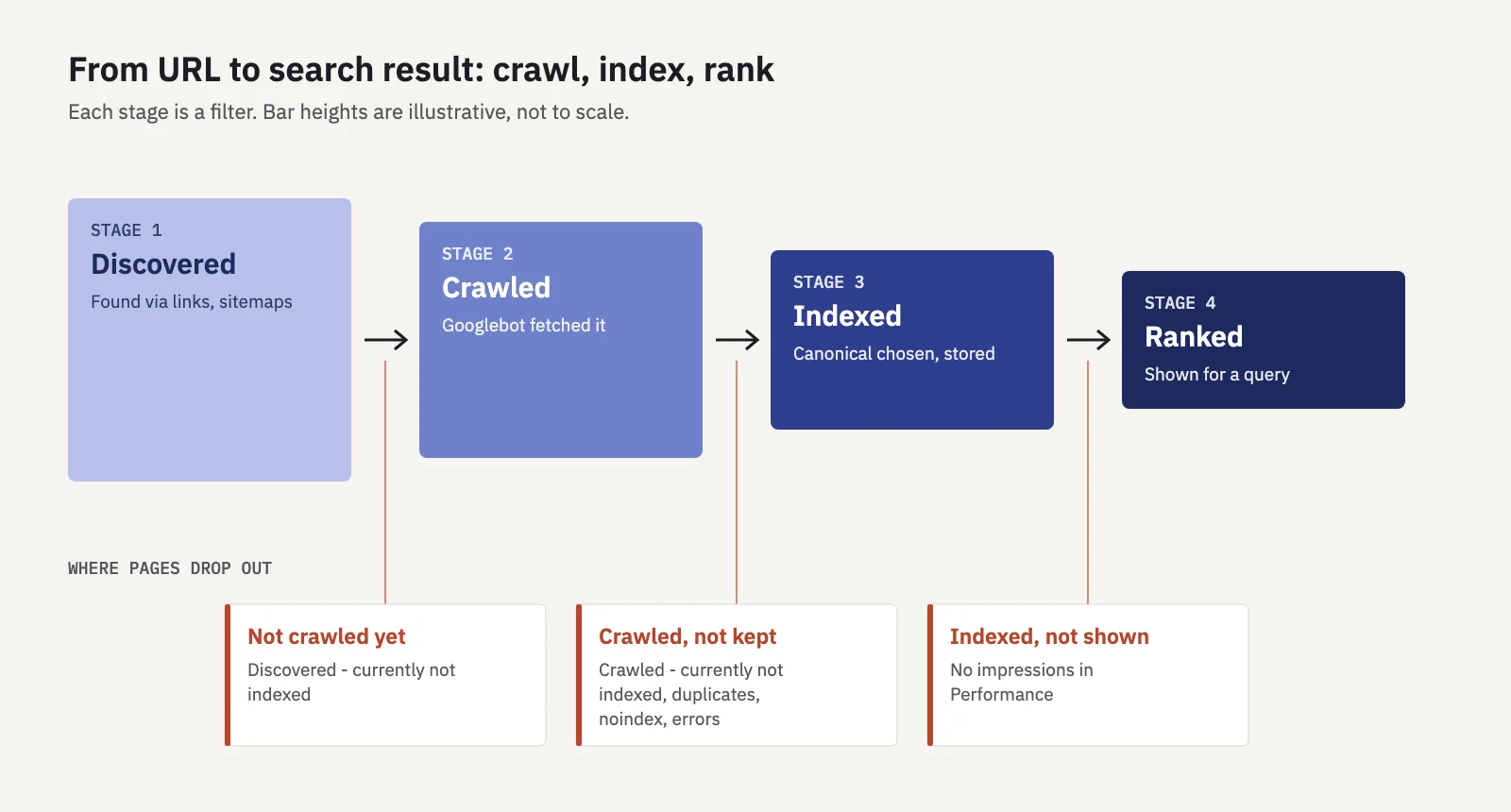
Each stage is a filter. Google says plainly that it doesn't guarantee it will crawl, index or serve any page. Pages drop out between crawling and indexing because they duplicate other pages, are marked noindex, return an error or don't seem worth storing. And an indexed page still has to compete to rank: indexing makes a page eligible, nothing more.
That's why the questions differ by stage. "Is Google crawling my site?" is about access and discovery. "Is my page indexed?" is about whether Google chose to keep it. "Why doesn't my page rank?" only makes sense once the answer to the second question is yes.
How to check whether your website is indexed
There are three ways, from rough to precise.
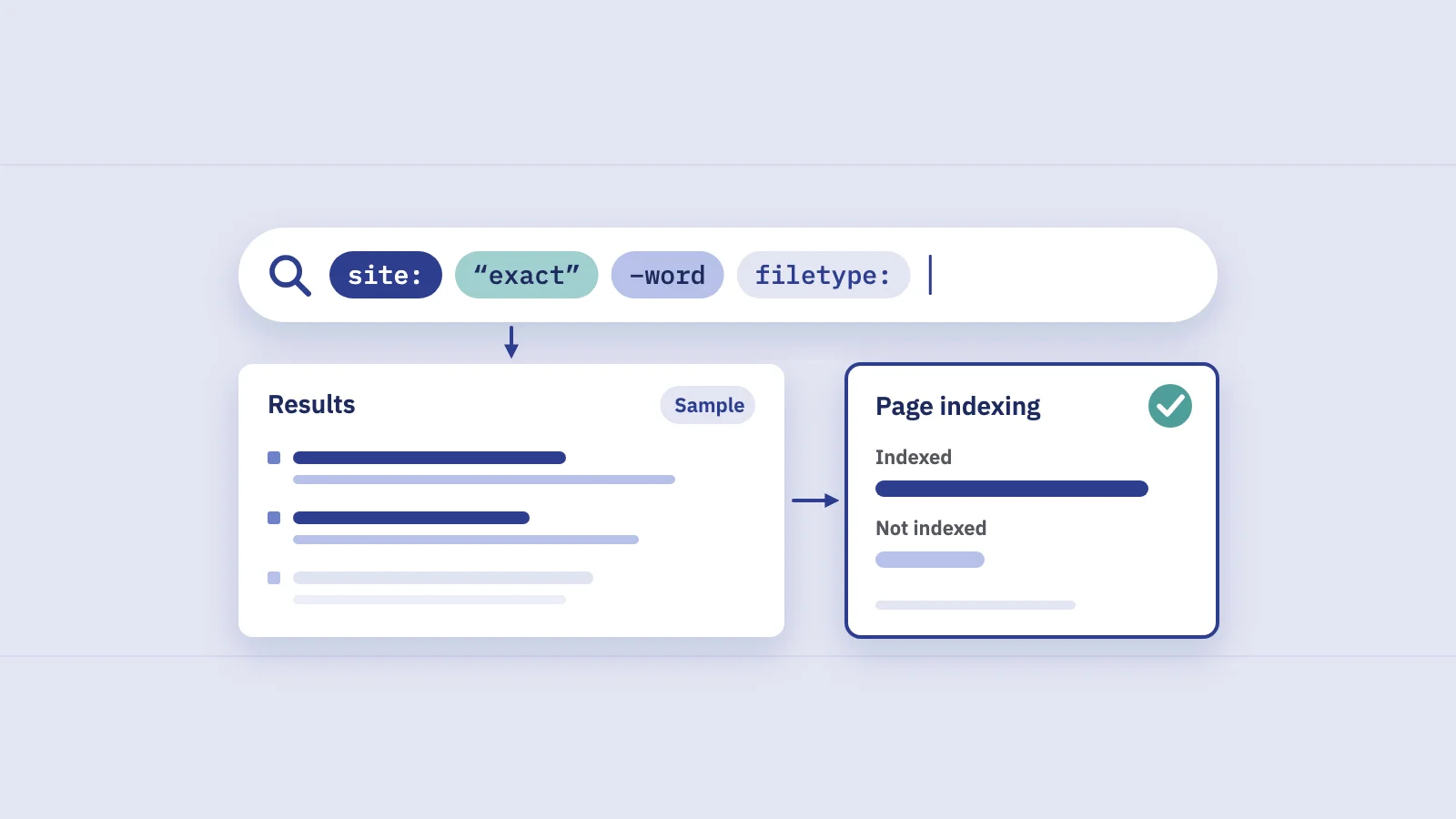
A site: search. Searching site:example.com on Google shows indexed pages from your domain. It's fine for "is the site in Google at all?", but Google's documentation says an indexed URL can appear for a site: query and "it's not guaranteed". A missing result proves nothing.
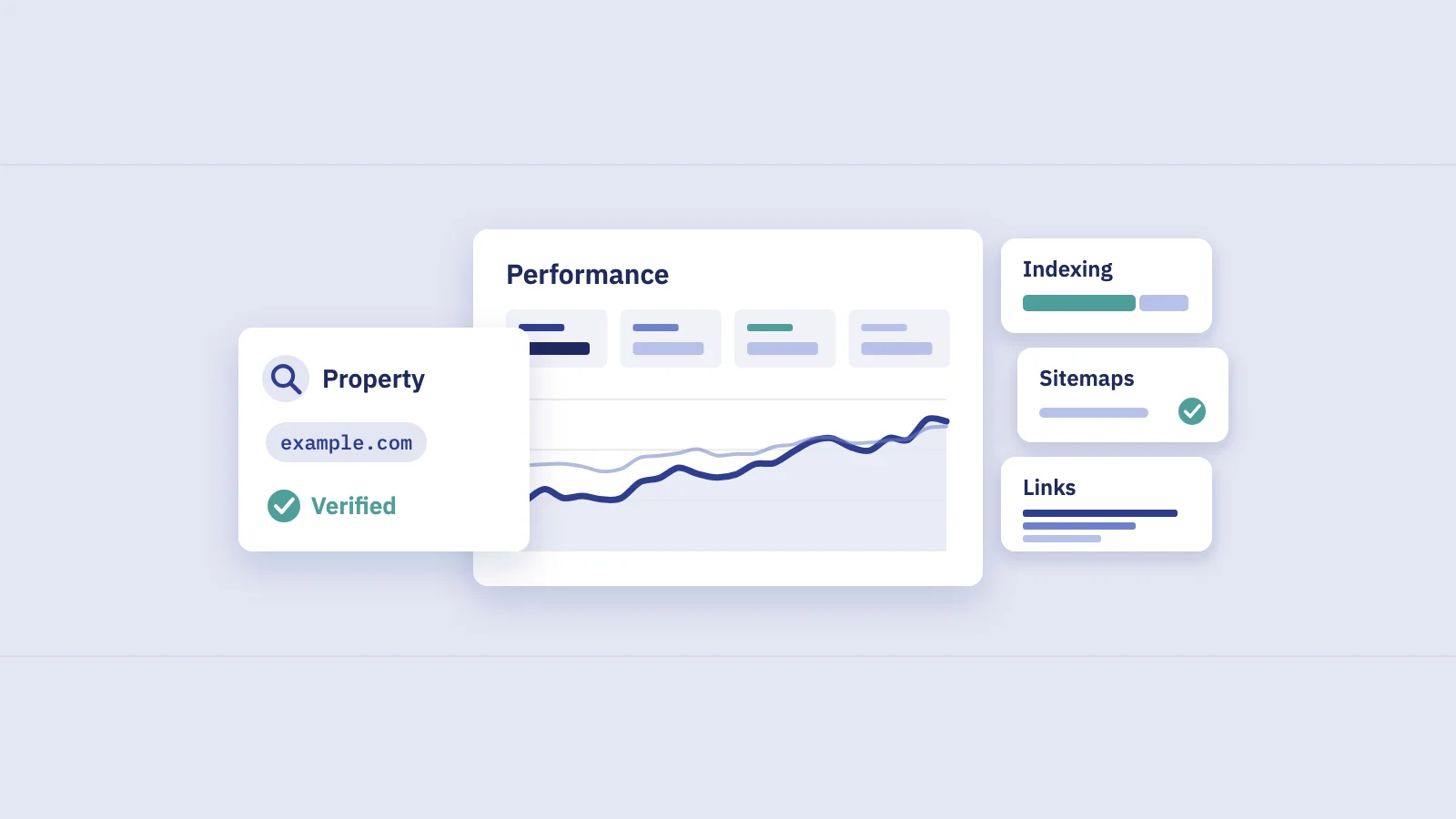
The Page indexing report. In Search Console, Indexing > Pages shows how many of the URLs Google knows about are indexed and why the rest aren't. It's the site-wide view. Google is explicit that it isn't meant for checking a specific page.
The URL Inspection tool. Paste one URL into the search bar at the top of Search Console and you get Google's own record for it: whether it's indexed, when it was last crawled, which canonical Google chose. This is the definitive per-page check.
If you have Search Console verified, skip the site: search for anything beyond a sanity check.
Reading the Page indexing report
The Page indexing report has a chart of indexed and not indexed pages over time and, below it, a table titled "Why pages aren't indexed". Each row is a reason with a page count; open a row to see example URLs (up to 1,000, and not guaranteed to be complete) and a chart of that reason over time.
Two settings change what you see:
- The sitemap filter above the chart: All known pages, All submitted pages, Unsubmitted pages only or one sitemap. Start with "All submitted pages". Those are the URLs you asked Google to index, so a reason affecting them is more likely to be a real problem.
- The Source column. Each reason is marked Website or Google. Google notes that in general you can fix only the issues whose source is Website.
Google's advice on what to look for is reassuring: most sites have some unindexed pages, and it's fine for a URL not to be indexed for the right reasons, such as an intended robots.txt rule, a noindex tag or being a duplicate. The question isn't "why isn't everything indexed?" but "are my important pages indexed, and are the rest excluded on purpose?"
Common statuses: what they mean and what to do
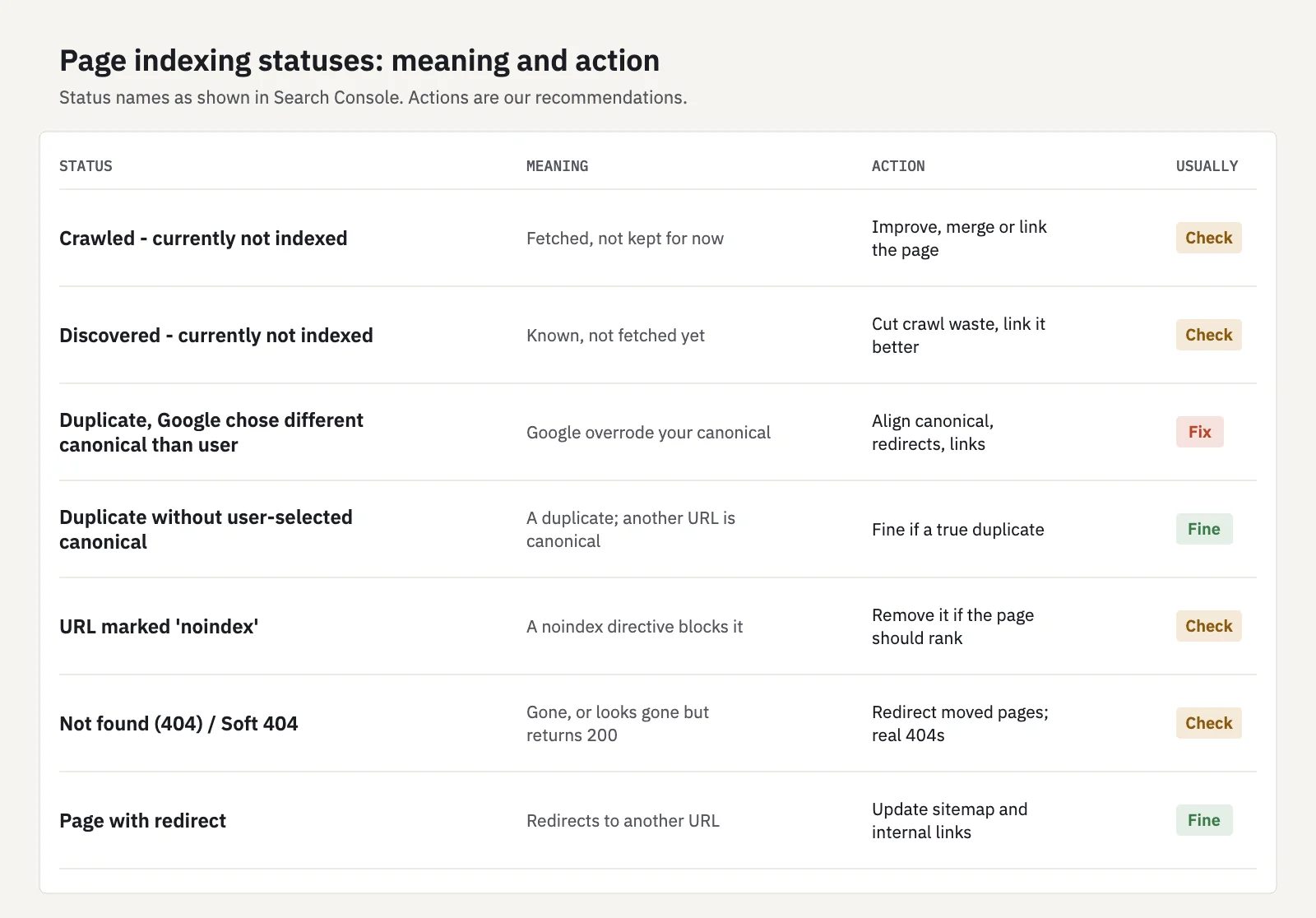
The status names below are the ones Google uses in the report. The meanings summarize Google's documentation; the actions are our recommendations.
| Status | What it means | What to do |
|---|---|---|
| Crawled - currently not indexed | Google fetched the page and decided not to index it, for now | Improve or merge thin and near-duplicate pages; add internal links. Don't just resubmit |
| Discovered - currently not indexed | Google knows the URL but hasn't crawled it yet, often rescheduled to avoid overloading the site | Check server speed and crawl waste; link important pages more prominently |
| Duplicate without user-selected canonical | Google sees the page as a duplicate and picked another URL as canonical | Fine if it really is a duplicate; otherwise add a canonical or make the content distinct |
| Duplicate, Google chose different canonical than user | You declared a canonical, Google picked another | Inspect both URLs; make canonical, redirects, sitemap and internal links point the same way |
| Alternate page with proper canonical tag | The page correctly points to an indexed canonical | Nothing |
| URL marked 'noindex' | A noindex directive blocked indexing | Remove it if the page should rank; otherwise take it out of the sitemap |
| Page with redirect | A non-canonical URL that redirects | Nothing, unless it's in your sitemap or internal links; update those |
| Not found (404) / Soft 404 | The page is gone, or looks gone but returns 200 | Redirect moved pages; return a real 404 for removed ones |
| URL blocked by robots.txt | Googlebot isn't allowed to crawl the URL | Fine if intended; robots.txt doesn't reliably keep a page out of the index |
Crawled - currently not indexed
The status people worry about most. Google crawled the page and chose not to index it, and its documentation says the page "may or may not be indexed in the future" with "no need to resubmit this URL for crawling". In practice this status collects pages Google doesn't find valuable or distinct enough: thin category and tag pages, near-identical product variants, short posts covering the same ground as a stronger page.
What helps: make the page clearly useful on its own, merge it with its stronger sibling, or link to it from relevant, well-visited pages so it stops looking like an afterthought. If dozens of similar pages are in this bucket, the pattern matters more than any single URL.
Discovered - currently not indexed
Google found the URL but hasn't fetched it. Google's explanation is that it typically wanted to crawl the URL but expected it to overload the site, so it rescheduled; that's why the last crawl date is empty. On a small site this usually clears up by itself. On a large site, a growing count points at crawl waste: endless filter and parameter URLs, slow server responses, or important pages buried deep in the link structure.
Duplicates and canonicals
When several URLs show the same or very similar content, Google indexes one (the canonical) and leaves the others out. That's working as intended. The case to fix is a Google-chosen canonical you don't agree with. Google treats your canonical tag as a signal, not a command, and weighs it with other signals such as redirects, sitemap inclusion and internal links. Make them all agree on the URL you want.
URL marked 'noindex'
A noindex robots meta tag or X-Robots-Tag header tells Google not to index the page. Often it's deliberate (thank-you pages, internal search results). The dangerous version is a noindex left over from a staging site or set by a CMS setting on a whole section. Note that Google has to crawl the page to see the tag: if robots.txt blocks the URL, Google never sees the noindex.
Using URL Inspection on one page
- Paste the full URL into the inspection bar at the top of Search Console, in the property that contains it.
- Read the verdict. "URL is on Google" means the page is indexed and eligible to appear (not that it ranks). "URL is not on Google" means it can't appear; the Page indexing section says why.
- Check the canonical. Compare the user-declared canonical with the Google-selected canonical. If they differ, Google indexed another URL in this page's place.
- Check discovery and crawl details: the sitemaps that list the URL, a referring page, the last crawl date, whether crawling and indexing were allowed.
- Run Test live URL after a fix. It fetches the page now and shows whether it can be indexed, but a pass doesn't guarantee indexing.
- Request indexing for an important page you've just fixed or published. It has a daily limit, so use it for pages that matter and rely on your sitemap for the rest.
Request indexing doesn't skip Google's judgment. It asks for a crawl; whether the page is indexed afterwards depends on the same signals as before.
Fixing indexing issues: a short workflow
- Filter the report to All submitted pages. Problems on URLs you asked Google to index come first.
- Sort the reasons by page count and group the example URLs by template (blog, product, category, tag). Indexing problems are usually template problems.
- Fix the cause in the template: remove a stray noindex, correct the canonical, return proper status codes, improve thin page types, add internal links.
- Clean the sitemap so it lists only canonical, indexable URLs that return 200.
- Click Validate fix on the reason in the report. Google says validation typically takes up to about two weeks, sometimes longer.
- Watch search data, not just the report. A fixed page should start getting impressions in the Performance report. If it doesn't within a few weeks, the page is indexed but not competitive, which is a content problem, not an indexing one. Content gap analysis helps decide what such a page is missing.
For a full inventory of which pages exist versus which Google indexed, see how to find every page on your website.
When not to worry
Not every non-indexed URL is a problem. Google states that you shouldn't expect all URLs on your site to be indexed, only the canonical pages. These are usually fine:
- Page with redirect and Alternate page with proper canonical tag: the system doing its job.
- Duplicates of pages that are indexed under the URL you prefer.
- noindex and robots.txt rules you set on purpose: checkout, account, internal search, filters.
- 404s for pages you removed without a replacement. Google says these aren't necessarily a problem and it will crawl them less and less often.
- A rising not-indexed count caused by parameter URLs Google discovered and declined, as long as your important pages stay indexed.
Worry when the indexed count drops sharply (often right after a site release or migration), when important pages show up in a "not indexed" reason, or when pages you submitted pile up in "Crawled - currently not indexed". A weekly look at the indexed count belongs in your SEO monitoring routine.
Search traffic shows indexing trouble quickly: a page that falls out of the index stops getting impressions. In Serplyze, the Lost quick view on Traffic > Pages lists pages with impressions in the comparison period and none in the current one, and the built-in Lost impressions alert flags tracked keywords that had impressions the week before and none in the last 7 days. Serplyze reads performance data, not index status, so confirm the cause with URL Inspection. See Alerts.
Key takeaways
- Crawling fetches a page, indexing stores it, ranking orders it; a page has to pass each stage, and indexing only makes it eligible to rank.
- Use the Page indexing report for the site-wide picture and URL Inspection for a single page; a site: search is only a sanity check.
- "Crawled - currently not indexed" usually means low value or near-duplicate content; resubmitting doesn't fix it, improving or merging the page does.
- Duplicates, redirects, intended noindex and removed pages are normal reasons for a page not to be indexed.
- Filter to submitted pages, fix causes at the template level, validate, then confirm in the Performance report that impressions return.
Serplyze tracks your pages' impressions and clicks from your own Search Console data and shows when pages stop appearing in search. Start free and catch indexing drops in your traffic early.