A keyword gap is a search query where your site is missing or ranks well below where it could. Keyword gap analysis usually means comparing your rankings with a competitor's to find the queries they rank for and you don't. This guide explains that idea honestly, then shows a first-party version you can run on your own Search Console data.
What is a keyword gap?
In SEO, a keyword gap is the distance between the searches your site could win and the ones it actually wins. The classic gap analysis puts your domain next to one or more competitors and sorts the queries into three buckets:
- Missing: a competitor ranks for the query and you don't rank at all.
- Weak: you both rank, but you sit well below them.
- Shared and strong: you both rank and you're level or ahead. Not a gap.
The idea is sound: if pages similar to yours rank for a query, its searchers are probably your audience too. A gap list turns that into a work list of queries to target.
The competitor version has real limits, though, and they're worth knowing before you build a plan on it:
- The numbers are estimates. Search volumes and competitor rankings come from a third-party crawl and a model, not from Google. They're useful for direction, not for sizing.
- A competitor's keyword isn't automatically yours. A rival with a broader product ranks for queries your customers never type. Every row needs an intent check.
- It says nothing about how Google sees your site. It can't tell you whether Google already shows you for a query, or which of your pages it picked.
That last point is where your own data takes over.
Keyword gap vs content gap
The two terms get used interchangeably, but they answer different questions, and it helps to keep them apart.
| Keyword gap | Content gap | |
|---|---|---|
| Unit | A single query or a group of queries | A topic or a need |
| Question | Where do we rank worse than we could? | What does our audience search for that no page of ours answers? |
| Typical fix | Improve, retarget or link an existing page | Write a new page or section |
| Main signal | Position and CTR for a query you already appear for | Queries landing on generic or off-topic pages |
A keyword gap is a ranking shortfall. A content gap is a missing answer. The same query can be both: if a query lands on your home page at position 25, it's a gap in rankings because no page of yours fits it. Our guide to content gap analysis in Search Console covers the missing-answer side and how to turn each gap into a brief. This guide focuses on the ranking side: queries you already appear for but don't win.
The first-party keyword gap
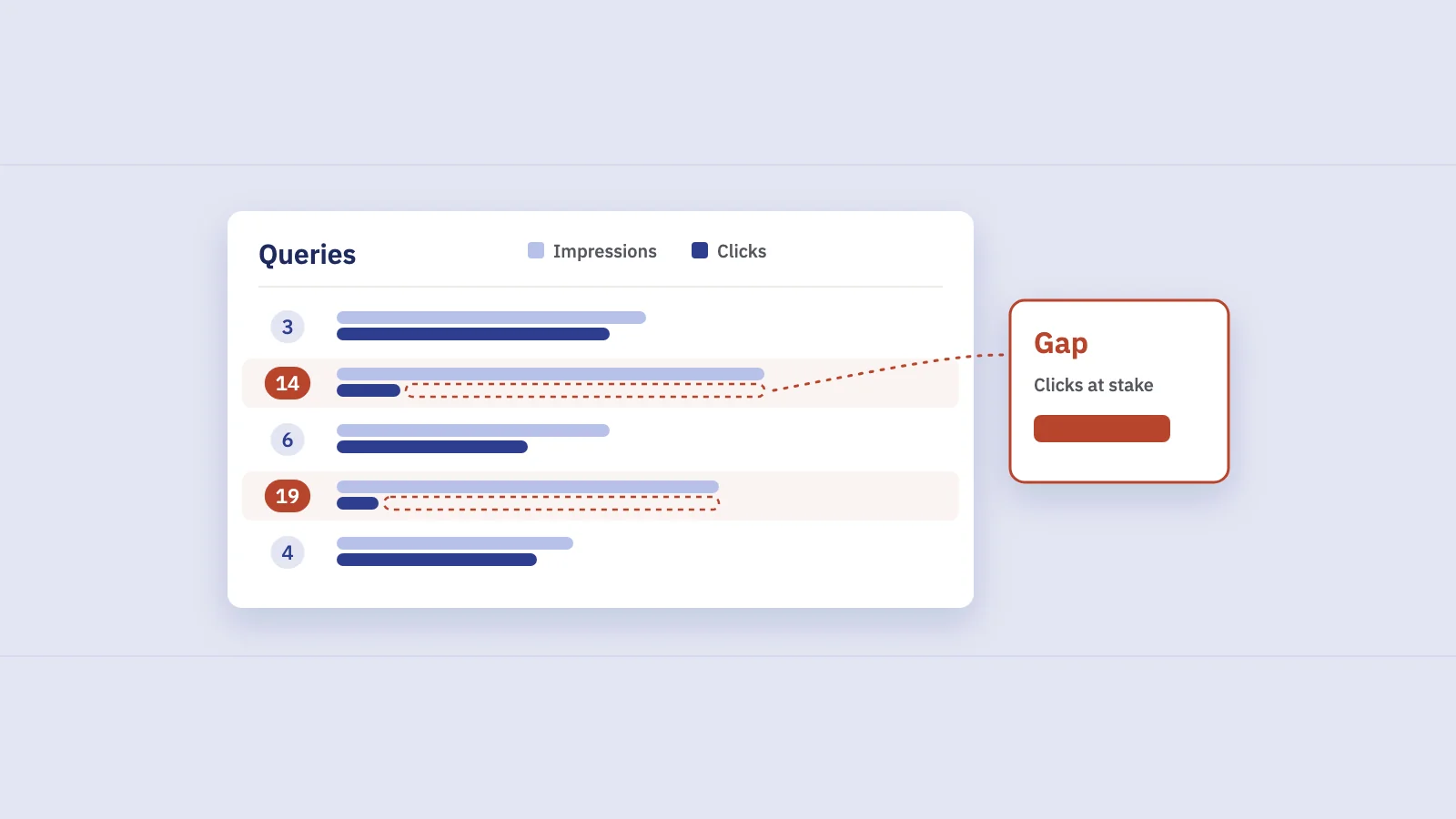
Search Console shows every query Google has displayed your site for, with impressions, clicks, CTR and average position. That's a gap analysis against the results page itself: for each query, you can see how far you are from the top results. Three patterns make up the first-party keyword gap.
1. Queries with impressions but poor rankings
A query that earns impressions at position 11 to 50 is one where Google sees you as relevant but not as one of the best answers. The impressions tell you the demand is real. The position tells you the gap.
Not all of these are worth chasing. The ones close to page one with steady impressions usually move fastest, because a small improvement brings the page into view. Queries at position 40 often need a different page, not a better one.
2. Queries without a matching page
Here the query ranks, but through the wrong page: the home page ranks for "invoicing for contractors", or a blog post ranks for a product query. The page Google picked covers the topic loosely, so it can't climb.
You can only see this by looking at queries and pages together. Search Console's Queries tab doesn't show which URL each query lands on; you need to filter by page, or export the query and page dimensions through the Search Analytics API. If the right page exists, the fix is retargeting: sharpen it for the query and link to it from the page that ranks today. If it doesn't exist, it's a content gap.
3. Groups with a low share
The third pattern only shows when you group keywords by topic. Compare each group's share of your impressions with its share of your clicks. For example:
- A group with 20% of impressions and 20% of clicks is pulling its weight.
- A group with 20% of impressions and 5% of clicks is a gap: Google shows you for the topic often, but low rankings or weak snippets turn little of it into visits.
This is the gap a single-keyword view misses. No individual query in the group looks alarming, but together they add up to a section of the site that underperforms. See keyword clustering in Search Console for how to build the groups.
How to run a keyword gap analysis in Search Console
The steps below use only Search Console and a spreadsheet. Search Console's interface shows and exports up to 1,000 rows; for a larger site, pull the same data through the API, the Looker Studio connector or the BigQuery bulk export.
- Open Performance > Search results. Keep the search type on Web and set the last 3 months, which is long enough to smooth out daily noise.
- Remove branded queries. Click + Add filter, choose Query, switch to Custom (regex) and pick Doesn't match regex with your brand names. Search Console uses RE2 regex syntax, as described in Google's help on advanced filtering and comparison. Our regex guide has patterns to start from.
- Export the Queries table with clicks, impressions, CTR and position.
- Mark ranking gaps. In the sheet, flag queries with average position between 11 and 50 and impressions above a floor that suits your site, such as 100 over the period. Sort by impressions.
- Add landing pages for the flagged queries. Filter the Performance report by one query at a time and open the Pages tab, or use the API with the
queryandpagedimensions. Note whether the landing page is the one you'd choose. - Tag each query's topic group. Use a few regex rules on the query text, or your existing clusters.
- Sum by group. For each group, total impressions and clicks, then compute its share of all non-branded impressions and clicks. Flag groups where the click share is well below the impression share.
- Check position per query, not per group. A group's average position mixes many queries; the average position guide explains why a few deep queries can skew it.
Search Console omits rare queries for privacy, so filtered totals undercount the long tail. Treat group totals as a floor. Our guide to anonymized queries explains the effect.
Prioritizing the gaps
A first-party gap list gets long quickly. Sort it by type, then by clicks at stake.
| Gap type | What you see | Usual fix |
|---|---|---|
| Near page one | Position 8–20, steady impressions, right page | Improve the page: cover the full query group, tighten the title, add internal links |
| Deep ranking | Position 21–50 on the right page | Check intent first; may need a different format, not more words |
| Wrong page | Query lands on home or a loosely related page | Retarget the right page and link to it, or write one |
| Low-share group | Impression share well above click share | Review the group's pages and snippets as a set |
| Split ranking | Two of your URLs take turns for the query | Consolidate first; see keyword cannibalization |
To estimate clicks at stake for a query or group, multiply its impressions by the CTR your site usually gets at a realistic target position, then subtract current clicks. Say a group earns 9,000 impressions and 90 clicks a quarter, and your similar queries get about 5% CTR at position 5: the ceiling is roughly 360 extra clicks a quarter. It's a ranking of opportunities, not a forecast. Then weigh it by business value and effort.
After you act, record the date and compare equal windows before and after, at the level of the query group, against the site's overall change in the same weeks.
When the competitor view still helps
Your own data only covers queries Google already shows you for. A competitor-based keyword gap still has a place when:
- The site is new and has too few impressions to analyze.
- You're entering a topic you've never published about, so Search Console is silent on it.
- You want to check for whole topics you have zero impressions for.
Use it to find topics you're absent from. Use your own data to find gaps where you're already close, which are usually easier to close because Google has already matched you to the searcher.
Finding keyword gaps in Serplyze
Serplyze reads the same Search Console data and removes most of the spreadsheet work.
- Ranking gaps. The Traffic screen's Striking distance list shows queries at an average position from 4, 8 or 11 up to 20, with an impressions floor you choose, most impressions first. On the Content screen, Page two lists tracked keywords at ranks 11–20 with an estimate of clicks at stake.
- Wrong-page gaps. The Query × page tab lists every query with its landing page and how many pages earn clicks for it. For tracked keywords, you can set a target URL and use the URL mismatch filter to see keywords where Google ranks a different page.
- Low-share groups. Content groups roll keywords and pages into groups by rule or by hand, and page groups show each group's share of the site, so a section that underperforms shows up as one row.
Frequently asked questions
What is keyword gap analysis?
Keyword gap analysis finds the search queries where your site is absent or ranks well below where it could. The common version compares your rankings with competitors'. The first-party version uses Search Console to find queries you get impressions for but rank poorly on, queries without a matching page, and topic groups that earn a low share of clicks.
What is gap analysis in SEO?
Gap analysis in SEO compares where a site is with where it could be, for keywords, content, links or technical health. Keyword gap and content gap analysis are the most common forms: one looks at rankings for queries, the other at topics no page answers.
What is the difference between a keyword gap and a content gap?
A keyword gap is a ranking shortfall for a query you could win, often fixed by improving or retargeting an existing page. A content gap is a need no page of yours answers, fixed by writing a new page or section.
Can I do keyword gap analysis for free?
Yes, for the first-party version. Search Console is free and shows impressions, clicks, CTR and average position per query and page. A spreadsheet is enough for the analysis; larger sites need the free API or Looker Studio connector to get past the 1,000-row interface limit.
How often should I run a keyword gap analysis?
Quarterly works for most sites. New queries appear, fixes move queries out of the list, and a three-month window gives each change time to show up in the data.
Key takeaways
- A keyword gap is a query where you're missing or rank well below where you could; the classic analysis compares you with competitors using estimated data.
- A keyword gap is a ranking shortfall; a content gap is a missing answer. Treat them as separate lists.
- The first-party keyword gap has three patterns: impressions with poor rankings, queries without a matching page, and topic groups with a low share of clicks.
- Run it in Search Console with regex filters, the query and page dimensions together, and group totals compared as shares.
- Prioritize by gap type and clicks at stake, and use competitor data only for topics where you have no impressions yet.
Serplyze shows striking-distance queries, landing-page mismatches and group shares from your own Search Console data. Start free and see which keyword gaps you're closest to closing.