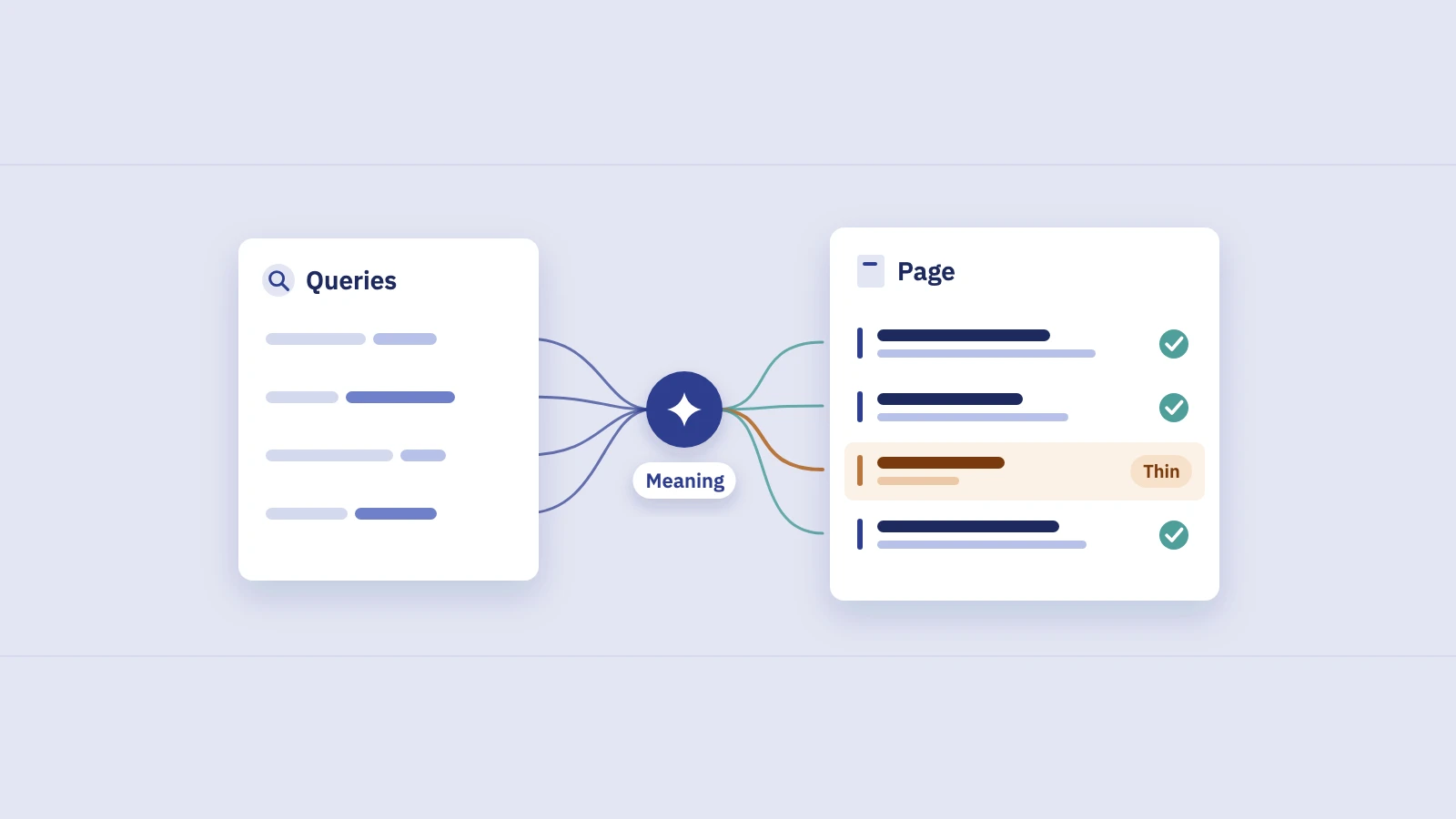
Search intent is the job a searcher wants done when they type a query. You don't have to guess it from a keyword tool: the queries in your Search Console data, and the pages Google already shows for them, tell you which intents you serve well and which you don't.
What search intent is
The same few words can hide very different needs. "Standing desk" could come from someone comparing models, someone ready to buy, or someone wondering whether standing all day is a good idea. Search intent is the need behind the words, and it decides what kind of page can satisfy the search.
The labels most SEOs use go back to Andrei Broder's 2002 paper A taxonomy of web search, which split web searches into navigational, informational and transactional. The SEO industry later added commercial (research before buying) as a fourth type. Google's own Search Quality Rater Guidelines use a similar set in section 12.7: Know (with Know Simple for short factual answers), Do, Website and Visit-in-person.
The four intent types
| Intent | The searcher wants to | Typical modifiers | Page that usually fits | Rater guideline term |
|---|---|---|---|---|
| Informational | Learn or understand something | how, what, why, guide, tips, ideas | Guide, explainer, tutorial | Know / Know Simple |
| Commercial | Research options before choosing | best, vs, review, alternatives, compare | Comparison, roundup, review | Know and Do overlap |
| Transactional | Act now: buy, sign up, book, download | buy, price, deal, discount, order, near me | Product, category, pricing or booking page | Do (Visit-in-person for local) |
| Navigational | Reach a specific site or page | brand names, login, contact, official | The page they named | Website |
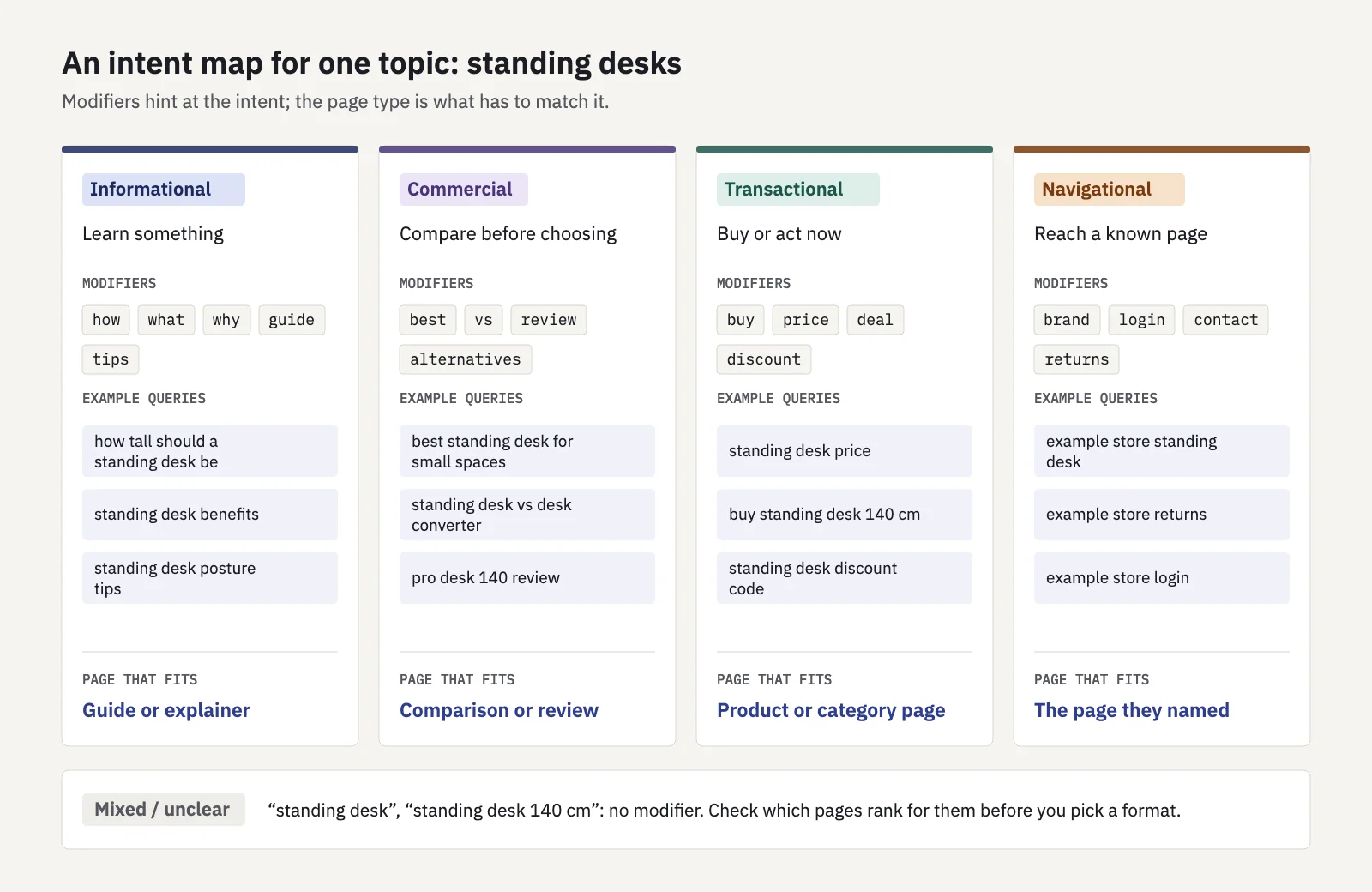
The boundaries blur. Google's rater guidelines say plainly that the line between Know and Do is sometimes blurry and that many queries fit more than one category. "Standing desk price" is transactional, but "standing desk price vs quality" is research. Treat the four types as a sorting aid, not a law.
Why intent beats keywords
A keyword tells you what words people type. Intent tells you what page they expect to land on. Optimizing a page for a keyword whose intent it can't serve rarely works, for three reasons:
- The page type is wrong. A product page can mention "how to adjust standing desk height" ten times; someone asking that question still wants instructions, not a buy button.
- Google judges satisfaction, not word matches. Google's guidance on helpful, people-first content asks whether readers leave "feeling they've learned enough about a topic to help achieve their goal", and flags content that leaves readers needing to search again. A page built for the wrong intent fails exactly that test.
- Intent changes over time. The rater guidelines note that query meanings can change: a product name means one model this year and its successor next year. A page that matched last year may not match now.
The practical upshot: before you edit a page to rank better for a query, check that the page is the right kind of page for that query.
Reading intent from your own Search Console queries
Your Search Console Performance report already contains thousands of real queries, each matched to the pages Google showed. Two passes turn that into an intent picture: label the queries, then check the query-to-page fit.
Pass 1: label queries with modifier regex
The Query filter in Search Console accepts custom regular expressions (RE2 syntax, case-insensitive by default). One saved filter per intent gets you most of the way. These patterns are a starting point for English queries; extend them with words your audience uses:
| Intent | Query filter: Custom (regex) |
|---|---|
| Informational | ^(how|what|why|when|where|who|which|can|does|is|are|should)\b|\b(guide|tutorial|tips|ideas|meaning|examples?)\b |
| Commercial | \b(best|top|vs|versus|reviews?|compare|comparison|alternatives?)\b |
| Transactional | \b(buy|prices?|pricing|cost|cheap(est)?|deals?|discount|coupon|order|for sale)\b|near me |
| Navigational | \b(login|log in|sign in|contact|customer service|official)\b|yourbrand |
Replace yourbrand with your brand name and its common misspellings. Two caveats. Some queries match more than one pattern ("best standing desk price"), so decide on an order of precedence and stick to it. And many queries match none: "standing desk 140 cm" has no modifier at all. Leave those unlabelled rather than forcing them into a bucket; the results page will tell you what they are (more on that below). Our post on Search Console regex covers the syntax and more tested patterns.
Pass 2: check the query × page fit
A label on its own tells you little. The useful question is whether the page Google shows for a query is the kind of page that intent needs. Search Console can answer that, query by query:
- Open Performance > Search results, search type Web, last 3 months.
- Add the intent filter. Click + Add filter > Query > Custom (regex) and paste one of the patterns above, for example the transactional one.
- Sort the Queries tab by impressions and note the queries with real demand.
- Click a query to filter the report to it, then open the Pages tab. It lists the URLs that earned impressions for that query.
- Label each page by type: guide, comparison, product, category, pricing, help or home page.
- Write down the pairs that disagree: an informational query landing on a product page, a transactional query landing on a blog post.
For more than a handful of queries, export to a sheet with columns for query, intent, page, page type, position and CTR. The UI export stops at 1,000 rows; Looker Studio, the Search Analytics API or the BigQuery bulk export go further.
Serplyze labels every tracked keyword with an estimated intent (Informational, Commercial, Transactional or Navigational) from the query text, and counts branded queries as navigational once you add your brand terms. Queries no rule recognizes stay Unclassified instead of being forced into a type. You can filter the rank tracker and the Content findings by intent, so "transactional queries with a CTR gap" is one filter away.
Spotting intent mismatch
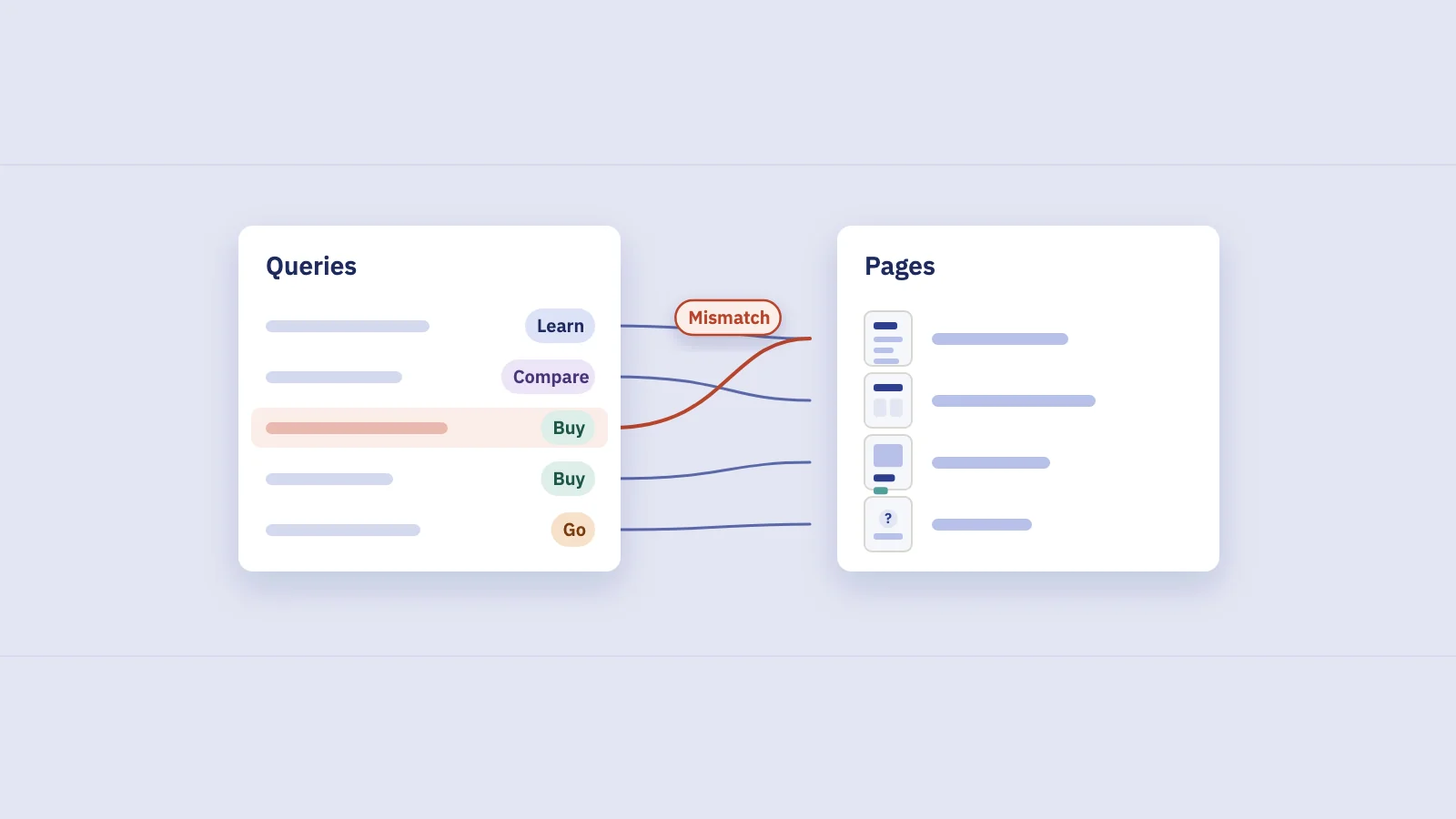
Once queries and pages are paired, mismatches show up in three recognizable patterns.
High impressions, low CTR at a reasonable position
Google shows you, but searchers skip you. When the page type is wrong, the title and snippet look wrong for the need, and people pick a result that matches it better. Compare the query's CTR with your own CTR at that position rather than an industry average; our CTR benchmark guide shows how to build that curve. Rule out the other causes first: a weak title, or a results page where an AI Overview or ads take the clicks.
The wrong page ranks
You have a buying guide and a product page; Google shows the product page for "best standing desk for small spaces". Or a blog post ranks for "standing desk price" while the category page with actual prices sits unseen. This often comes with a weak position (8 to 20) that won't move however much you edit the ranking page, because it isn't the right page to begin with.
When two of your pages take turns for the same query, that is keyword cannibalization, and intent is usually the tiebreaker for which page should win.
No page fits at all
Sometimes the Pages tab shows a generic page (often the home page) for a query with a clear intent you never wrote for. That isn't a mismatch to fix on an existing page; it's a missing page. Our guide to content gap analysis in Search Console covers how to turn those queries into briefs.
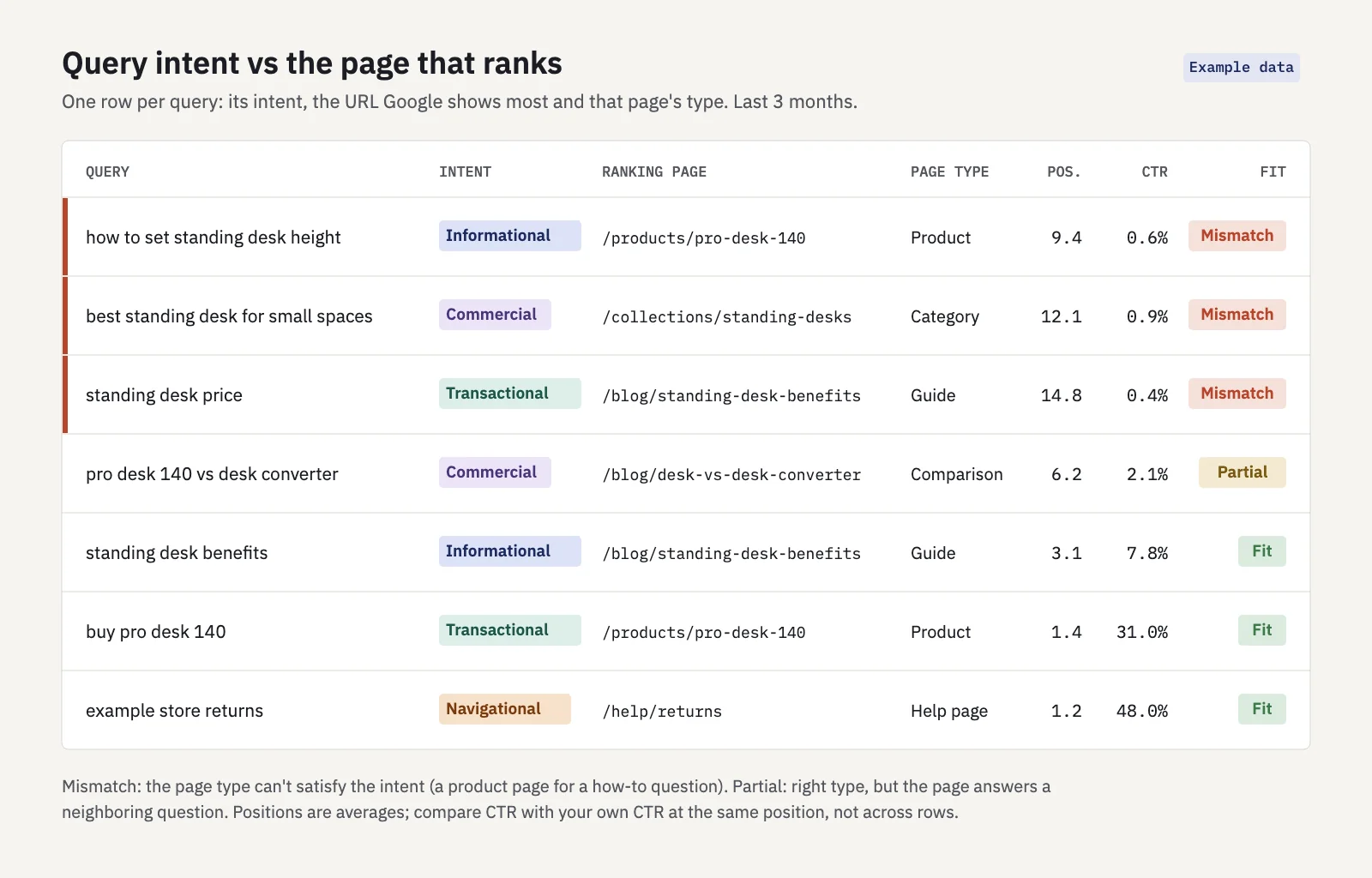
In the example, the three mismatches share a pattern: positions between 9 and 15 and CTR under 1%. The fits rank higher and get clicked far more. A pattern like that, in your own data, is the strongest evidence you'll get that intent, not on-page tweaks, is what holds the page back.
Check the results page itself
Search Console tells you how you perform; the results page tells you what Google thinks the intent is. Search the query and note what the top results are: guides, comparison posts, product pages, a local pack, videos. If nine of ten results are buying guides and yours is a product page, the results page has answered the question for you. Results vary with location, language and device, so treat one check as a sample; our primer on what a SERP is covers what changes and why.
What to change
Fix the pairing, not the wording. The usual moves:
| Mismatch | What to change |
|---|---|
| Informational query on a product page | Write a guide that answers the question, and link from it to the product with a descriptive anchor |
| Commercial query on a category page | Build a comparison or buying guide; keep the category page for transactional queries |
| Transactional query on a blog post | Strengthen the product or category page: internal links from the post, a clear title with the product and price terms, visible prices |
| Navigational query on the wrong page | Make sure the page they name exists, is linked from your main navigation and uses that name in its title |
| Mixed intent, one page | Serve the dominant intent first and add clear paths to the others (a short "compare models" section on a guide, for example) |
A few rules keep these changes from backfiring:
- Don't bolt a second intent onto a page. A buy box on a how-to guide, or a 2,000-word essay above a product grid, makes the page worse for its own intent.
- One intent, one owner page. If you create a new page for a query, make it the clear target: link to it from the old page and from related pages, and stop optimizing the old page for that query.
- Change titles last. A title that promises the right thing on the wrong page raises CTR for a week and bounces visitors back to the results.
- Measure per query and per page. After the change, compare 4 to 6 weeks before and after for the same queries, and check in the Pages tab that the intended page now earns the impressions. Seasonal queries need a year-over-year comparison instead.
Keep intent in your workflow
Intent labels are most useful when they stay attached to the data rather than living in a one-off spreadsheet. Add an intent column to your keyword list and use it in reporting: informational queries are judged on visibility and impressions, transactional ones on clicks and conversions. When you plan new content, label the target query's intent before you choose the format. And when you cluster keywords, keep queries with different intents in different clusters, even when they share most of their words.
Key takeaways
- Search intent is the need behind a query: informational, commercial, transactional or navigational. The boundaries blur, so use the types as a sorting aid.
- The right page type matters more than keyword wording: a page built for the wrong intent rarely ranks or gets clicked for that query.
- Label your Search Console queries with one regex filter per intent, then check which page Google shows for each query in the Pages tab.
- Mismatch shows up as low CTR at a decent position, the wrong page ranking, or a generic page standing in for a missing one.
- Fix the query-to-page pairing (new page, internal links, the right owner page) before you touch titles, and measure per query and page afterwards.
Serplyze tracks every keyword from your own Search Console data, labels its estimated intent and lets you filter rankings and findings by it. Start free and see which of your queries land on the wrong kind of page.