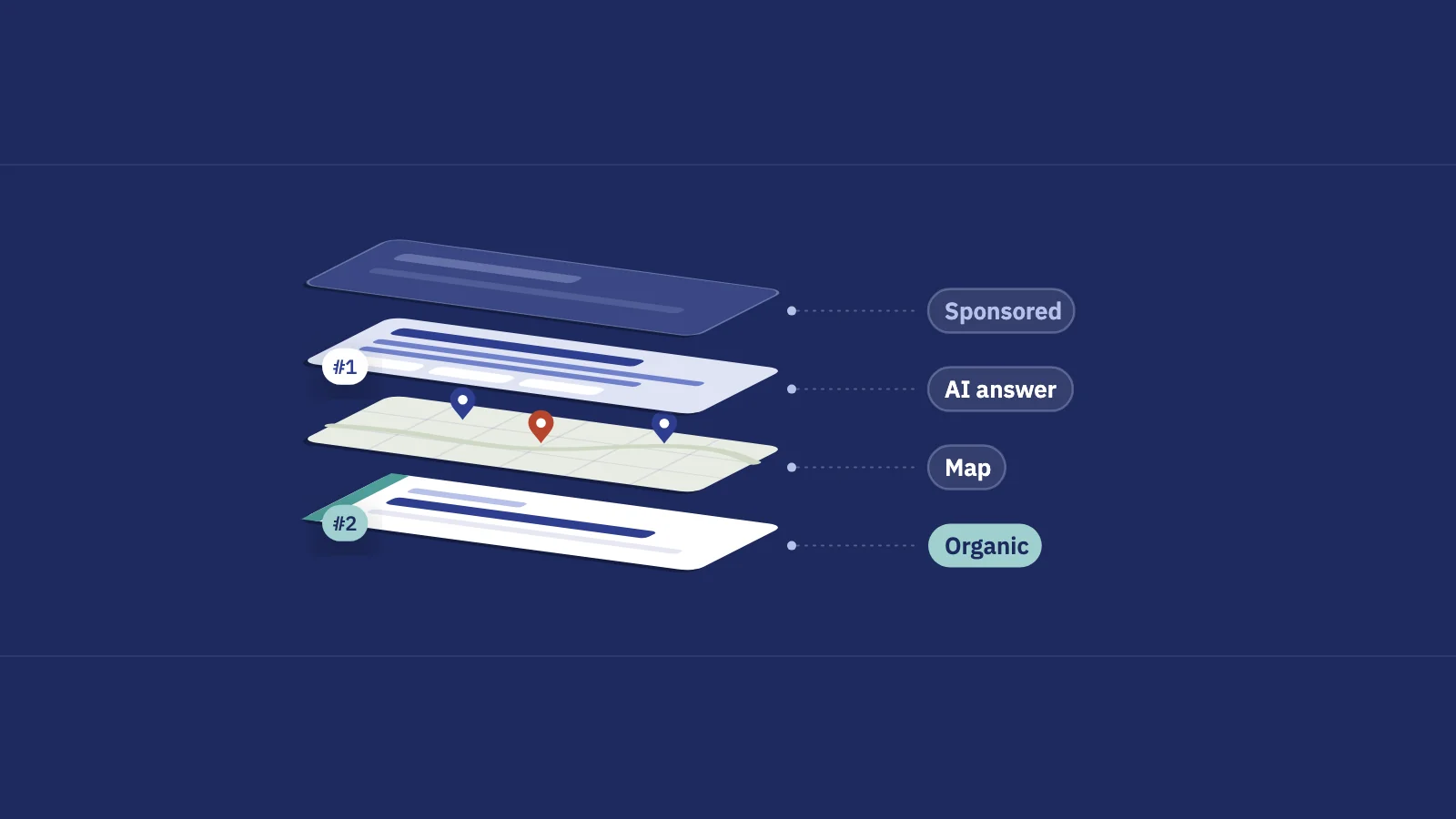
A SERP (search engine results page) is the page Google shows after a search. In 2026 it is rarely ten blue links: ads, AI answers, snippets, maps and media blocks share the page, and which ones appear decides how many clicks your result can get.
What a SERP is
SERP stands for search engine results page. Every search produces its own: the query, the searcher's location and language, the device and the search settings all shape what appears and in what order. SERPs is just the plural, used when people talk about results pages in general.
Google says it plainly in its guide to how Search works: the search features on a results page change with the query. Its example is a search for "modern bicycle", which is more likely to show image results than local results. A query for a plumber gets a map; a question gets an answer block; a product gets shopping units.
That's why "we rank number one" means less than it used to. Position 1 under an AI Overview, four ads and a map is a different result from position 1 on a plain page. To read your own rankings and click-through rate well, you need to know what the page around your result looks like.
The parts of a results page in 2026
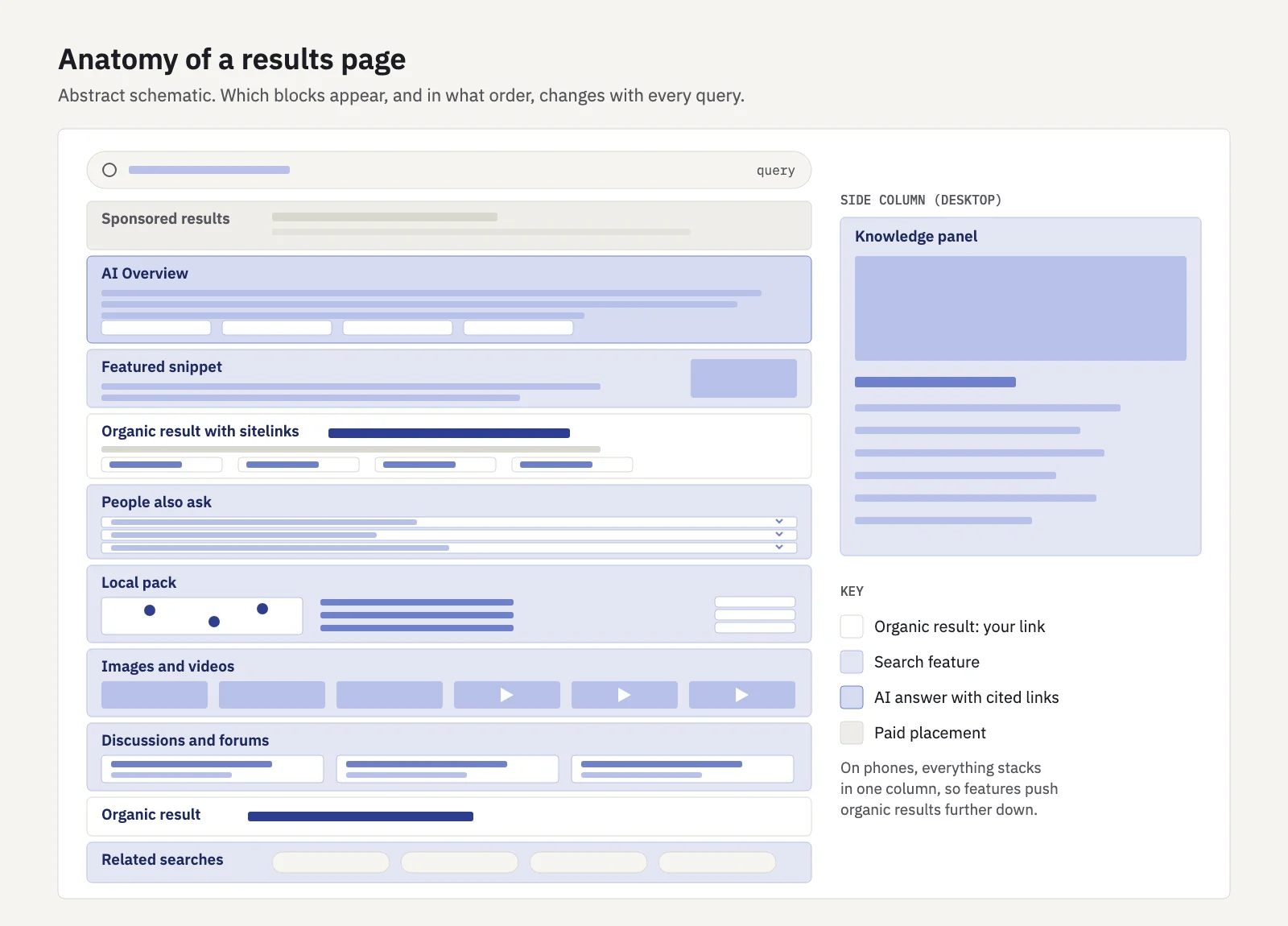
Not every page has every part, and the order changes from query to query. These are the building blocks you'll meet most often.
Sponsored results
Paid search ads. Google's ads help says they can appear above or below the search results, with an "Ad", "Ads" or "Sponsored" label. Shopping ads add product images and prices. Ads don't push your result down a position number, but they do push it down the screen.
AI Overviews and AI Mode
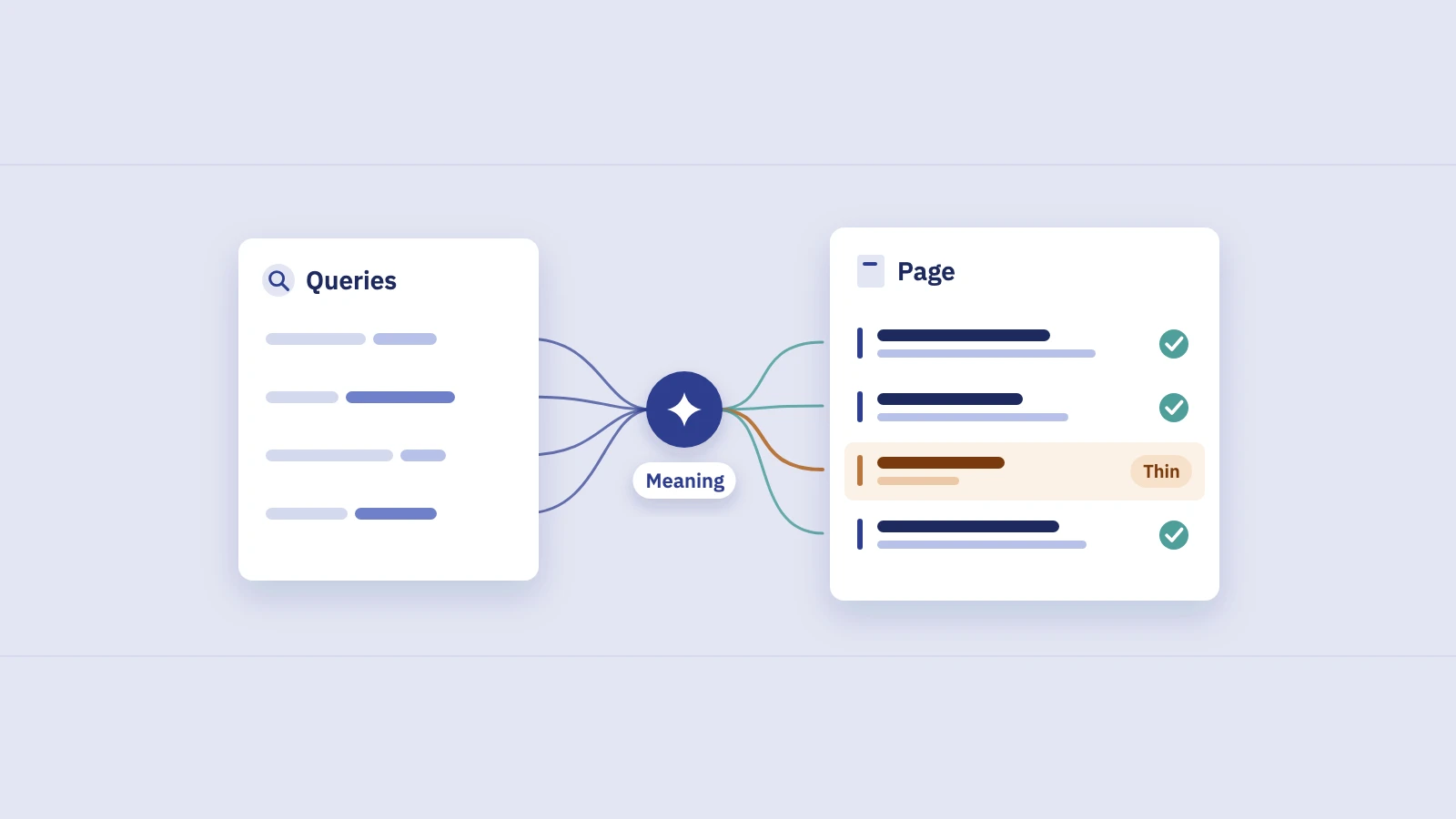
An AI Overview is a generated answer at the top of the page, with links to the pages it draws from. Google says it shows one only when its systems determine it is additive to classic Search, so many queries don't get one. AI Mode is a separate, conversational search mode for questions that need more exploration or comparison; both may run several related searches behind the scenes (Google calls it query fan-out) to gather supporting pages. There are no special requirements to appear in either beyond being indexed and eligible for a snippet.
Organic results
The classic results: a title link, the site name and URL, and a snippet of text. Google's visual elements gallery names the parts, including sitelinks (extra links from the same site under one result), a byline date, a thumbnail image and rich attributes such as review stars or recipe details, which usually come from structured data.
Featured snippets
A featured snippet reverses the usual result: the extract from the page comes first and the link second. Featured snippets also appear when someone expands a People also ask question. You can't mark a page up to get one; Google chooses. You can opt out with the nosnippet rule, or try lowering max-snippet, which Google notes isn't guaranteed.
People also ask
A group of related questions that expand in place, each showing a short answer with a link to its source. Google's gallery calls it the related questions group.
Local pack
A map with a few businesses for searches with local intent ("dentist", "coffee near me"). Google's Business Profile help says local results are ranked on relevance, distance and prominence, so the pack changes with where the searcher is. Many people call or ask for directions from the pack without visiting a website.
Image and video results
Image blocks and video results appear for queries where people want to see something. Videos often show as a row or carousel with thumbnails.
Discussions and forums
A block of threads from forums and community sites, for queries where first-hand experience helps. Google's discussion forum structured data documentation says the markup helps it identify online discussions for features such as Discussions and Forums.
Knowledge panels and related searches
A knowledge panel shows facts about a person, place, company or thing, in a side column on desktop. Related searches, usually at the bottom, suggest other queries; they don't link to any site.
How each part affects your clicks
Every feature changes the space and attention left for the organic results. Some send clicks to the sites they cite; some answer the search in place. The zero-click searches guide covers how to measure the clicks you lose to answers. This table is the short version of what each part does to your result:
| Part of the page | Effect on organic clicks | What you can influence |
|---|---|---|
| Sponsored results | Push organic results down the screen, especially on mobile | Nothing organically; know which of your queries show ads |
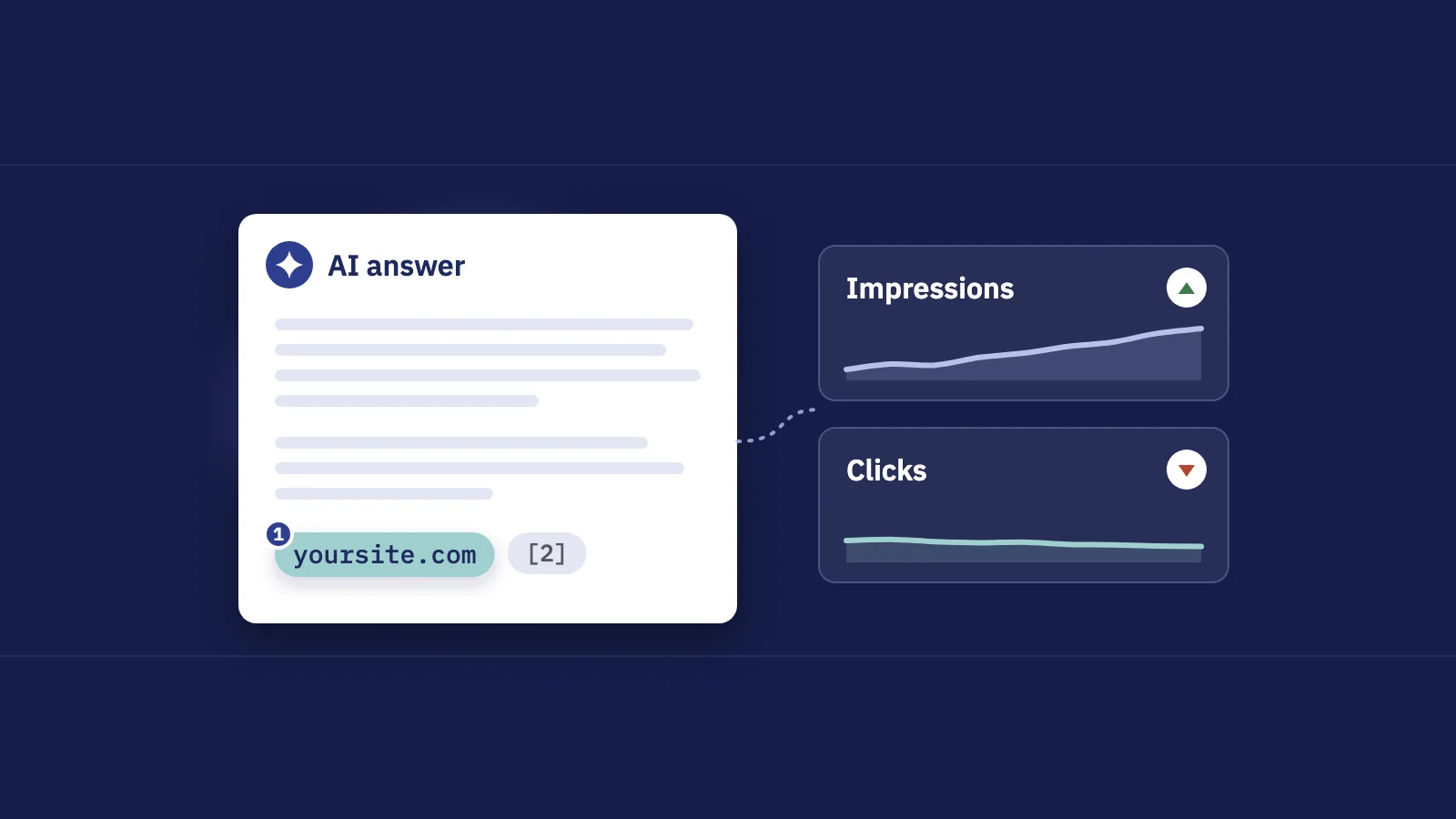
| AI Overview / AI Mode | Can answer the question in place; cited links still get clicks | Clear, specific answers that are easy to cite |
| Featured snippet | Big boost for the source; can also answer in place | Concise answers under a matching heading |
| People also ask | Takes space; links in expanded answers can earn clicks | Answer the follow-up questions on your page |
| Local pack | Takes clicks and calls for local queries | Your Business Profile, not your website alone |
| Image and video blocks | Take attention for visual queries | Good images and videos on the page, with descriptive context |
| Discussions and forums | Pull clicks toward community threads | Little, beyond first-hand detail in your own content |
| Knowledge panel | Answers fact lookups in the side column | Consistent facts about your brand across the web |
The pattern to remember: the same position earns very different CTR depending on what sits above it. That's why a CTR benchmark from another site, or even another query on your own site, says little. Our good CTR benchmark guide shows how to build a baseline from your own data.
How Search Console counts positions for SERP features
Search Console's Performance report records one position per impression: the topmost spot a link to your site held on that results page. Google's help page on how clicks, impressions and position are counted spells out the rules per feature. Positions are counted top to bottom in the main column, then in the side column.
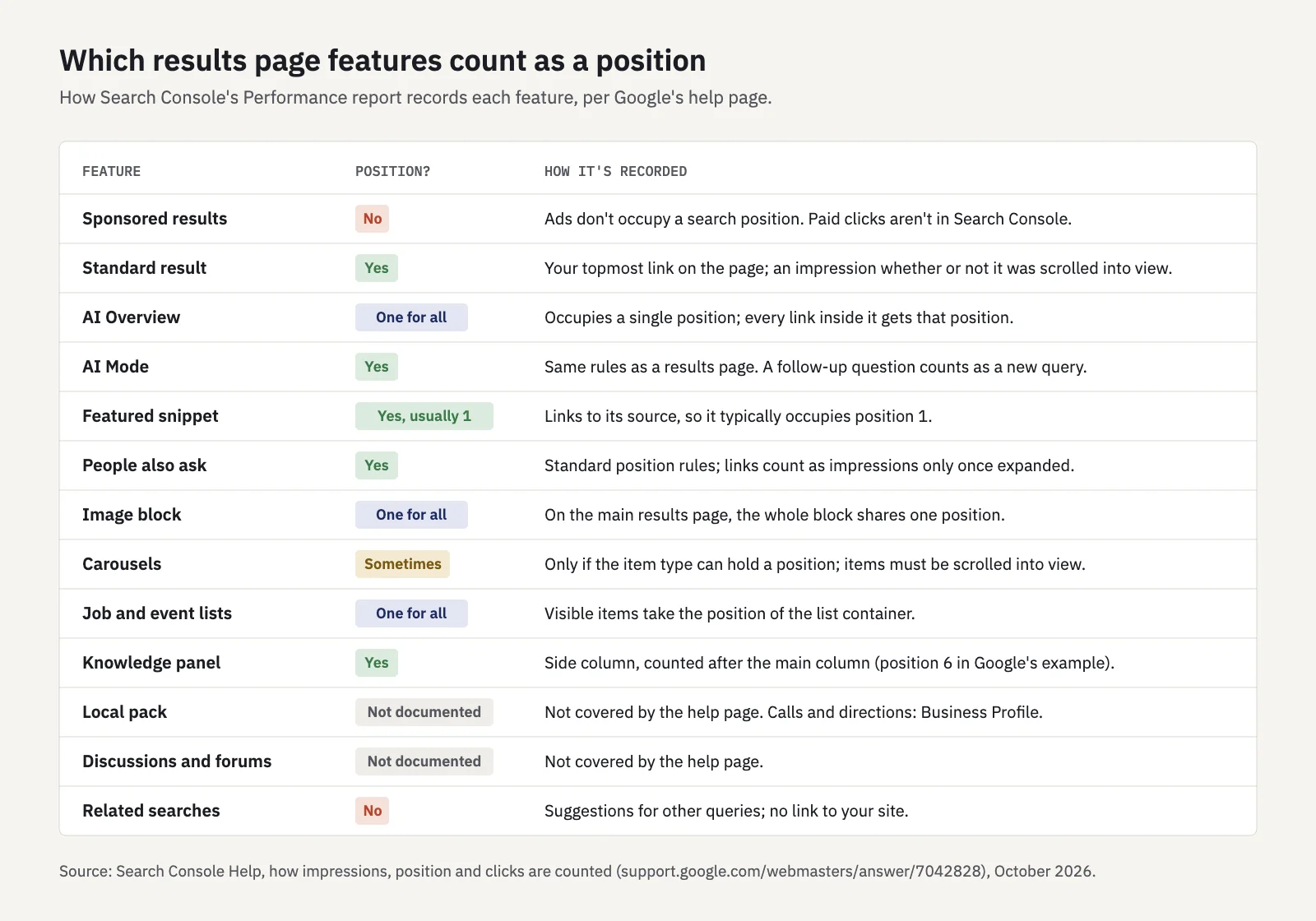
The rules that matter most in practice:
- Ads don't count. Google states that ads don't occupy a search position, so four ads above you don't turn your position 1 into position 5. Paid clicks are reported in Google Ads, not in Search Console.
- An AI Overview is one position. Every link inside it gets that same position. AI Mode follows the same rules as a normal results page, and a follow-up question counts as a new query.
- A featured snippet is typically position 1. Being the snippet source and being "ranked first" look the same in your data.
- Blocks share a position. A block of images on the main results page occupies a single position, and a job or event list counts as one position for the whole container.
- Some impressions need an action. Items in a carousel need to be scrolled into view, and links in People also ask count only when the question is expanded. A standard result counts as an impression whether or not it was scrolled into view.
- Knowledge panels come after the main column. In Google's own example, the panel sits at position 6, even though it is one of the most visible things on the page.
Google's help page doesn't spell out how local pack or Discussions and forums results are counted. For local, the actions that matter (calls, directions, website clicks) are reported in the Business Profile Performance report; our local SEO reporting guide covers how to put the two together.
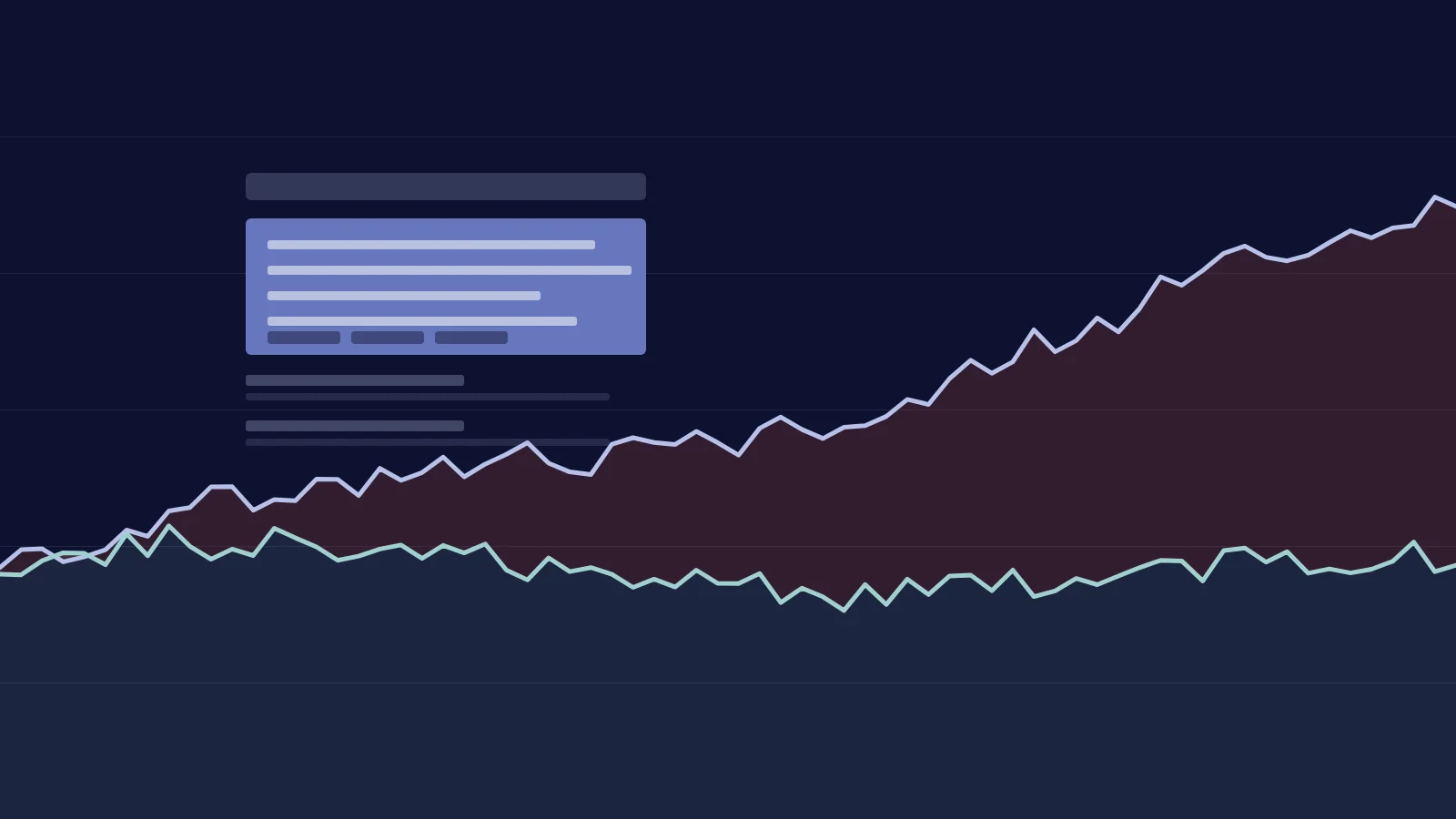
Because every impression records only your best spot on that page, average position in Search Console is an average over many different results pages. A query whose layout changed, say an AI Overview started appearing, can move your average position or CTR without any change to your page.
See which features your site appears in
- Open Performance > Search results and pick a date range of at least 3 months.
- Open the Search appearance tab. It groups clicks and impressions by the result types your pages earned, such as rich results and videos. Google's documentation doesn't list AI Overviews or AI Mode there; their clicks and impressions are included in your Web data.
- Switch the search type at the top between Web, Image, Video and News to see where else your pages appear.
- Open the Generative AI performance report to see which pages appear in AI Overviews and AI Mode. It shows impressions only, without clicks or queries.
- Search your top queries yourself and note which features appear above your result. Treat what you see as one sample, not the page everyone sees.
Serplyze's Traffic screen breaks your clicks and impressions down by search appearance for the whole site, on every plan. Its AI search screen tracks AI-style queries and flags top-position queries that lost CTR while their rank held, with each estimate labelled as one.
Personalization and location
No two people see exactly the same SERP. Google says it uses your location, past Search history and Search settings to decide what is most relevant, and that it tells you when results were personalized. Its developer documentation lists location, language and device among the factors that shape results.
What that means for you:
- Location changes the most. Local packs depend on distance, and even organic results shift between cities for queries with local intent. Ranking checks from your office say little about a customer two cities away.
- Device changes the layout. Mobile pages stack features in one column, so the same ads and answer blocks push organic results further down the screen than on desktop.
- Language and country change the set of results. Use the Country and Device filters in Search Console to compare segments instead of reading the site-wide average.
- Your own searches are biased. You visit your site often and search from one place. Use a private window and check from the locations that matter, and treat the result as an illustration.
Search Console doesn't have this problem: its position is an average across all searches where your site appeared, from every location and device. It's the closest thing you have to the SERP your audience actually sees.
Key takeaways
- A SERP is the results page for one search; its features change with the query, location, language and device.
- The main parts in 2026: sponsored results, AI Overviews and AI Mode, organic results, featured snippets, People also ask, local packs, image and video blocks, discussions and forums, and knowledge panels.
- The same position earns very different clicks depending on what sits above it, so compare CTR against your own baseline.
- In Search Console, ads take no position, an AI Overview is one position for all its links, a featured snippet is typically position 1 and a knowledge panel comes after the main column.
- Personal checks are one sample; Search Console's averages, split by country and device, show the SERP your audience sees.
Serplyze tracks every keyword from your own Search Console data, splits traffic by search appearance and flags queries losing clicks at a stable position. Start free and see how the results page treats your queries.