A local SEO report has to answer one question: are more people nearby finding the business and getting in touch? Search Console covers half of that, Google Business Profile covers most of the other half, and neither tells the whole story alone. This guide shows what each one can and can't show, and how to put them into one report.
What Search Console shows for local SEO
Search Console reports how your website appears in Google Search. For a local business, that's the organic results, the location pages and the queries people type with a city or "near me" in them. It does not report on your Business Profile. A few limits shape everything else in a local report:
- Country is the finest location. The Performance report's country dimension groups data by the country where the search originated. There is no city, region or postcode dimension. A plumber in Leeds can't see how many searches came from Leeds.
- No separate view for local results. The Performance report's search types are Web, Image, Video and News, and its list of search appearances has no entry for the local pack, Maps or Business Profile. Google doesn't document a way to tell clicks from local results apart from other clicks in Search Console.
- Rare queries are hidden. Search Console leaves out some queries to protect privacy. Local long-tail queries, such as a street name plus a service, are often rare enough to be among them. They count in the totals but don't appear in the Queries table. Our guide to anonymized queries covers how big that gap can be.
So Search Console can't give you "local rankings". What it can give you is the demand for your services in the place names you choose, and how your website does for it.
Local queries: "near me" and city names with regex
Local intent shows up in the query text. Two kinds matter most: queries with "near me" or similar words, and queries with a place name. Search Console's Query filter accepts a regular expression: in Performance > Search results, click + Add filter, choose Query, then Custom (regex).
| Segment | Example regex | What it catches |
|---|---|---|
| "Near me" | near me|nearby|open now|closest |
Queries where Google uses the searcher's location |
| Your cities | leeds|bradford|wakefield|harrogate |
Queries that name a place you serve |
| One city, all services | leeds plus a second filter for the service |
The service page vs the city it targets |
| Not local | Doesn't match regex: both patterns above | Everything else, for comparison |
A few things to watch:
- Spelling and neighborhoods. People type "st albans", "st. albans" and "saint albans". Add the variants, and the districts people actually search, not only the town name.
- Words that aren't places. A city name inside another word or a product name will match too. Read the first page of matched queries before you trust the total.
- Brand. Exclude your brand terms when you measure local demand, so people looking for you by name don't inflate it. See branded vs non-branded traffic.
Save the patterns somewhere shared so every report uses the same ones. Our Search Console regex guide has more patterns and the syntax rules.
Location pages
If you have a page per location or service area, they're your best local signal in Search Console. Filter Page with a regex such as /locations/ or /(leeds|bradford|wakefield)/, then look at:
- Clicks and impressions per location page, compared with the same period last year.
- The queries each page gets. Open a page and check the Queries tab. A Leeds page that ranks for Bradford queries is a sign the pages are too similar.
- Average position for the main query of each page. Read it per query, not per page; a page's average mixes every query it appears for.
What Google Business Profile Performance adds
Google Business Profile has its own Performance report, per profile. It's where the actions that never touch your website show up. Depending on the business, it can show:
- Interactions, and their parts: calls, website clicks, direction requests, messages and bookings.
- Views of the profile on Google Search and Maps.
- Searches: the search terms that showed your profile. Google updates this metric at the start of each month.
- Product, menu and offer views or clicks, where they apply.
Google notes that these numbers include activity from both organic results and Google Ads, and that only the metrics that apply to your business appear. You can download the data as a spreadsheet, and for several profiles at once from the Business Profile Manager.
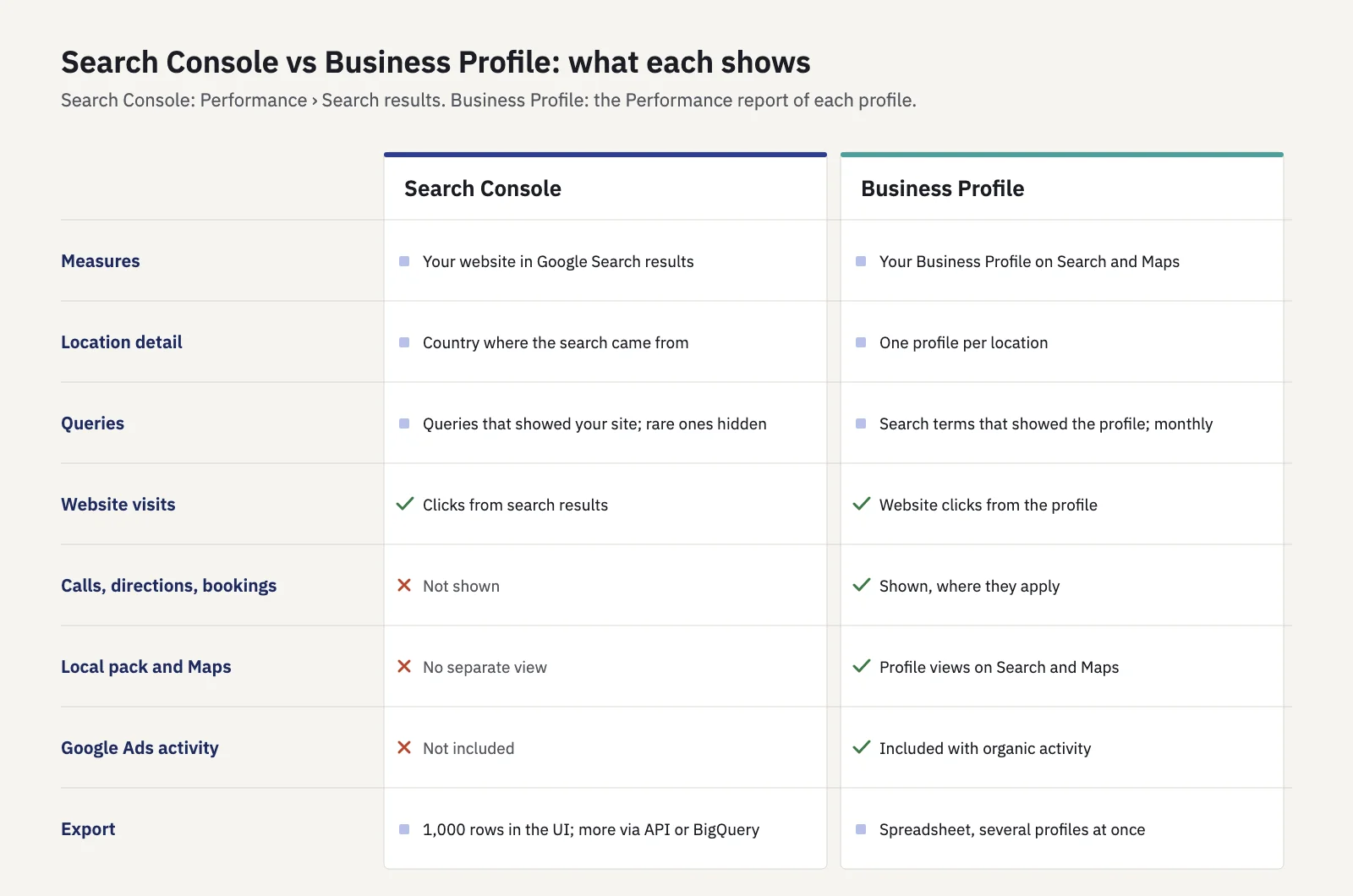
What each tool can and can't tell you. Use both in a local report.
The two don't share a measure you can add up. Business Profile website clicks may also appear as Search Console clicks, or may not; Google doesn't document how the two overlap. Report them side by side and don't sum them. If you add UTM parameters to the website link on your profile, GA4 can show those visits separately from other organic traffic.
A local report structure
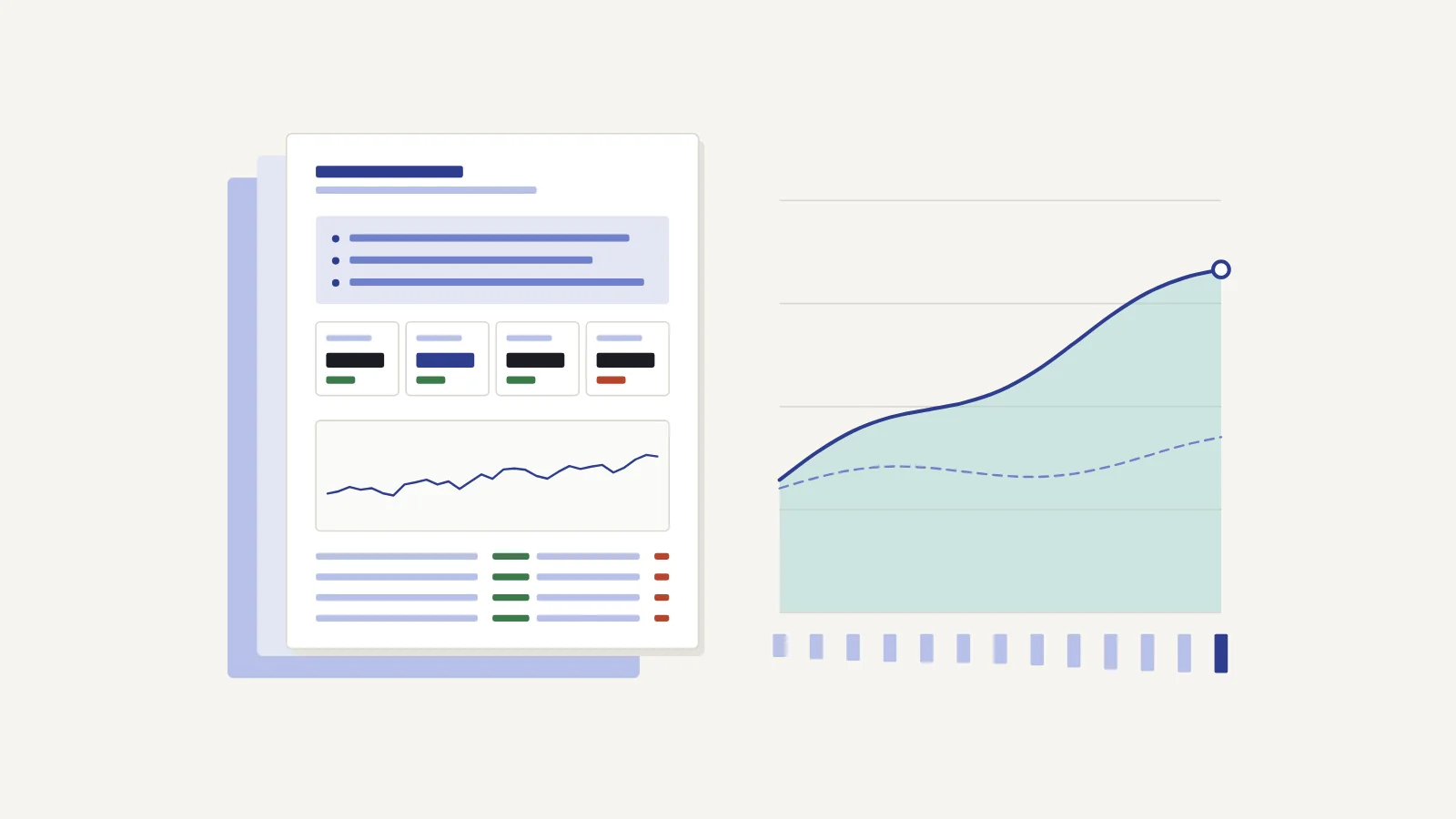
A useful local report fits on one page per business and goes from outcome to cause. Here's a structure that works for one location or a handful:
- Summary in three sentences. What moved, why you think it moved, what you're doing next.
- Contact actions. Calls, direction requests, website clicks and bookings from Business Profile, with the change against last year. These are the numbers the owner cares about.
- Local search demand. Search Console clicks and impressions for your "near me" and city query segments, non-brand only, with the change.
- Location pages. Clicks per location page and the top queries for each. Flag pages that lost ground.
- Leads from the website. If GA4 tracks form fills or calls from the site, the conversions from organic traffic landing on location pages.
- What we did and what's next. Changes made in the period (profile updates, new pages, reviews answered) and the plan for the next one.
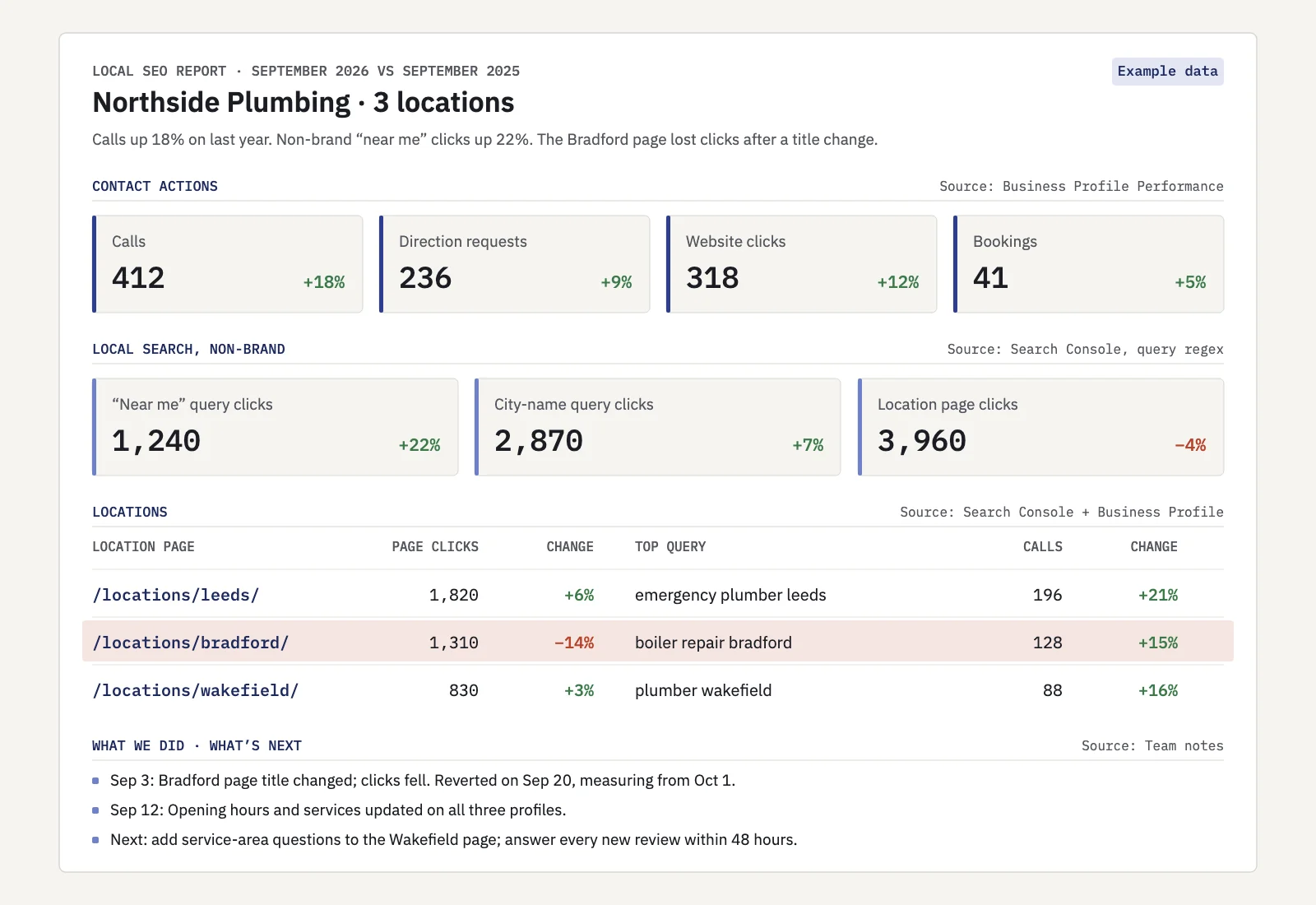
Example data. One page, outcome first, every number labelled with its source.
Label the source next to every number: "Business Profile" or "Search Console". Clients often assume the two agree, and a labelled report saves that conversation. For the general layout of a monthly report, see our SEO report template.
Multi-location brands
With 10 or 200 locations, the one-page format becomes one page plus a table. Three rules keep it readable:
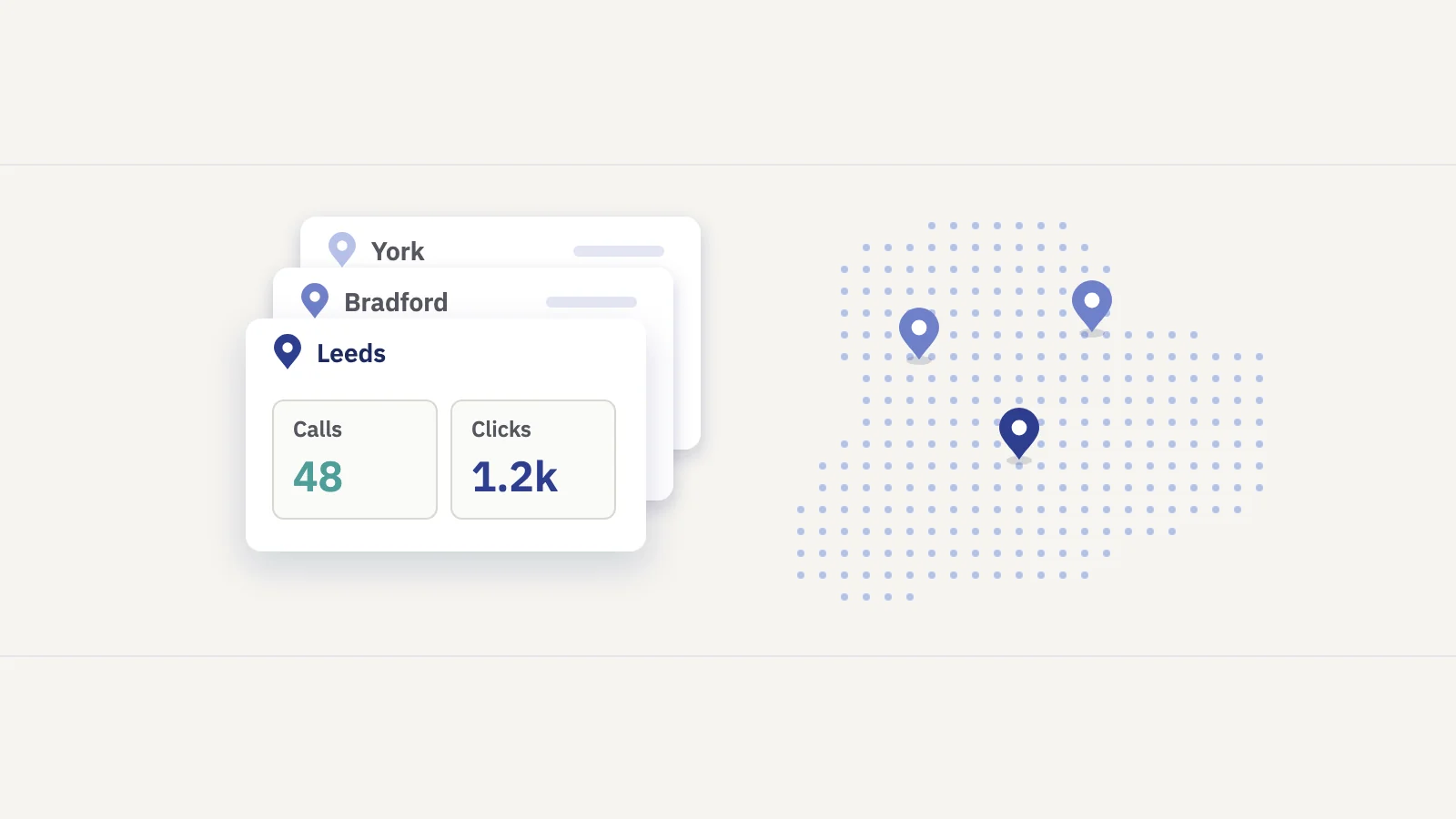
- One row per location. Columns: Business Profile calls, direction requests and website clicks; Search Console clicks to that location's page; the change for each. Sort by the change, not by name, so problems rise to the top.
- Group by region or market. Roll locations into regions with a URL pattern on the location pages and a regex on the city names. Report the regions first and the locations under them.
- Compare like with like. A new location can't be compared with last year. A location in a big city will always get more searches than one in a small town. Compare each location with its own past, and flag the ones moving against their region.
If you serve several countries, the country dimension finally helps: set a Country filter in Search Console, or report each country as its own section.
Local SEO KPIs
Pick a few and keep them stable from month to month. Our guide to SEO KPIs explains how to choose.
| KPI | Source | Why it matters |
|---|---|---|
| Calls, direction requests, bookings | Business Profile | Direct contact; closest to revenue |
| Website clicks from the profile | Business Profile | Visits that start on the profile |
| Non-brand clicks for local query segments | Search Console (regex) | Demand you win from people who don't know you yet |
| Clicks to location pages | Search Console (Page filter) | How well each location's page performs in organic results |
| Conversions from location pages | GA4 | Whether visits turn into leads |
| Share of clicks from the target country | Search Console (Country) | For sites that serve one country but get traffic from others |
Avoid "local pack rankings" as a KPI unless you measure them with a tool built for it; Search Console doesn't report them, and Business Profile reports views and searches, not positions.
Doing it in Serplyze
Serplyze reads your Search Console data, so it covers the website half of the report; Business Profile numbers still come from Google's own report. What it adds for local work:
- Country. A project can be set to one country, and every number in it is then filtered to that country. The Traffic screen has a Country breakdown you can click to filter.
- Groups by regex. Rule-based keyword groups take a Query matches regex condition, so a "near me" group and one group per city fill themselves from your tracked keywords. Page groups take a URL regex, so each location page or region becomes a group. See content groups.
- Reports. A scheduled report can be scoped to keyword groups and include a group table, page groups, top pages, countries and your own commentary, where the Business Profile numbers can go.
Rule-based keyword groups only contain keywords you already track. For all queries, including untracked ones, use the regex search on the Traffic screen.
Key takeaways
- Search Console's finest location is the country, and it has no separate view for local pack or Maps results.
- Measure local demand with regex segments for "near me" and the place names you serve, brand excluded.
- Location pages are your clearest local signal in Search Console; read them per page and per query.
- Business Profile Performance covers calls, directions, website clicks and searches, and includes Google Ads activity.
- Report the two side by side with sources labelled; don't add them together.
- For many locations, use one row per location, grouped by region, and compare each with its own past.
Serplyze turns your Search Console data into local query groups, location page groups and scheduled reports. Start free and set up your first local report.