AI search visibility comes in pieces: Google counts AI impressions but not AI clicks, and ChatGPT and Perplexity report nothing to site owners. Here are the metrics you can actually track, labelled measured, estimated or proxy, and a monthly scorecard that puts them on one page.
What Search Console tells you about AI search
Google added a Generative AI performance report to Search Console, announced on June 3, 2026 and rolled out to all sites on August 31, 2026. It's Google's first dedicated number for AI visibility, and it's narrow:
- One metric: impressions. How often links to your site were shown in AI Overviews and AI Mode on Google Search. Search Labs experiments are not included.
- Four dimensions. Pages, countries, devices and dates. You can filter by search type: "Web: text-based" or "Web: multimodal" (Lens, Circle to Search and other image searches).
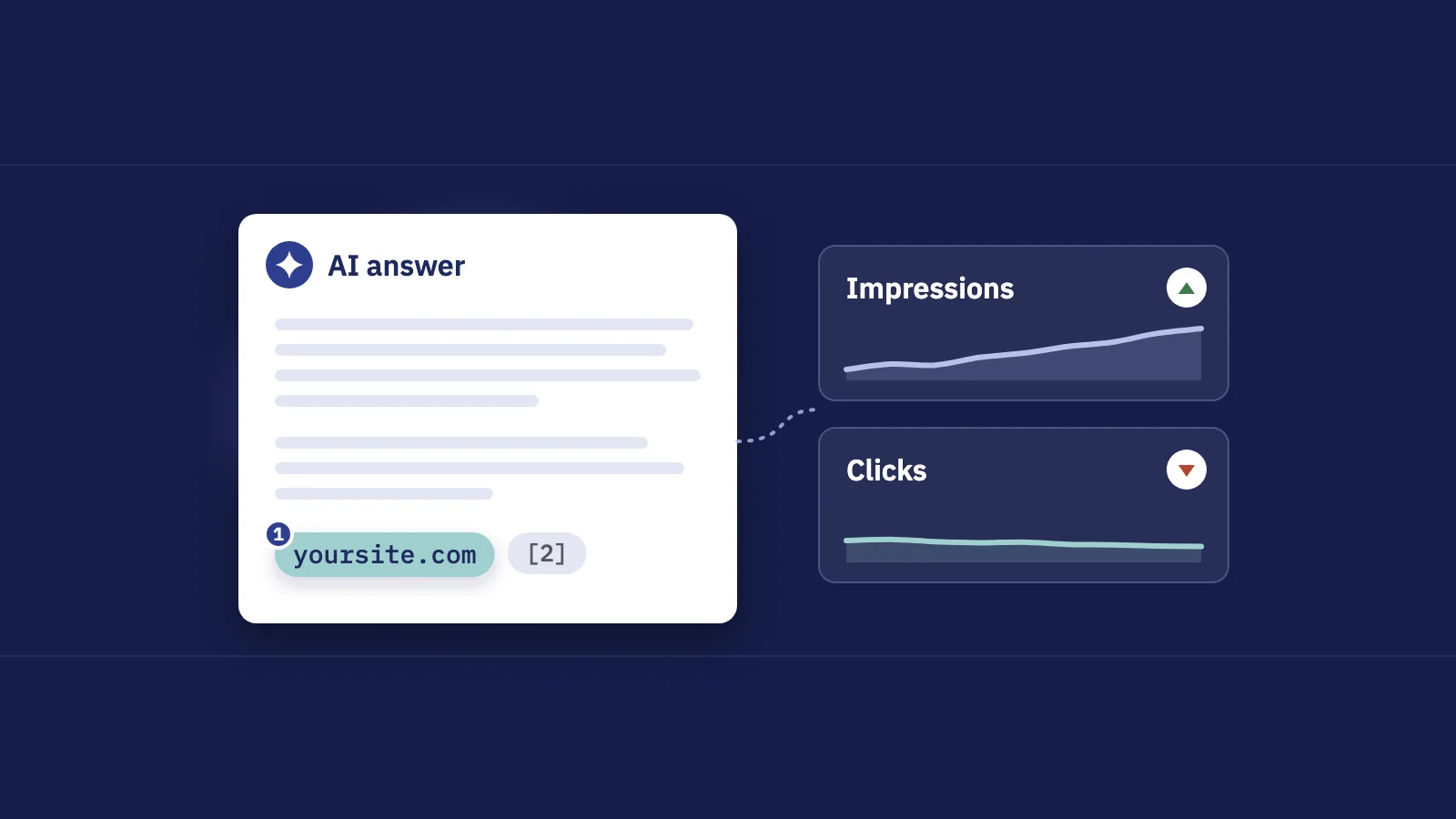
- No clicks, no CTR, no queries. The report doesn't say which searches triggered the AI answer or whether anyone clicked your link in it.
- Not always there. Google says the report may not appear for a site that hasn't had enough impressions in generative AI features.
- Same limits as the Performance report. The 1,000-row table limit applies, and the chart and table totals can differ because the chart counts the property once per AI answer while the page table counts each page.
Google has a separate generative AI report for Discover; this guide is about Search.
What the main Performance report still mixes in
The usual Performance > Search results report hasn't changed. AI Overviews and AI Mode are inside its Web numbers, and nothing marks them. Per Google's Performance report documentation:
- A click on a link in an AI Overview or in AI Mode counts as a click, and the link counts as an impression under the standard rules.
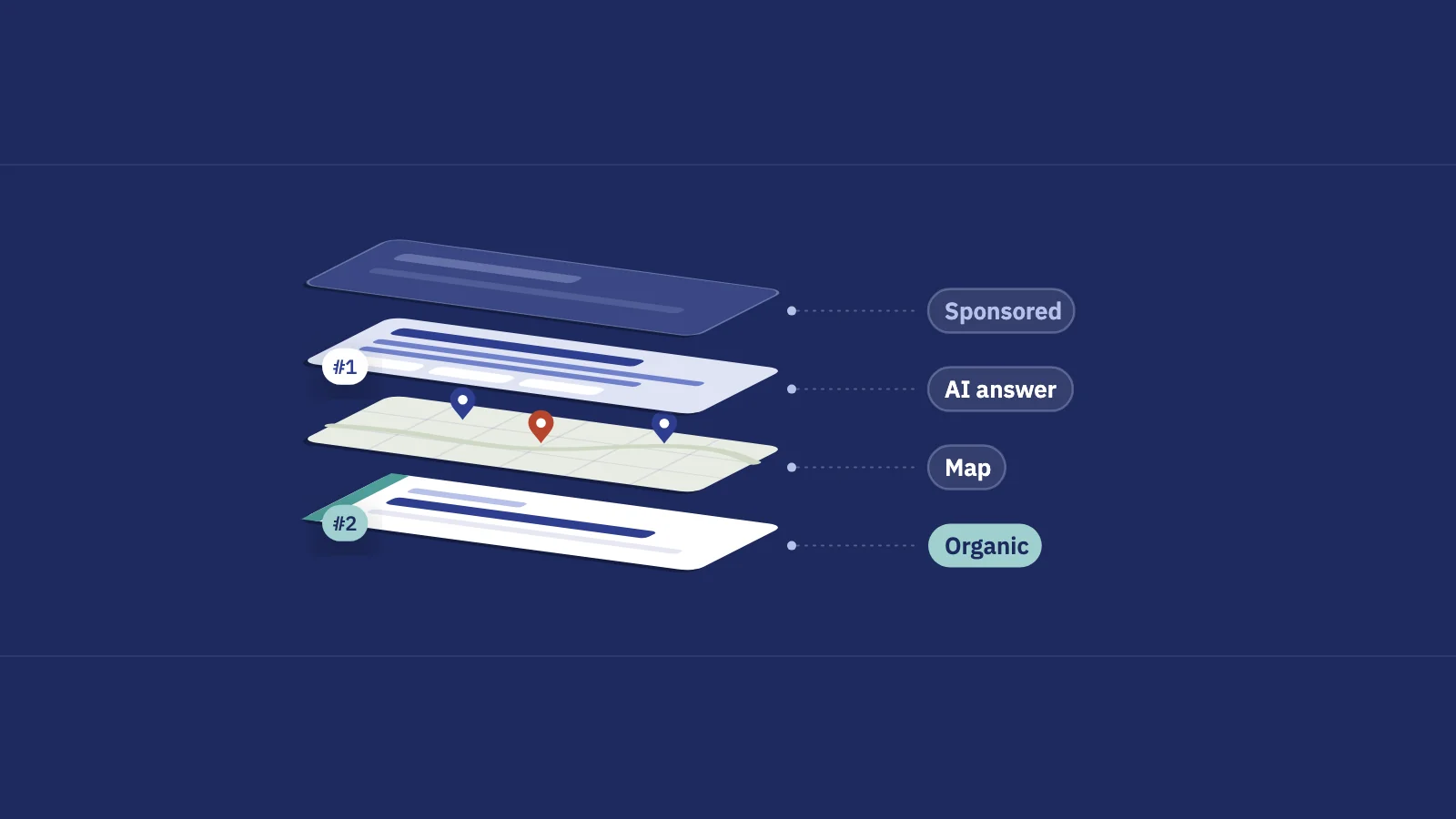
- An AI Overview takes one position on the results page, and every link in it gets that position.
- A follow-up question in AI Mode counts as a new query, with its own impressions, clicks and position.
There is no AI option in the Search appearance filter, and the Search Console API has no AI dimension either. So your clicks, CTR and average position already include AI traffic, but you can't pull it out. Every AI metric built on Performance data is an inference.
| Source | AI impressions | AI clicks | Queries | Granularity |
|---|---|---|---|---|
| Generative AI performance report | Yes | No | No | Page, country, device, date |
| Performance > Search results (Web) | Mixed in, not marked | Mixed in, not marked | Yes | Query, page, country, device, date |
| Search Console API | Mixed in, not marked | Mixed in, not marked | Yes | Same as Performance |
Measured, estimated or proxy
Before choosing metrics, label each one by how much it can be trusted:
- Measured: a platform counted it, and you read it as reported. AI impressions per page are measured.
- Estimated: a rule or model applied to measured data. "Clicks on queries that probably show an AI Overview" uses measured clicks, but which queries count is your estimate.
- Proxy: stands in for something you can't see at all. Brand mentions in ChatGPT, sampled by asking it questions, are a proxy for how often it recommends you.
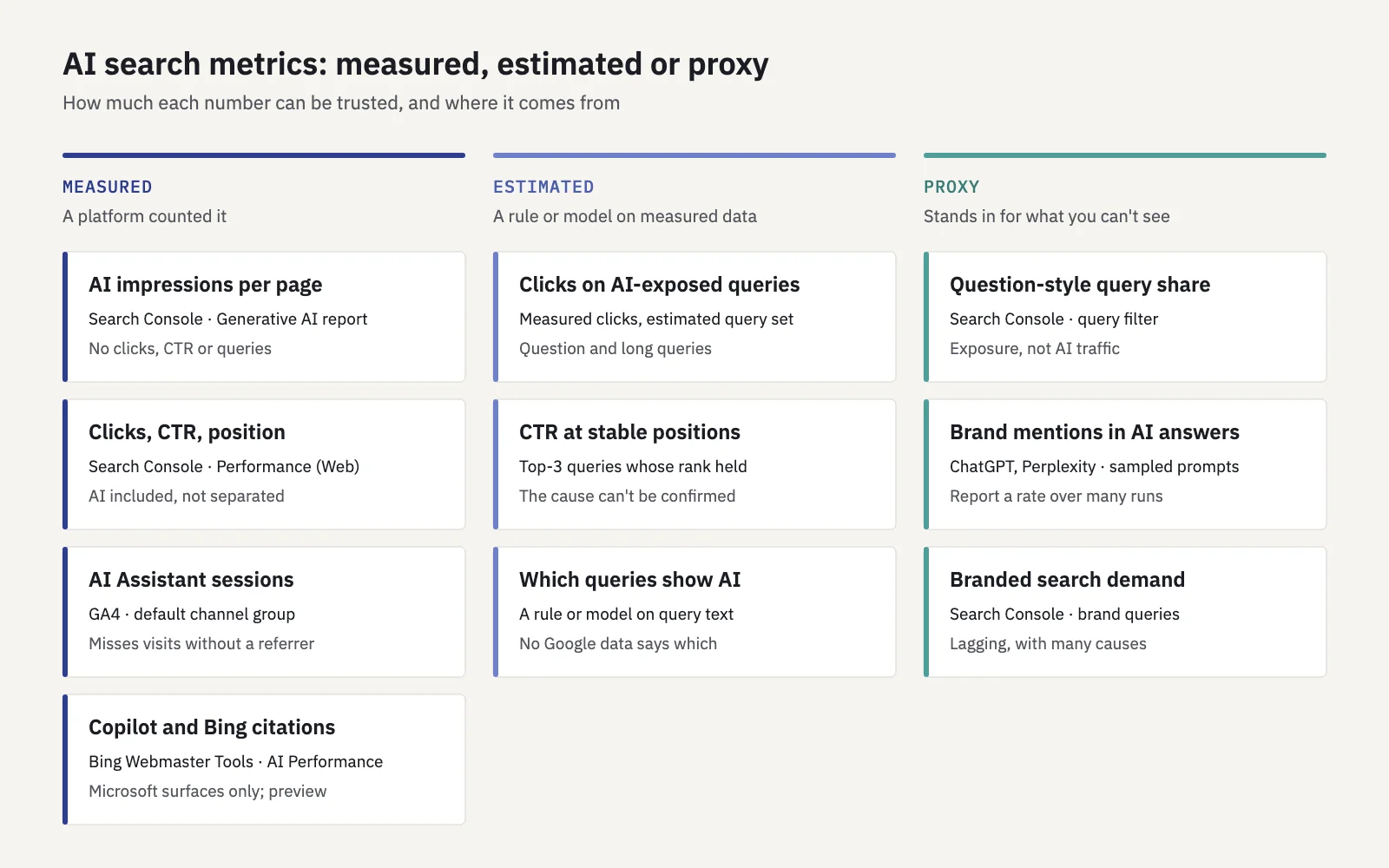
Keep the label next to the number in every report. It stops an estimate from being read as a fact two meetings later.
The metrics worth tracking
1. AI impressions per page
Type: measured. Open the Generative AI performance report, switch to the Pages tab and compare this month with the previous one. Track two things: total AI impressions for the property, and which pages carry them. This is the closest thing to AI Overview tracking that Google offers, and the only first-party way to see whether AI Mode SEO work is getting your pages shown.
AI impressions are a visibility metric, not a traffic metric. A page with rising AI impressions is being shown as a source in AI answers. Whether that sends anyone to you is the next metric's job. Set the date range to full months and keep the same search type filter each month, or the numbers won't line up.
2. Clicks and CTR on the queries where AI answers show up
Type: estimated (measured clicks, estimated query set). If you want to track AI Overviews' effect on traffic, this is the number the Generative AI report can't give you. Because Search Console doesn't separate AI clicks, the practical approach is to define a group of queries that are likely to trigger an AI answer and track that group's clicks, impressions and CTR from the Performance report.
A simple definition that works in Search Console's + Add filter > Query > Custom (regex). It matches queries that start with a question word or have six words or more:
^(how|what|why|when|where|which|who|is|are|can|does|do|should)\b|^\S+(\s+\S+){5,}
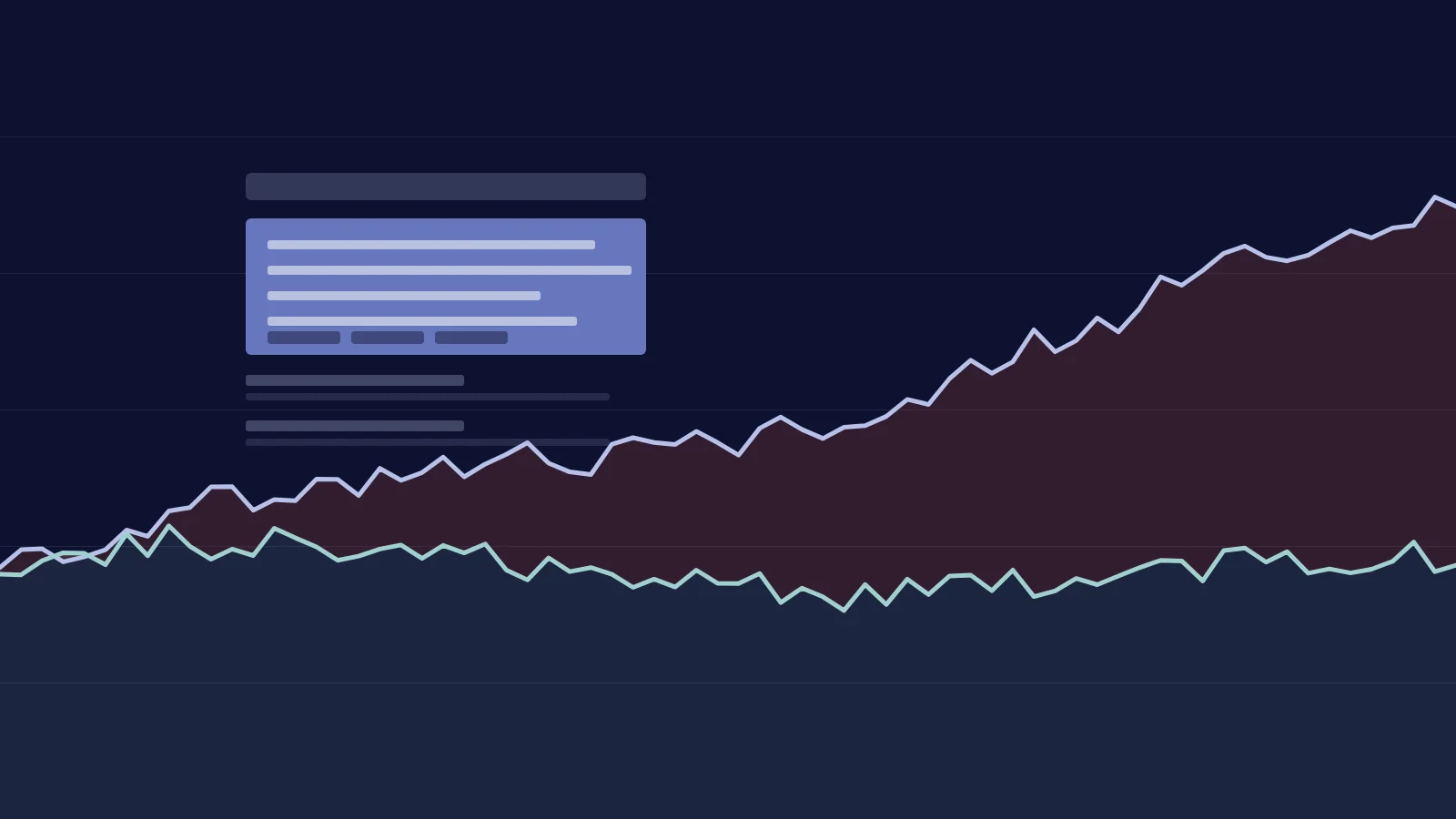
These queries tend to get AI Overviews, so they're your AI-exposed group. Compare the group's CTR month over month and against the rest of your non-branded queries. If impressions in the group grow while clicks stay flat, AI answers are a likely reason, although other results features can do the same.
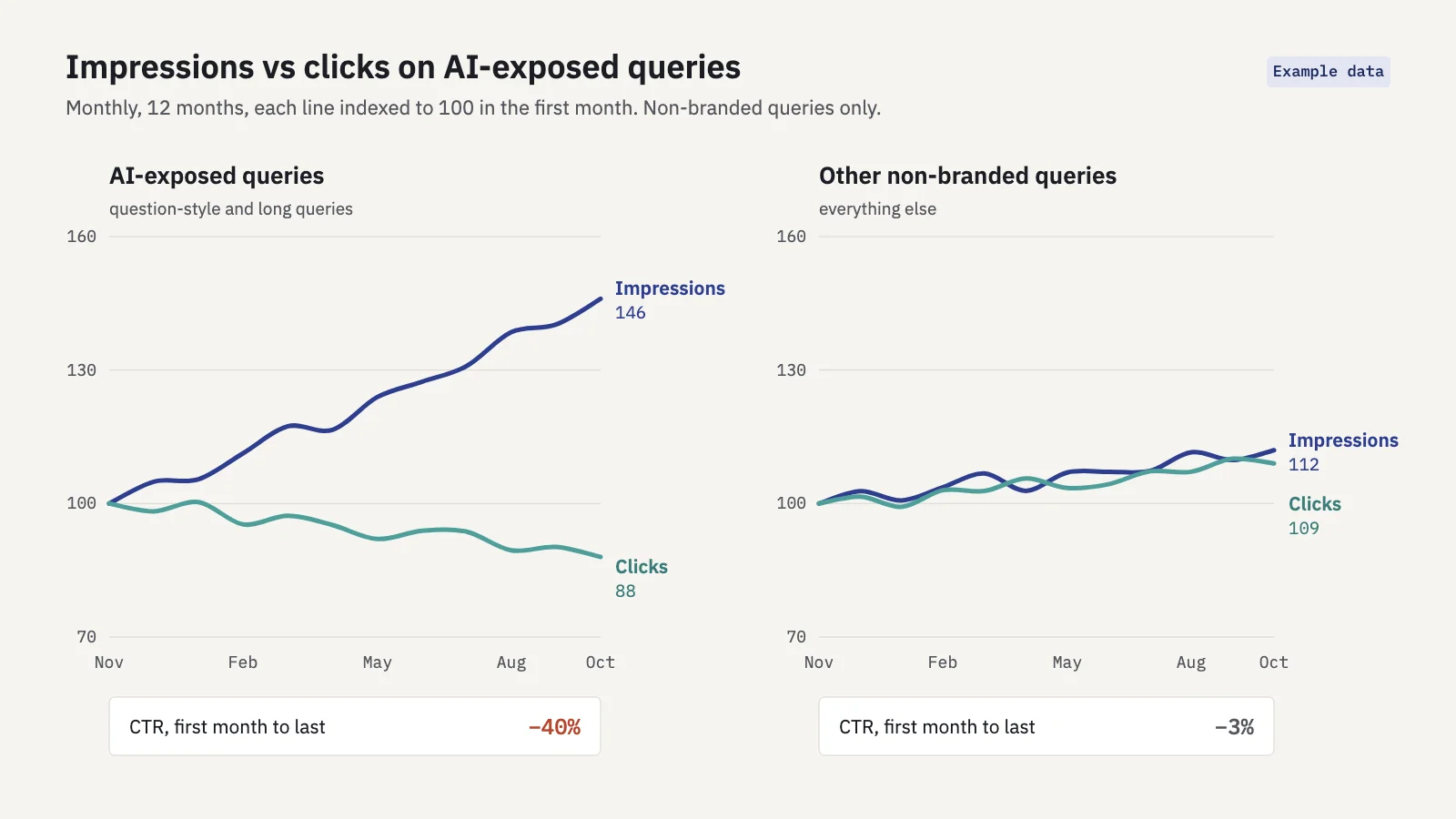
Example data. The split, not the exact numbers, is what to look for.
Serplyze's AI search screen does this from your own Search Console data. Google's report gives you AI impressions by page; Serplyze shows clicks, impressions and CTR on the long and question-style queries AI answers tend to appear on, with their landing pages and 16-month trend. Which queries count is an estimate and is labelled as one; the clicks are Search Console's own, which still don't say whether they came from the AI answer or the blue link.
3. CTR change at stable positions
Type: estimated. The sharpest single signal. A query that held position 2 for months and lost a third of its CTR is losing clicks to something above it. An AI Overview is a common cause, but ads, a new snippet, a shopping unit or a changed title can do the same.
Filter rules that keep this honest: average position 3 or better in both periods, a position move of one place or less, at least 100 impressions in each period, and a CTR fall of a quarter or more. Compare against the same period last year when the topic is seasonal. Our post on zero-click searches shows how to build a CTR-by-position baseline for this.
4. The share of question-style queries
Type: proxy. What share of your impressions and clicks comes from the AI-exposed group in metric 2? This tells you how much of your search traffic sits in the part of search AI answers are changing most. A site where 60% of clicks come from "how to" questions is far more exposed than one that lives on product and brand searches.
Track it as a share of named (non-anonymized) queries, so the base doesn't jump around when Search Console anonymizes more or fewer queries. The trend matters more than the level.
5. Brand mentions and citations in AI answers
Type: proxy, with one measured exception. Brand visibility in AI search outside Google matters too, but neither ChatGPT nor Perplexity gives site owners a report. The usual method is to write a fixed set of prompts your buyers would ask, run them on a schedule, and count how often your brand is named or your pages are cited.
Be honest about what that number is:
- Answers change between runs. The same prompt can name different brands an hour later. A single run is an anecdote; you need repeated runs and a rate ("named in 7 of 20 runs").
- Context changes answers. Logged-in history, location, model version and whether web search was used all move the result.
- Your prompt set is a sample you chose. It says nothing about the prompts real people type, which no one outside the platform can see.
The exception is Microsoft: Bing Webmaster Tools has an AI Performance report (public preview since February 2026) that counts how often your pages are cited in Copilot and Bing's AI answers. It covers Microsoft's surfaces only, but for those it's a first-party count rather than a sample.
6. Referral traffic from AI assistants in GA4
Type: measured, but undercounted. When someone clicks a link in an assistant's answer, the visit can land in GA4 with the assistant as its source. GA4's default channel group now has an AI Assistant channel for sources like ChatGPT, Gemini and Copilot. Google's AI Overviews and AI Mode are not in it; those visits stay in Organic Search.
Open Reports > Acquisition > Traffic acquisition, look at the AI Assistant row, then switch the dimension to session source to see which assistants send visits. Track sessions and key events (conversions) from this channel per month, and the landing pages they arrive on.
Two cautions. Not every assistant passes a referrer, and visits from apps often arrive as Direct, so the real number is higher than GA4 shows. And this channel tells you about clicks only, not about the far larger number of answers that mention you without a click.
What not to trust
- "AI Overview clicks" from any Search Console-based tool. Search Console doesn't report them, so a tool showing them is estimating. Ask how, and look for the label.
- Position inside AI Overviews. Every link in an Overview shares one position, so a "position 1" can be the fifth source in the answer.
- A single AI rank check. One run of one prompt in ChatGPT is not a ranking. Neither is one screenshot of an AI Overview.
- "Share of voice in AI" scores without a method. If a vendor can't tell you the prompts, the run count and the date, the score can't be compared month to month.
- Site-wide CTR as an AI signal. It moves with your query mix, branded demand and new low rankings. Use CTR at stable positions on single queries instead.
- Day-level AI impressions. The newest days can be preliminary. Report full weeks or months.
A simple monthly AI visibility scorecard
One row per metric, this month against last month and the same month last year, with the type label on every row. The SEO report template shows where a block like this fits in a client report, and SEO KPIs covers how to tie it to business goals.
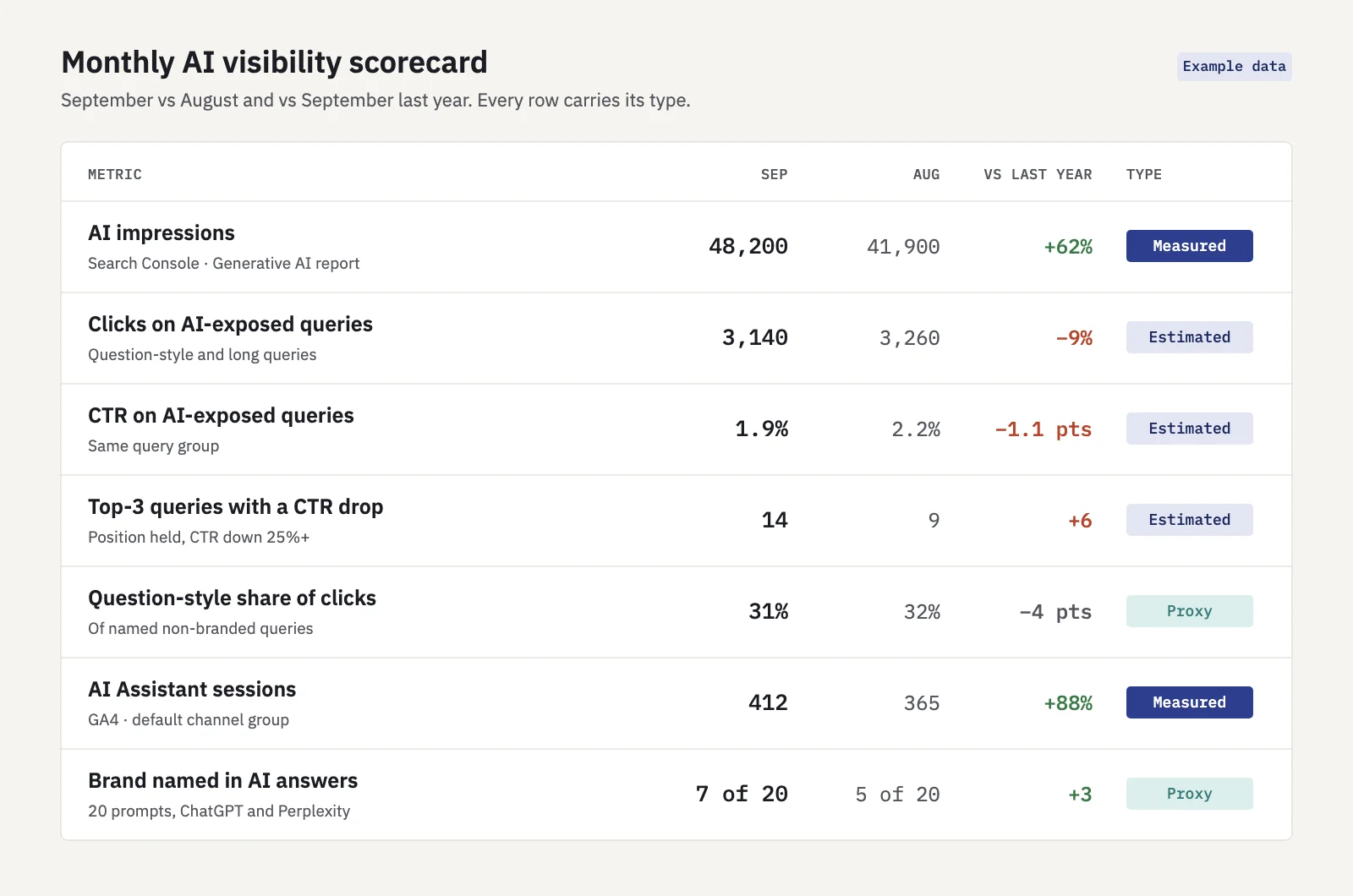
Example data. Replace each value with your own and keep the labels.
- Pull AI impressions. In the Generative AI performance report, set last month as the date range with "Web: text-based" selected. Note the total and the top 10 pages.
- Pull the AI-exposed query group. In Performance > Search results, add the query regex from metric 2 and note clicks, impressions and CTR. Then remove the filter and note the totals: the group's share of clicks and impressions is metric 4. If many of the matching queries are branded, export the list and take them out.
- List stable-position CTR drops. Compare last month with the same month last year and keep queries that match the rules in metric 3.
- Check GA4. Note AI Assistant sessions and key events, and the top three landing pages.
- Run your prompt set. Same prompts, same number of runs as last month. Record the mention rate, not individual answers.
- Write three lines. What moved, the likely reason, and what you'll change. Mark anything that's an estimate as one.
Watch branded search alongside the scorecard. If AI answers name you more often, some people will search for you later. Our guide to branded vs non-branded traffic explains how to separate the two in Search Console.
Key takeaways
- Search Console's Generative AI report gives measured AI impressions by page, country, device and date, with no clicks, CTR or queries.
- The main Performance report counts AI Overview and AI Mode clicks inside Web and can't separate them, so any "AI click" figure is an estimate.
- Track clicks and CTR on question-style and long queries, and CTR drops at stable top positions, labelled as estimates.
- Brand mentions in ChatGPT and Perplexity can only be sampled; report them as a rate over repeated runs.
- GA4's AI Assistant channel measures visits from assistants but misses those without a referrer.
Serplyze shows the clicks and CTR on the queries where AI answers tend to appear, from your own Search Console data, with every estimate labelled. Start free and see which of your queries are most exposed.