A title tag is the strongest hint you give Google for the clickable headline of your search result. For a page that already ranks, the best words for it are already in Search Console: the queries the page gets impressions for. This guide shows how to pick those words, fit them in the space a result allows, and check that the rewrite earned more clicks.
What Google shows as the title link
The title tag is the <title> element in a page's <head>:
<title>Standing desk height: calculator and chart for your height | Deskly</title>
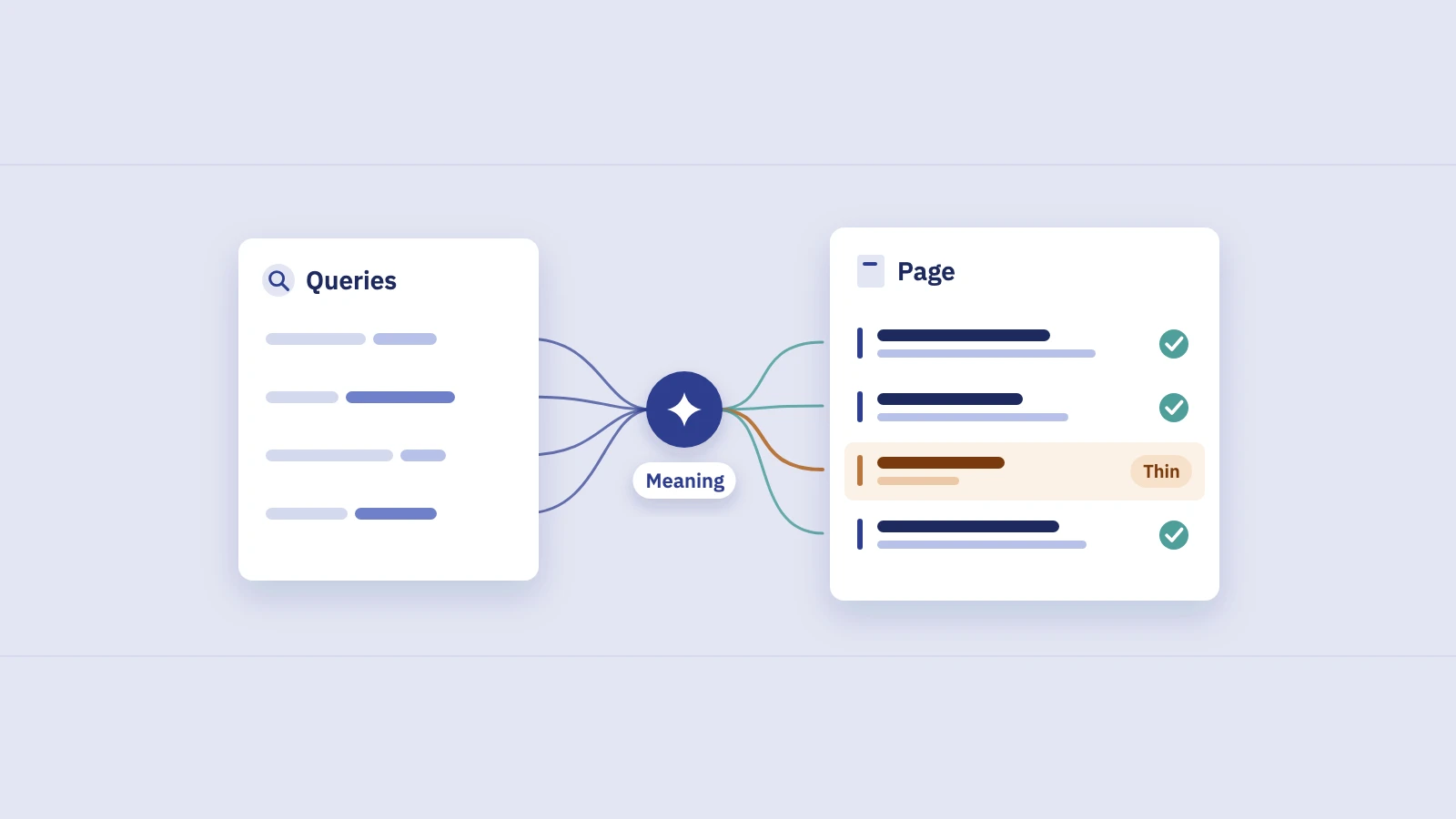
Google calls the clickable headline of a result the title link. Its title links documentation says the title link is generated automatically, and the <title> element is only one of its sources. Google also looks at the main visual title on the page, headings such as the <h1>, og:title meta tags, other large and prominent text, anchor text on the page, the text of links pointing to the page, and WebSite structured data.
In practice your title element still wins most of the time. When Google changed its title system in 2021, it said in the announcement that content from HTML title tags was used more than 80% of the time. The same post says titles generally no longer change with the query searched. That matters for this guide: one title has to serve every query the page ranks for, so you choose words for the group of queries, not for each one.
When Google rewrites your title
Google replaces a title when it decides the title doesn't describe the page well. The documentation lists the common cases:
Problem in the <title> |
What Google may do | Fix |
|---|---|---|
| Half-empty, such as only the site name | Fill it in from prominent text on the page | Write a full description of the page |
| Obsolete, such as last year's date | Use the newer date from the visible heading | Update the title when the content changes |
| Inaccurate: doesn't match the page | Use text that does describe it | Title what the page actually covers |
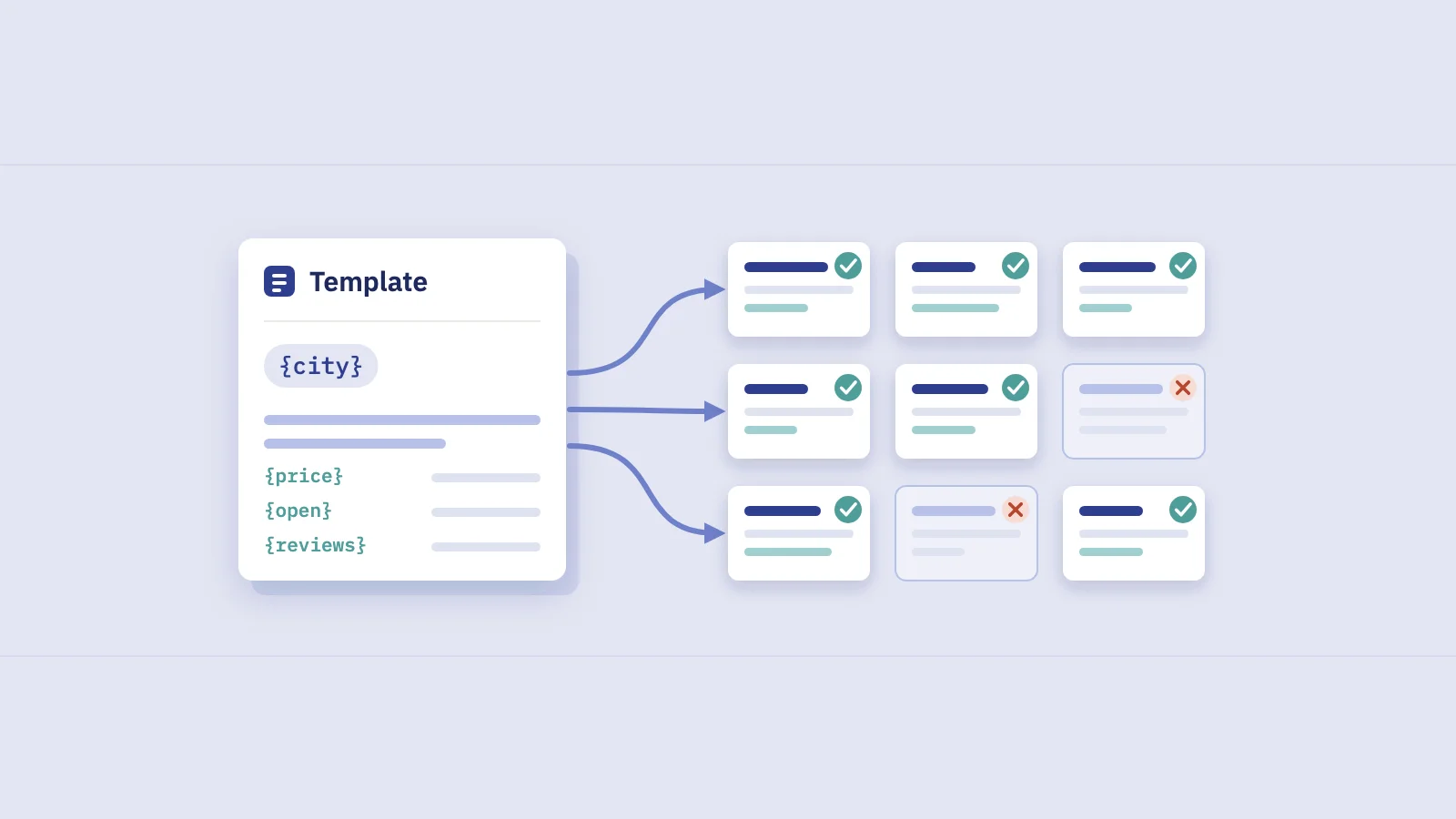
| Micro-boilerplate: near-identical titles across a set of pages | Add the detail that tells them apart | Put the distinguishing detail in each title |
| No clear main title on the page | Use the first of several equally prominent headings | Make one <h1> clearly the main title |
| Language or script differs from the page | Use text in the page's language | Write the title in the page's language |
| Site name repeated or long brand statement | Shorten or drop the repetition | One short brand name after a separator |
Two more points from the same page shape how you write. There is no length limit on the <title> element, but title links are cut to fit the device width. And keyword stuffing, repeating the same words or phrases, doesn't help users and can look spammy.
To see whether Google uses your title, search the page's top queries and compare the result with your <title>. If Google already rewrites it, fix the cause from the table first. Otherwise a new title may never be shown.
Choose words from the queries the page already gets
A page that has ranked for a few months has told you how people find it. The words in its top queries are the words searchers are scanning for when they read the results, so they are the raw material for the title.
- Open Performance > Search results and set the date to the last 3 months.
- Filter to the page. Click + Add filter, choose Page, and enter the exact URL.
- Open the Queries tab and sort by Impressions. Clicks tell you what already works; impressions tell you what people searched for when they saw you.
- Group the top 20 or so queries by meaning. Variants of one phrase ("standing desk height", "how high should a standing desk be") belong together. Modifiers that repeat across many queries ("calculator", "chart", "for beginners", "2026") form their own groups.
- Pick the core phrase and one or two modifiers. The core phrase is the group with the most impressions. The modifiers are the groups that recur and that the page actually covers.
- Leave the rest to the page. Follow-up questions and rare variants belong in headings and body copy, not the title.
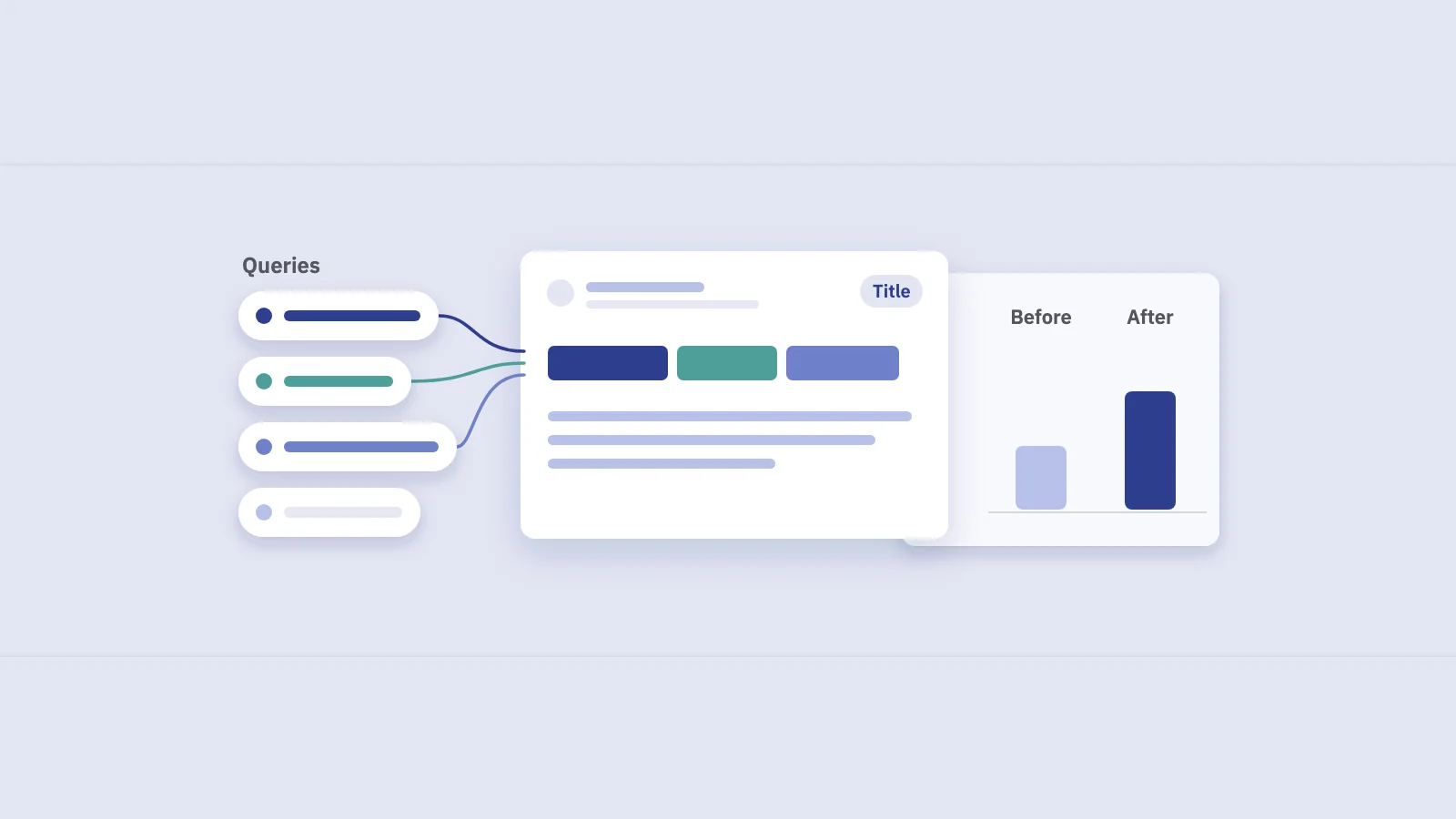
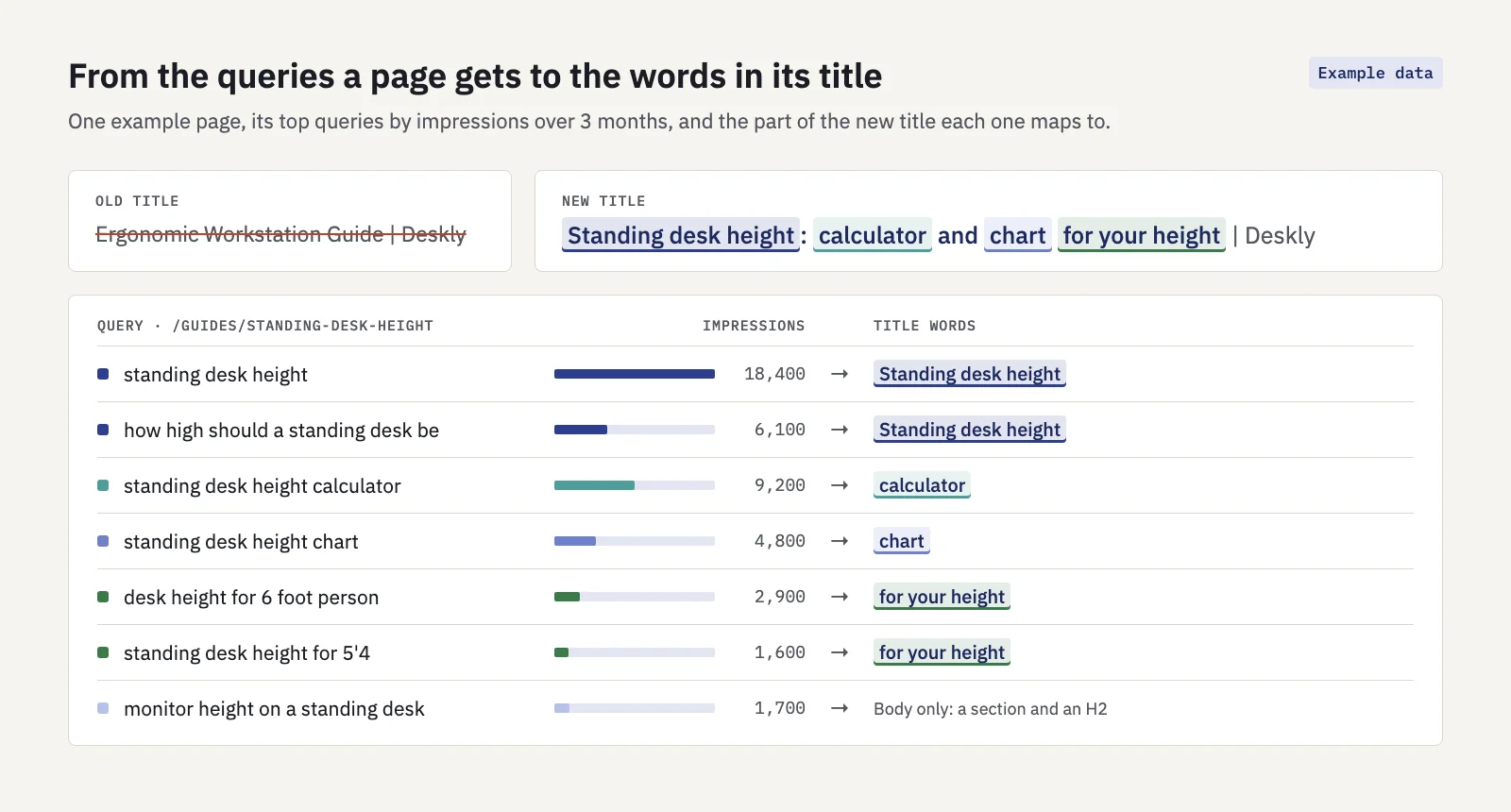 Example data. Six of seven top queries map to four parts of one title; the seventh belongs in the page body.
In the example, the old title "Ergonomic Workstation Guide" contained none of the words people used. The new one opens with the core phrase, names the two formats people asked for (a calculator and a chart), and covers the queries that include a person's height with "for your height". The query about monitor height is a real need, but it's a different question. It gets a section on the page.
You don't need the exact string of every query. Google's guide to how ranking works describes a synonym system that finds relevant pages even when they don't contain the exact words searched. The title's job is different: a searcher scanning ten results looks for their own words, so the core phrase should be there as people type it.
In Search Console's interface, the Queries tab shows up to 1,000 rows, and rare queries are anonymized and never listed. For one page that is usually plenty. To do this across a whole site, Serplyze's Traffic screen has a Query × page tab that lists each query against the URL that earns it, so you can sort a site's pages by the queries they get without filtering one URL at a time.
Write the rewrite
With the words chosen, the rest is order and restraint:
- Lead with the core phrase. Put it first, as searchers type it. Front-loading also protects it if the title is cut.
- Add the modifier that wins the click. "Calculator", "template", "prices", "with examples": the word that tells the searcher this page has the format they want.
- Be specific. A number, a scope or a year that the page backs up beats "ultimate" or "complete".
- Brand last, once. A separator and a short site name. Google's documentation suggests branding concisely rather than repeating a long brand statement on every page.
- Match the main heading. Keep the
<h1>close to the title in meaning, so the page has one clear main title for Google to read. - Keep it true. The title is a promise. If the page has no calculator, don't say "calculator"; Google may rewrite an inaccurate title, and searchers who bounce won't come back.
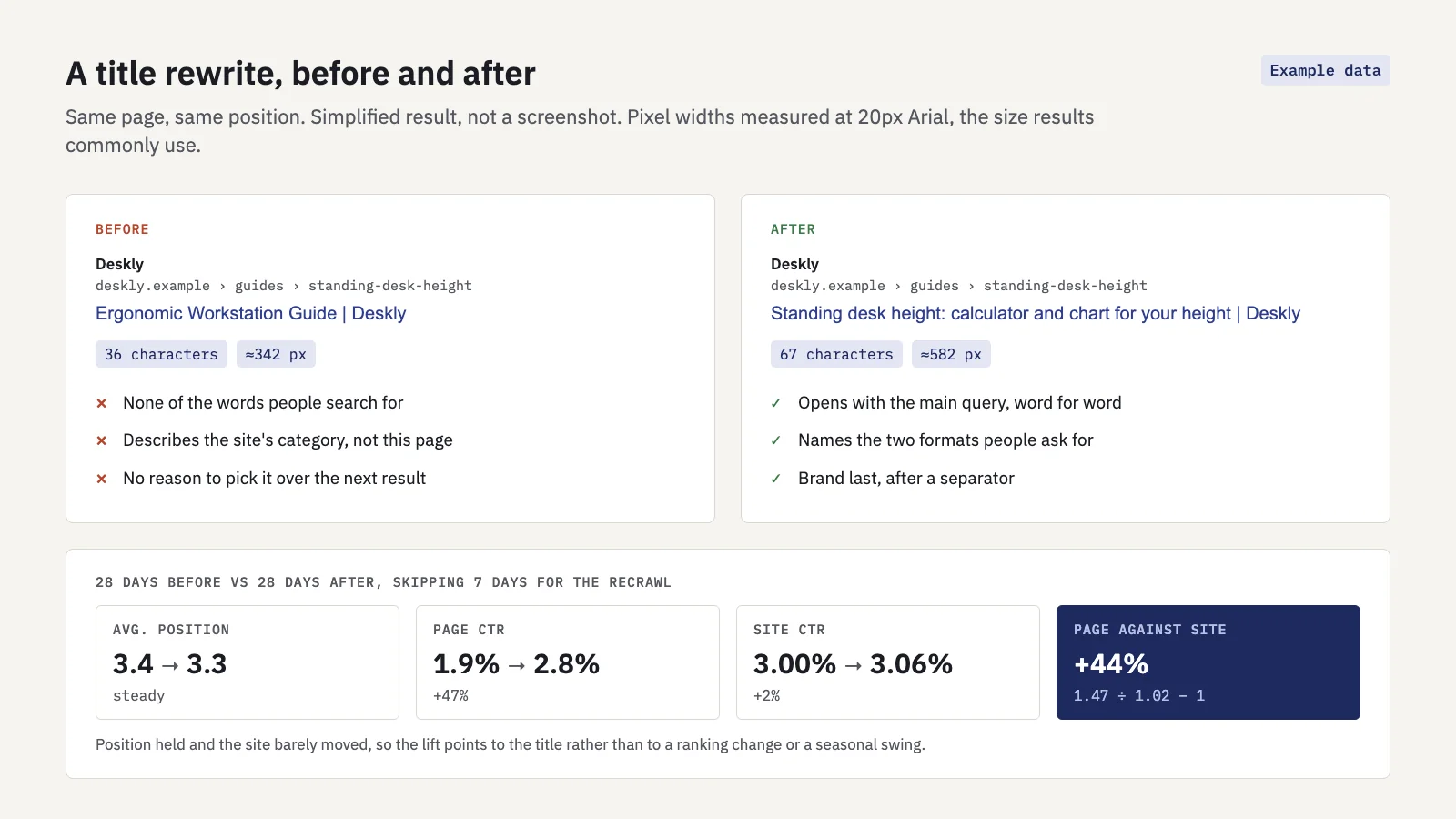 Example data. The new title fits the desktop width, and the lift holds up against the site's own trend.
Length and pixel width
Google sets no character limit, and its documentation doesn't publish a width. Results cut titles by width on the screen, not by character count, so a title full of wide letters such as W and M is cut sooner than one of the same length set in narrow letters such as i and l. A widely observed rule of thumb is that desktop titles get about 600 pixels before they are cut, which is often 50 to 60 characters. Treat that as a guide, not a rule.
What matters more than the exact cut-off is what survives it. If the first 50 characters carry the core phrase and the modifier, a cut costs you only the brand name. Our free SERP snippet preview measures a title in pixels and shows where it would likely be cut on desktop and mobile, so you can check a draft before it goes live.
A title can also be too short. "Desk height | Deskly" fits easily, but gives the searcher no reason to choose it and gives Google little to work with.
Test the change with before/after windows
Search Console can't split traffic between two titles, so the test is a before/after comparison over equal windows, read against the whole site. The method is the same one we use for descriptions in meta descriptions that lift CTR; the short version for titles:
- Record the baseline. For the exact page URL, note clicks, impressions, CTR and average position for the 28 days before the change, and the same for the whole site.
- Change only the title. If the description or content changes in the same week, you won't know which did what.
- Note the date it went live and request indexing in the URL Inspection tool.
- Skip a week, then measure 28 days with Date > Compare > Custom against the before window.
- Read the page's change against the site's: relative change = (1 + page change) ÷ (1 + site change) − 1.
Titles affect ranking as well as CTR, which is why position needs a closer look here than for descriptions. If the average position moved by a place or more, read the change in clicks rather than CTR, and say so in your notes: the title moved the ranking, and CTR comparisons across positions aren't like for like. Our guide to average position explains why that number can also move when nothing changed. Check the Queries tab in Compare mode too. A title that adds new words often brings in new queries, which raises impressions and can lower CTR even when the change worked.
Serplyze's Actions keep this log for you on paid plans. Log the change with the type Title / meta, the page and the tracked keywords it targets, and Serplyze compares the 28 days before with 28 days starting 7 days after, against the whole site in the same windows. The result shows Measuring until Search Console's data for the after window is final, then Positive, Negative or Neutral at ±10% against the site.
Common mistakes
- Writing for a keyword the page doesn't rank for. Start from the queries it already gets; add new words only when the page covers them.
- Stuffing variants. "Standing desk height, standing desk heights, desk height chart" reads as spam and wastes width. One phrasing of the core phrase is enough.
- Templated titles. "Product name | Category | Brand" across thousands of pages produces the near-identical titles Google rewrites. Put the detail that differs first.
- Changing title, description and content at once. Then you can't tell which change did what. Test one per page.
- Reading the result too early. Google needs time to recrawl, and Search Console's newest days are preliminary. Wait for the full after window.
- Rewriting a title Google doesn't show. If the result already shows something else, fix the reason first.
- Chasing CTR at the cost of accuracy. A title that promises more than the page delivers may get clicks once, then lose them.
Key takeaways
- Google builds the title link from several sources, but the
<title>element is still used most of the time, and since 2021 the title generally doesn't change with the query. - Google rewrites titles that are half-empty, outdated, inaccurate, boilerplate or in the wrong language; fix those causes before testing new words.
- Take the words from the queries the page already gets impressions for: the core phrase first, then one or two modifiers that recur.
- There is no length limit, but results cut titles by pixel width; keep the important words in the first 50 or so characters.
- Test with equal before/after windows, skip a week for the recrawl, set the page against the whole site and watch position.
Serplyze shows which queries each page earns and measures every title change against your whole site, from your own Search Console data. Start free and find the titles worth rewriting first.