Search Console tells you how people find your site on Google. Google Analytics (GA4) tells you what they do once they arrive. For SEO you need both, and in GA4 that comes down to a handful of reports, set up once and read the same way every month.
What each tool measures
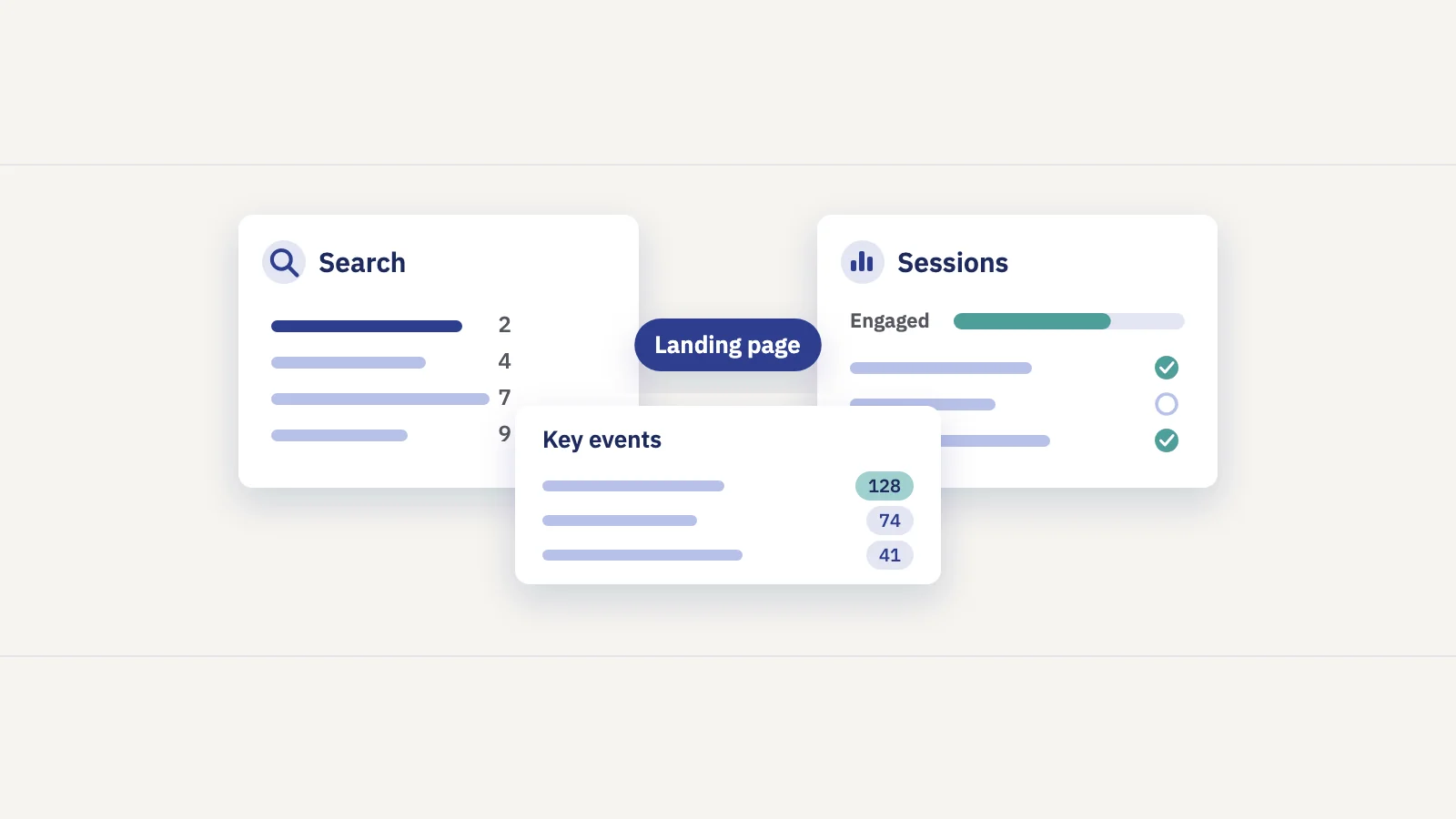
The two tools look at different halves of the same visit. Search Console sees the search: the query, the impression, your position and the click. GA4 sees the session that follows: which page it started on, how long it lasted, and whether it ended in a sign-up or a sale.
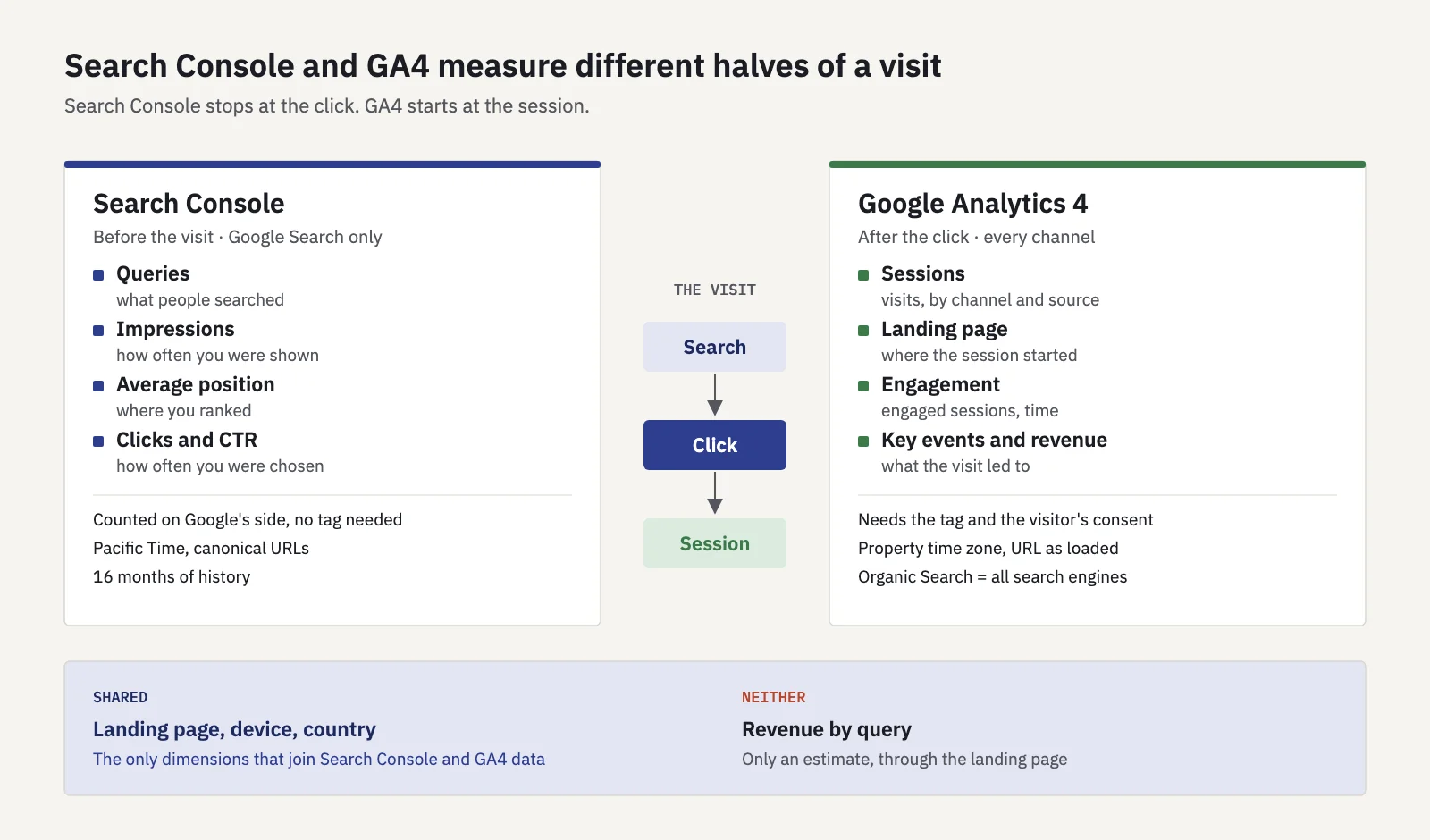
That split decides which tool answers which question:
| Question | Tool |
|---|---|
| Which queries bring visitors, and where do we rank? | Search Console |
| Did we lose rankings, or did people stop searching? | Search Console |
| Which landing pages keep organic visitors engaged? | GA4 |
| How many sign-ups, leads or sales came from organic search? | GA4 |
| What is a page's organic traffic worth? | Both, joined by landing page |
GA4 has no query data of its own. If someone asks which keywords drove last month's revenue, the honest answer is that no tool records that directly; you can only estimate it through the landing page, as shown below.
Why GA4 sessions don't match Search Console clicks
Put organic sessions next to Google clicks for the same month and they won't match. That is expected. Google's guide to using Search Console and Analytics together says the numbers differ but the trends should follow the same pattern, and lists the reasons:
- Tracking. GA4 only counts pages where its tag runs, and visitors who decline tracking may not be counted. Search Console counts the click on Google's side.
- Time zone. Search Console reports in Pacific Time and you can't change it; GA4 uses the property's time zone. Daily numbers shift as a result.
- Clicks vs sessions. They're counted differently. One click can lead to one session, but a session can also time out and restart, or a visitor can click two results in a row.
- Canonical URLs. Search Console reports clicks against the canonical URL; GA4 records the URL actually loaded, so it often shows more URLs.
- Search types. Search Console splits web, image, video, news and Discover; GA4 groups traffic its own way.
- Bots and files. GA4 excludes known bots; Search Console doesn't necessarily. PDFs appear in Search Console but GA4 only measures them if enhanced measurement tracks the download.
There is one more gap that matters for SEO reports: GA4's Organic Search channel is wider than Google. Its default channel rule counts any session whose source is on its list of search sites, or whose medium is "organic", so Bing, DuckDuckGo and other engines are in it too. Clicks from Google's AI Overviews and AI Mode also land in Organic Search; GA4's separate AI Assistant channel excludes them.
The practical rule: report Search Console clicks for search performance and GA4 sessions for on-site behavior, side by side, and never add or subtract one from the other. If the two trends move apart sharply, check tracking first.
The GA4 reports that matter for SEO
You don't need custom dashboards to start. Four standard reports answer most SEO questions.
Traffic acquisition, filtered to Organic Search
This is your top-line organic number.
- Open Reports > Acquisition > Traffic acquisition.
- Keep the default dimension, the session's channel group. Organic Search is one row.
- To see only organic, click Add filter, choose Session default channel group, and set it to exactly match Organic Search.
- Add Session source as a secondary dimension to separate google from other search engines.
- Set the date range and turn on Compare to see the change against the previous period or last year.
The report is session-scoped: each session is credited to the channel that started it, using a non-direct last click model (Google's help). Don't compare its numbers with the User acquisition report, which credits a user's first channel instead.
Landing page
Organic visitors arrive on a page, not on your home page. The landing page report shows which pages they start on and what happens next.
Open Reports > Engagement > Landing page (help), add the same Organic Search filter, and sort by sessions. Each row shows sessions, engagement time, key events and revenue for sessions that started on that page. This is the report to read next to Search Console's Pages tab: a page with plenty of clicks but few engaged sessions or key events is a content or intent problem, not a ranking problem.
Key events
Key events are the actions that matter to the business: a sign-up, a lead form, a purchase. GA4 used to call them conversions; the word "conversion" now refers to Google Ads conversions (help).
To mark an event as a key event, go to Admin > Data display > Events and click the star next to the event (help). You need the Editor role. The change isn't retroactive: key event counts start from the day you mark it, so do this before you need the numbers.
Pick two or three. A report with twelve key events, half of them page scrolls, measures nothing.
Engagement
GA4 counts a session as engaged if it lasts longer than 10 seconds, has a key event, or has two or more page views. Engagement rate is the share of sessions that were engaged, and bounce rate is the rest (help).
Read engagement per landing page and compare it with the site's own average, not with a benchmark from elsewhere. A how-to article that answers the question in one screen can have a low engagement rate and still be doing its job. A product page with the same rate is a problem.
Linking Search Console to GA4
Linking the two adds Search Console data to GA4, so you can see queries and landing pages with GA4 metrics in one place. It takes five minutes (Google's help):
- In GA4, open Admin and, under Product links, click Search Console links.
- Click Link, then Choose accounts and pick the Search Console property you manage. You need to be a verified owner of it, and an Editor on the GA4 property.
- Click Next, select your web data stream, then Next and Submit.
- Open Library in the left navigation, find the Search Console collection and Publish it. The reports are unpublished by default, so this step is easy to miss.
The collection has two reports. Queries lists Google search queries with clicks, impressions, CTR and position. Google organic search traffic (help) lists landing pages with Search Console clicks, impressions, CTR and position next to GA4 metrics such as engagement rate and key events, and can be broken down by country and device.
Know the limits before you build on them:
- One web data stream can be linked to one Search Console property, and the other way round.
- Search Console data arrives in GA4 about 48 hours after Search Console collects it, and only 16 months are available.
- Search Console metrics only combine with landing page, device and country. You can't put a query next to revenue.
- The reports don't support time-series charts.
The query report has the same limits as Search Console itself, including anonymized queries that are never listed.
Building an organic revenue view
If your site sells or collects leads, the most useful SEO report in GA4 is one table: organic landing pages with their sessions, key events and revenue.
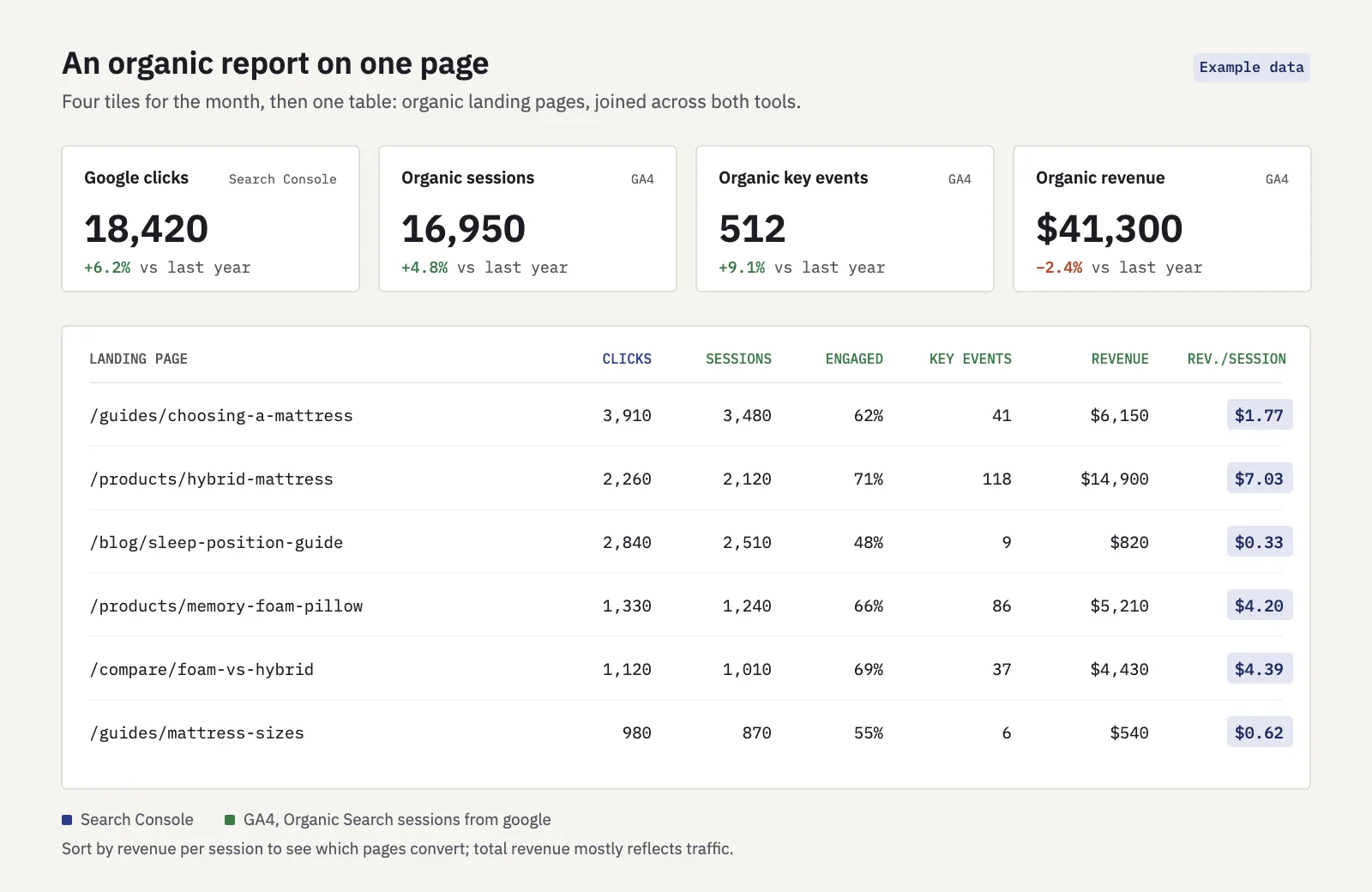
Example data. Clicks come from Search Console; sessions, key events and revenue from GA4, joined by landing page.
Two ways to build it:
- The Google organic search traffic report gives you the first half. Once Search Console is linked, it joins Google clicks and impressions to GA4 engagement and key events by landing page.
- An exploration gives you the revenue. In Explore, start a free-form exploration. Put Landing page in rows, add Sessions, Engaged sessions, Key events and Total revenue as values, and filter Session default channel group to Organic Search. Add Session source = google if you want Google only. This works without the Search Console link and lets you add your own segments, such as page folders.
Put the two side by side, matched on landing page, in a spreadsheet or in Looker Studio. Google's guide suggests Looker Studio blending for this, and BigQuery exports of both tools when you need the join at full detail.
A few rules make the revenue numbers trustworthy:
- Revenue per session is the comparable number. Total revenue favors the pages with the most traffic. Revenue per organic session shows which pages convert.
- Revenue is attributed, not observed. In the standard reports, a sale is credited to the session's channel under GA4's attribution rules. A visitor who first found you through search and bought later through an email may not count as organic. Say which model you used.
- Revenue per keyword is an estimate. You can share a landing page's revenue across its queries in proportion to their clicks, but label the result as an estimate, not a measurement.
- Brand inflates it. Branded searches convert better than non-branded ones. If the business wants to know what SEO work produced, look at non-branded clicks too; our guide to branded vs non-branded traffic shows how.
For a monthly report, the table plus four tiles is enough: Google clicks, organic sessions, organic key events and organic revenue, each against the previous period and last year. Our SEO report template shows where it fits, and SEO KPIs explains why organic key events belong on the short list.
Where Search Console still wins
GA4 can't tell you why traffic changed. When organic sessions fall, the answer is almost always in Search Console: lost positions, fewer impressions, a lower CTR at the same rank. Use GA4 to find the pages and outcomes that matter, then go to Search Console to find out what happened to them in search.
Serplyze works from your Search Console data: it updates your keywords' positions after each daily sync, lists your pages and queries with their changes against the previous period or last year, and its report generator turns them into scheduled reports. A GA4 revenue view for organic pages is coming; until then, keep GA4 for what happens after the click.
Key takeaways
- Search Console measures the search and the click; GA4 measures the session and what it led to. Use both, side by side.
- GA4 sessions and Search Console clicks never match: tracking, time zones, canonicals and counting rules all differ. Compare trends, not totals.
- GA4's Organic Search channel includes every search engine, plus clicks from AI Overviews and AI Mode.
- The core reports: Traffic acquisition filtered to Organic Search, Landing page, key events and engagement per landing page.
- Link Search Console to GA4 and publish the Search Console collection to get clicks and revenue by landing page in one table.
- Report revenue per organic session by landing page, and label anything per keyword as an estimate.
Serplyze tracks your rankings from your own Search Console data and turns them into reports your team and clients can read. Start free and connect your site.